Classic and NextGen
Pick an interface during setup, or switch any time in Settings. NextGen brings a quick-filter sidebar, inline approvals, model selection and a dedicated view for scheduled runs.
Switch layouts whenever you like.
Ares / Android
Ares
Ares is Hermes Android under a new name. Chat with a Hermes Agent you run yourself, switch between the Classic and NextGen layouts, and upgrade straight over Hermes Android with your saved servers and chats intact.
For Android 7.0 and later · Free and open source.
80-second tour
You see Classic and NextGen, live tasks and scheduled jobs. The chats are sample conversations, not a real person's server.
Built for everyday use
Chat, review plans, approve actions, manage scheduled jobs and work with files. Your saved servers and chats carry across both interfaces.
Pick an interface during setup, or switch any time in Settings. NextGen brings a quick-filter sidebar, inline approvals, model selection and a dedicated view for scheduled runs.
Switch layouts whenever you like.Sign in with a username and password or through your browser. Ares can find agents on your home network, let you choose a profile, and connect through Cloudflare Access.
Works across home Wi-Fi, Tailscale and remote hosts.Keep an eye on goals, active tasks and background helpers right in the chat. Unread badges and status colours make active, finished and waiting chats easy to spot.
Stays smooth even in long chat histories.Get notified about replies, finished work, approvals and questions while you are in another app. When your phone reconnects, Ares catches up automatically so you do not miss a reply.
Optional background push with the server add-on.Send photos from your camera or gallery, attach documents, and preview or share files your agent creates up to 1 GB. Replies with code include one-tap copy and line wrap.
Preview images, PDFs, videos and documents in the app.Download the APK straight from GitHub with built-in update checks, install through Google Play for store-managed updates, or use F-Droid for source-built updates. All are free, open source and identical in features.
Upgrading from Hermes Android? Install straight over it.Up close
Warm marble, gold and bronze tones across Classic and NextGen, with accent colours to make each layout yours. The chats are sample conversations, not a real person's server.
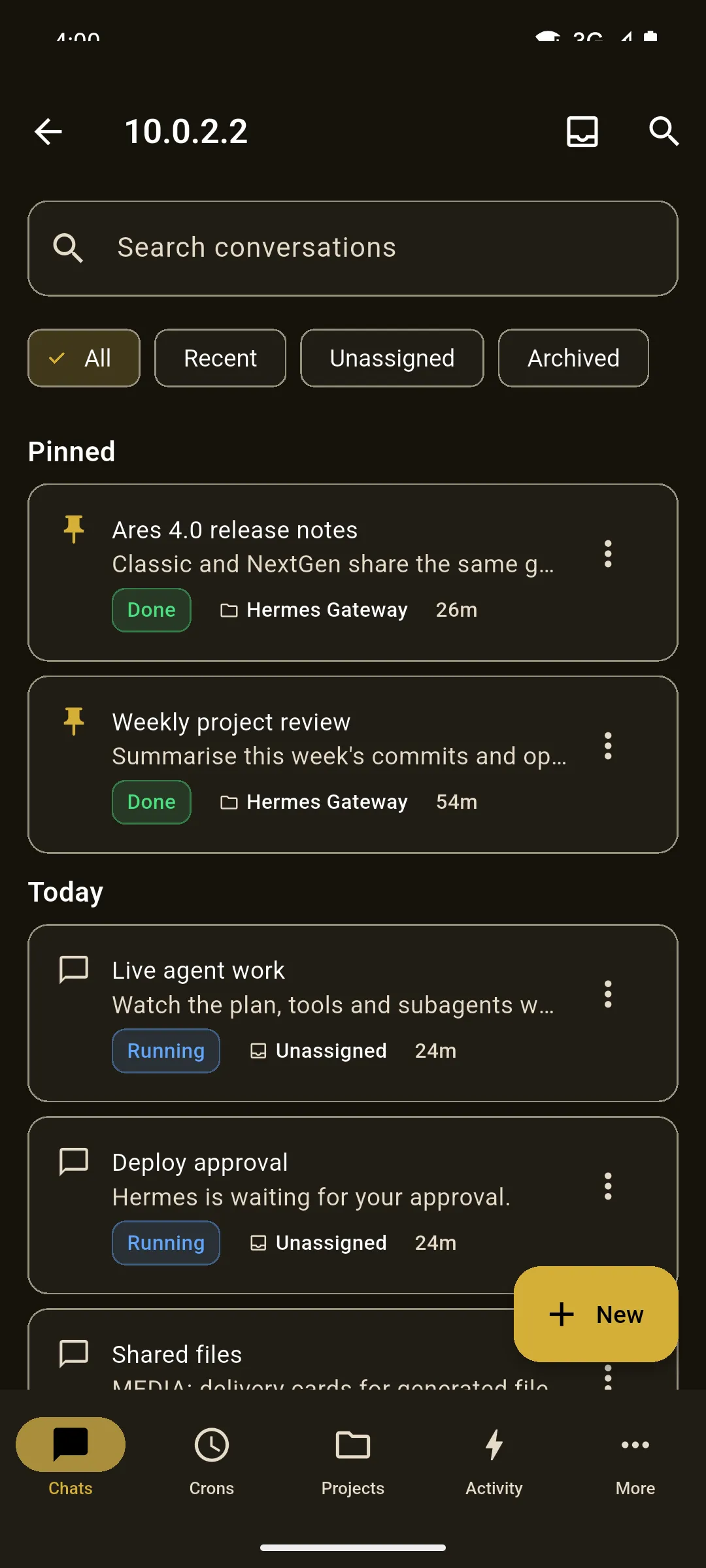
The familiar gold and black Hermes layout, still in the same app.
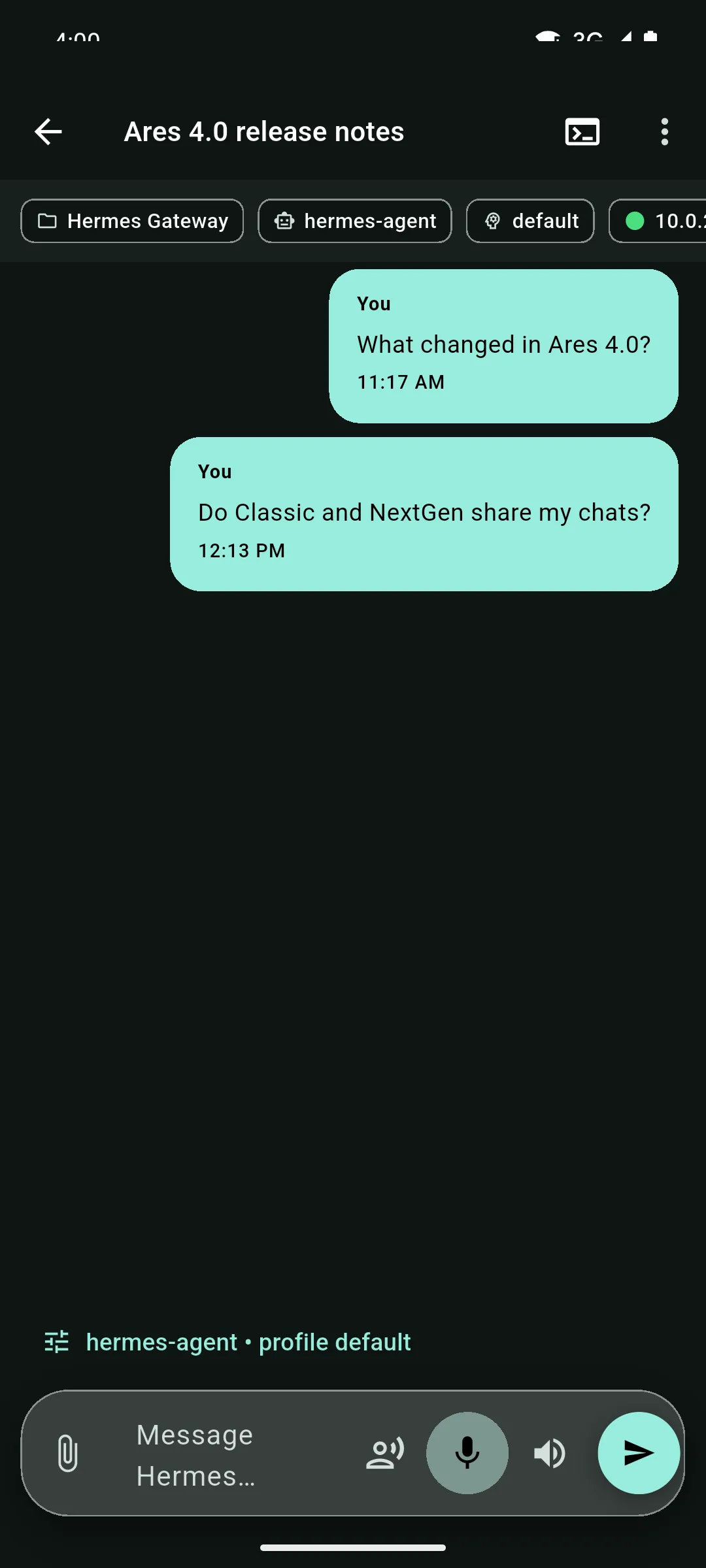
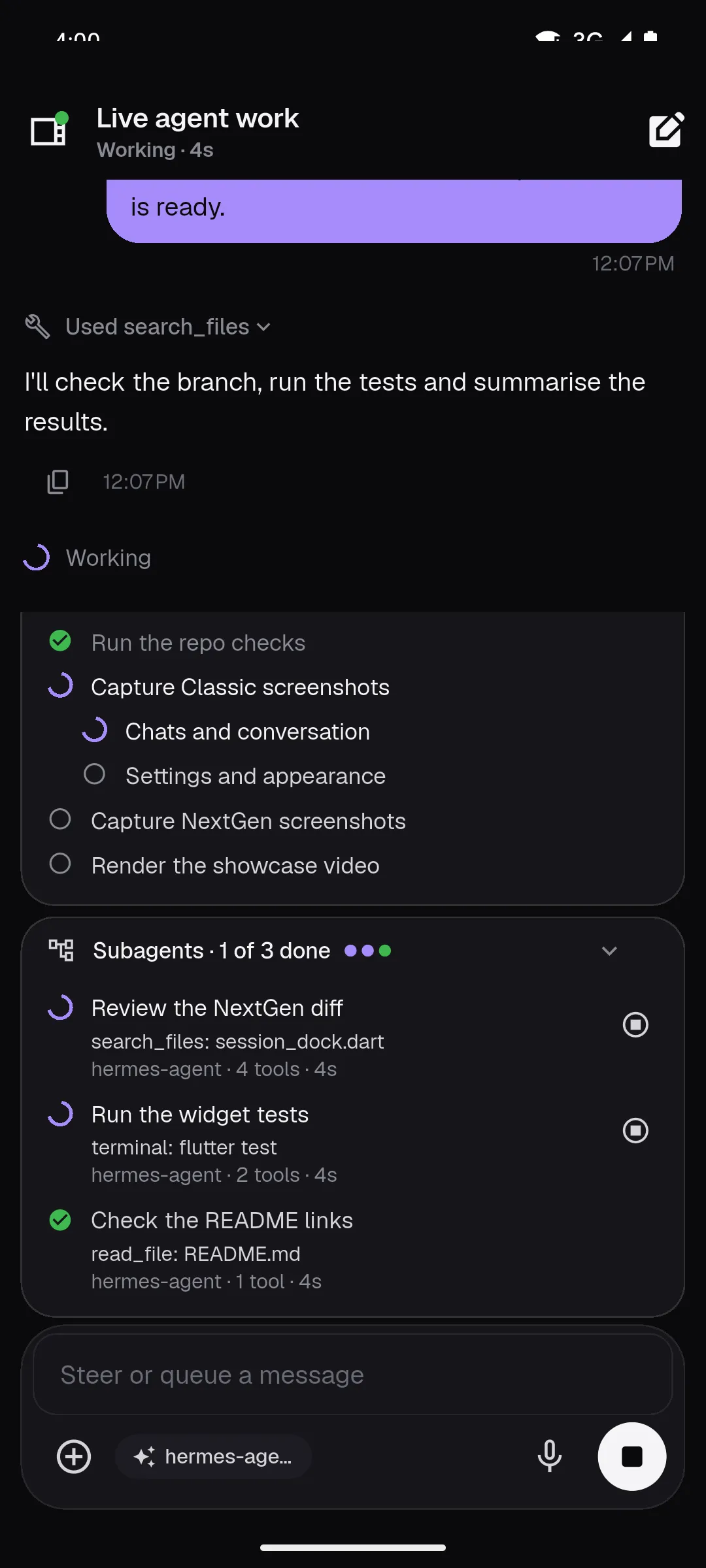
Streaming replies that stay clear and readable on a phone.
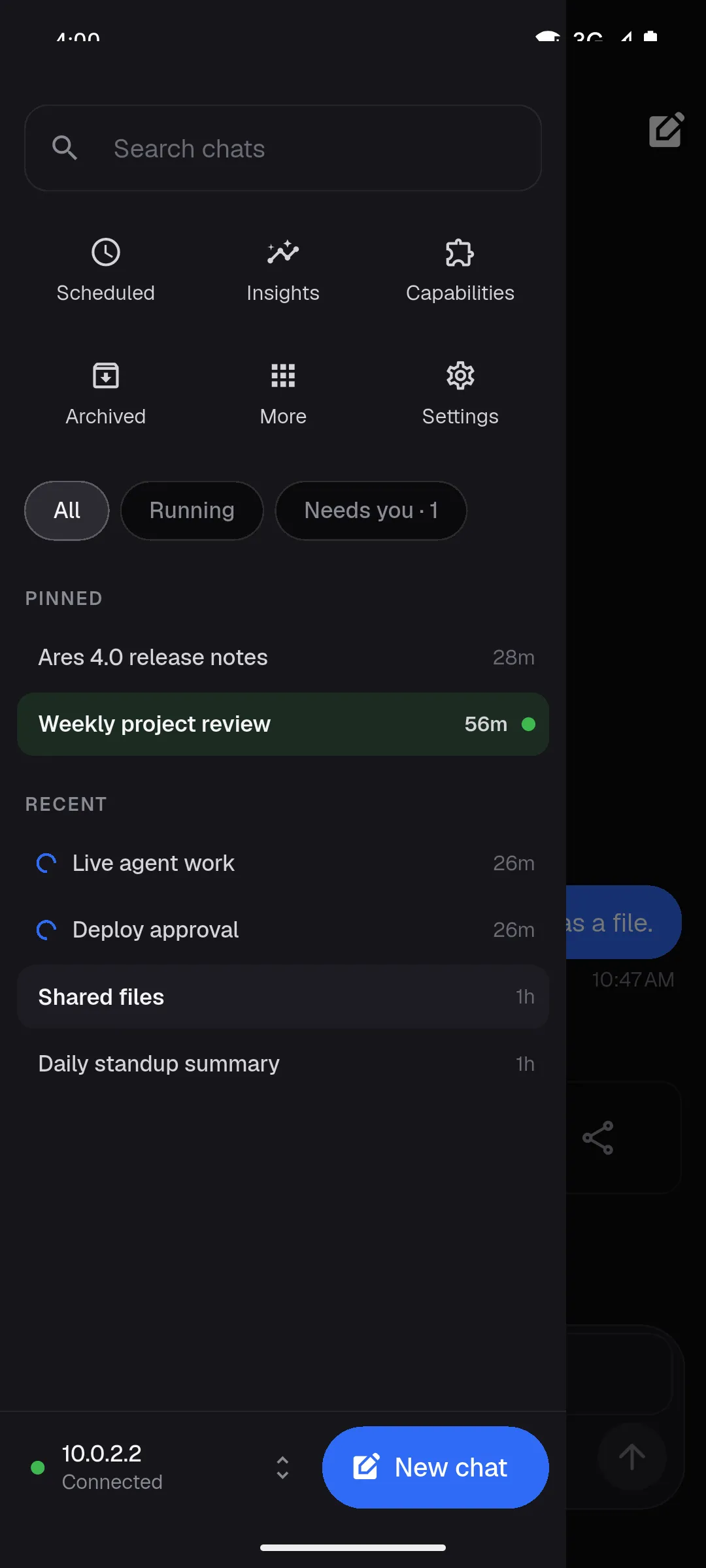
Search, pinned chats, and quick filters for active work, approvals and scheduled jobs.
Plans and active tasks sit right above the message bar.
Privacy in plain English
Ares has no ads, no analytics and no middleman server. It connects straight to the Hermes Agent you choose, and your chats stay between your phone and your server.
Read the privacy policySaved servers, drafts and preferences stay on your phone. Passwords, tokens and keys are kept in Android's encrypted storage.
Prompts, files and sign-in details go only to the server you connect to. Whoever runs that server controls its logs, storage and AI models.
The Google Play version updates through the Play Store. The F-Droid version updates through the F-Droid client. The direct GitHub version can check GitHub Releases for new versions.
Reporting an AI reply opens a blank form in your browser without attaching your chat, credentials or files.
Before you install
Hermes Android is now called Ares. Version 4.0 installs straight over the existing app and keeps your saved servers and chats, so do not uninstall your current app first.
No. Ares is the Android app for a Hermes Agent you already run on your home network, over Tailscale, or at a web address you trust.
Ares supports Android 7.0 and later on both phones and tablets. It is free, with no ads, subscriptions or in-app purchases.
The Download APK button below suits almost every modern Android phone and includes built-in update checks. An option for older phones is on the All downloads page, and Google Play handles updates automatically when installed from the store. F-Droid builds the app from source and updates it through the F-Droid client; its catalogue can lag the other channels slightly.
Built by Sam Russell for people who run Hermes Agent and want it on a phone.
Android and Google Play are trademarks of Google LLC. Apple, iPhone, iPad and Mac are trademarks of Apple Inc. Hermes Agent is a project of Nous Research. Ares is an independent client. NextGen adapts design work from Kyllene by Giton22 (MIT). Other product names belong to their owners.
Ares / iOS & iPadOS · On the App Store
Ares for iPhone, iPad & iPhone Duo
Ares is on the App Store as Ares Hermes Client. Chat with a Hermes Agent you run yourself, follow live plans and approvals, and switch between the Classic and NextGen layouts on a phone, a tablet or an unfolded iPhone Duo.
Free on the App Store · iOS and iPadOS 15.0 or later · iPhone, iPad and iPhone Duo.
Shared client, Apple details
Ares on iPhone, iPad and iPhone Duo has the same Hermes chat features and both layouts as Android. Notifications and background work follow Apple's rules.
Switch between Classic and NextGen. Both support compact phone, navigation-rail and wide layouts: Classic uses list and detail, while NextGen can dock the sessions sidebar.
Connect to your shared Hermes chat service over REST/SSE or through Desktop Gateway. Sign-in credentials live in the iOS Keychain.
On iPad and wide/unfolded iPhone Duo screens, keep the Classic list+detail view or NextGen docked sessions sidebar beside the live chat stream without losing your place.
Attach photos or files through native iOS pickers, preview files and PDFs your agent generates, and export them from the app.
Local notifications can include Approve and Deny actions. Background execution follows iOS/iPadOS rules; there is no Android-style foreground service or embedded FCM/UnifiedPush connection.
In NextGen, the Models page shows your default model, fallback list, helper-task models and providers, with context windows and prices where your gateway reports them.
Up close on iPhone
The chats, jobs, models and prices shown are sample data, not a real person's server.
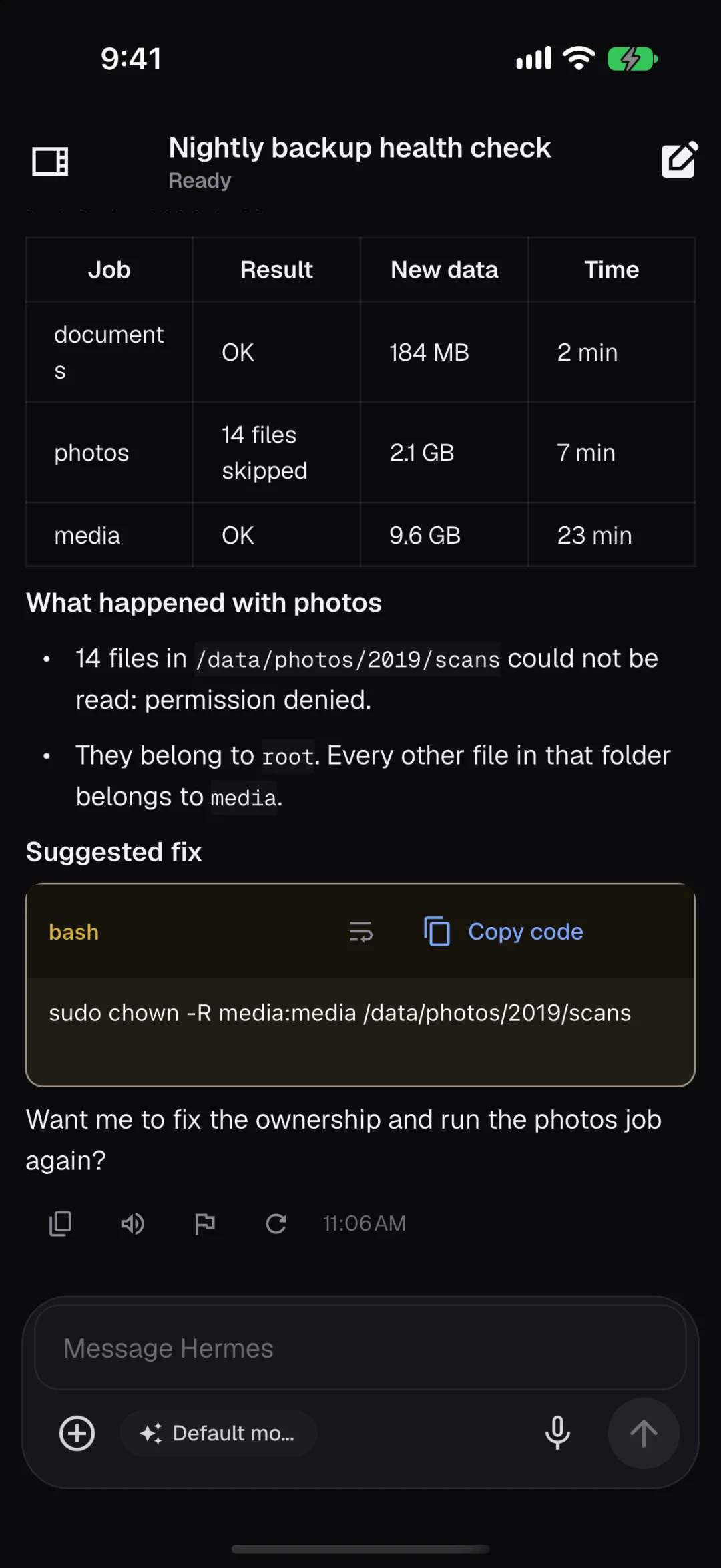
Tables, lists and code blocks stay readable on a phone, with one-tap copy on every code block.
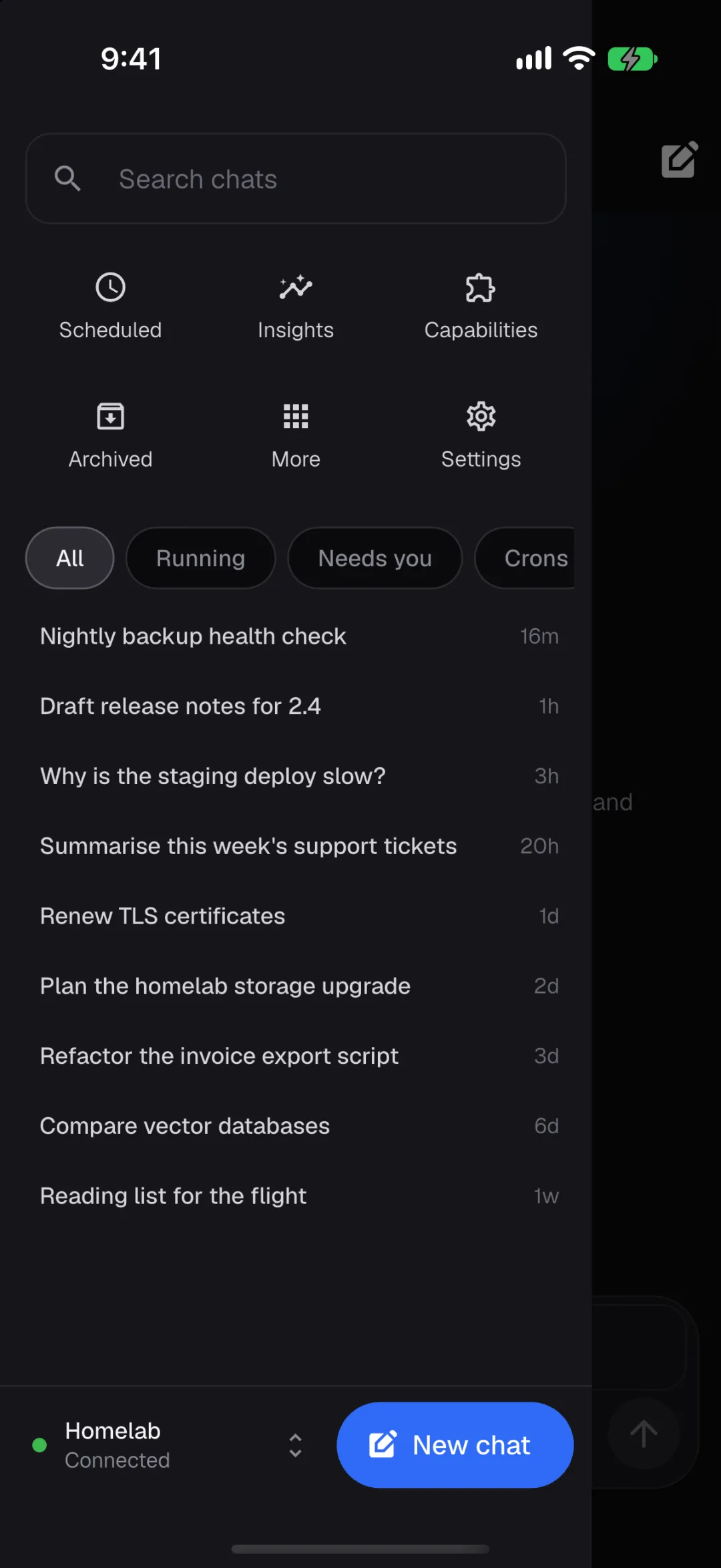
Search, quick filters for running work and approvals, and shortcuts to Scheduled, Insights and Settings.
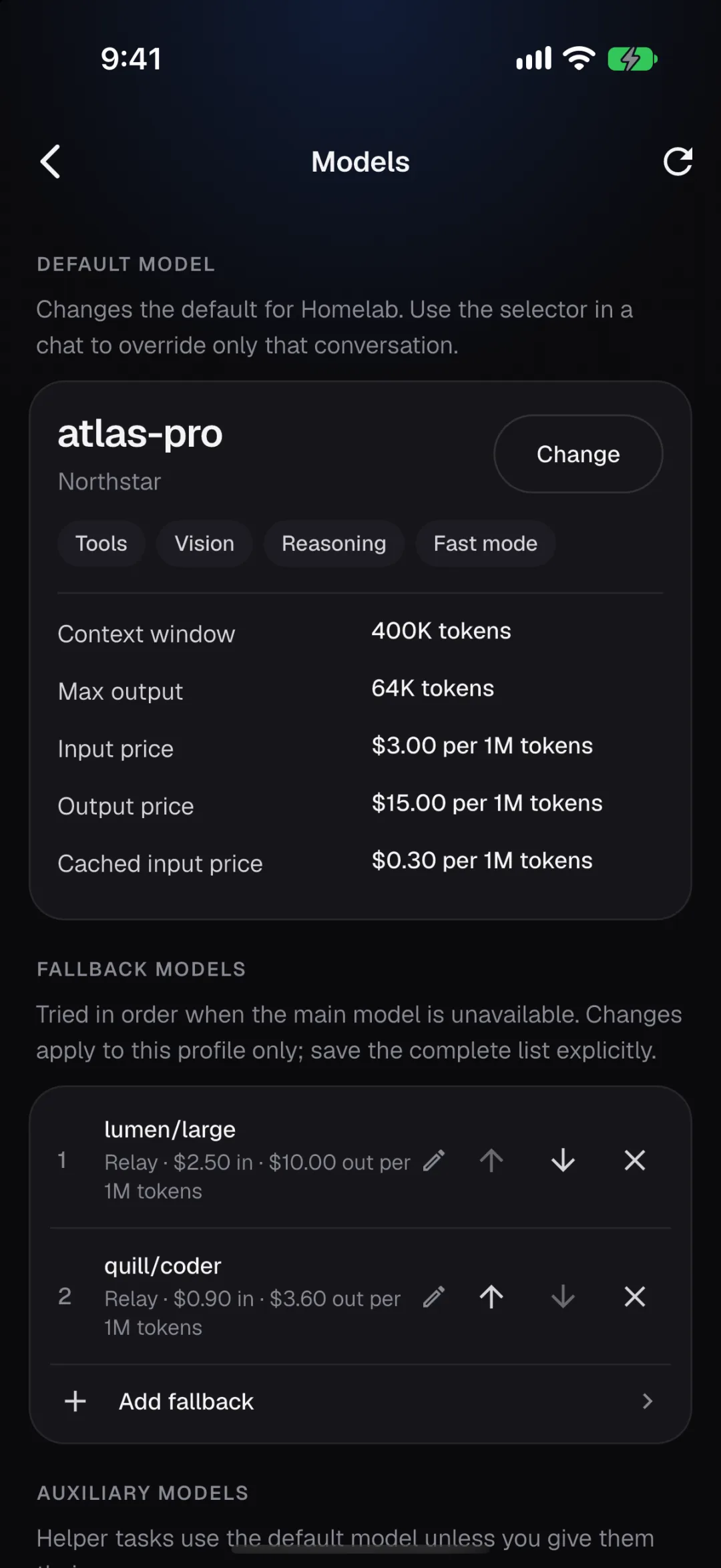
Your default model, the fallback list and helper-task models, with context windows and prices.
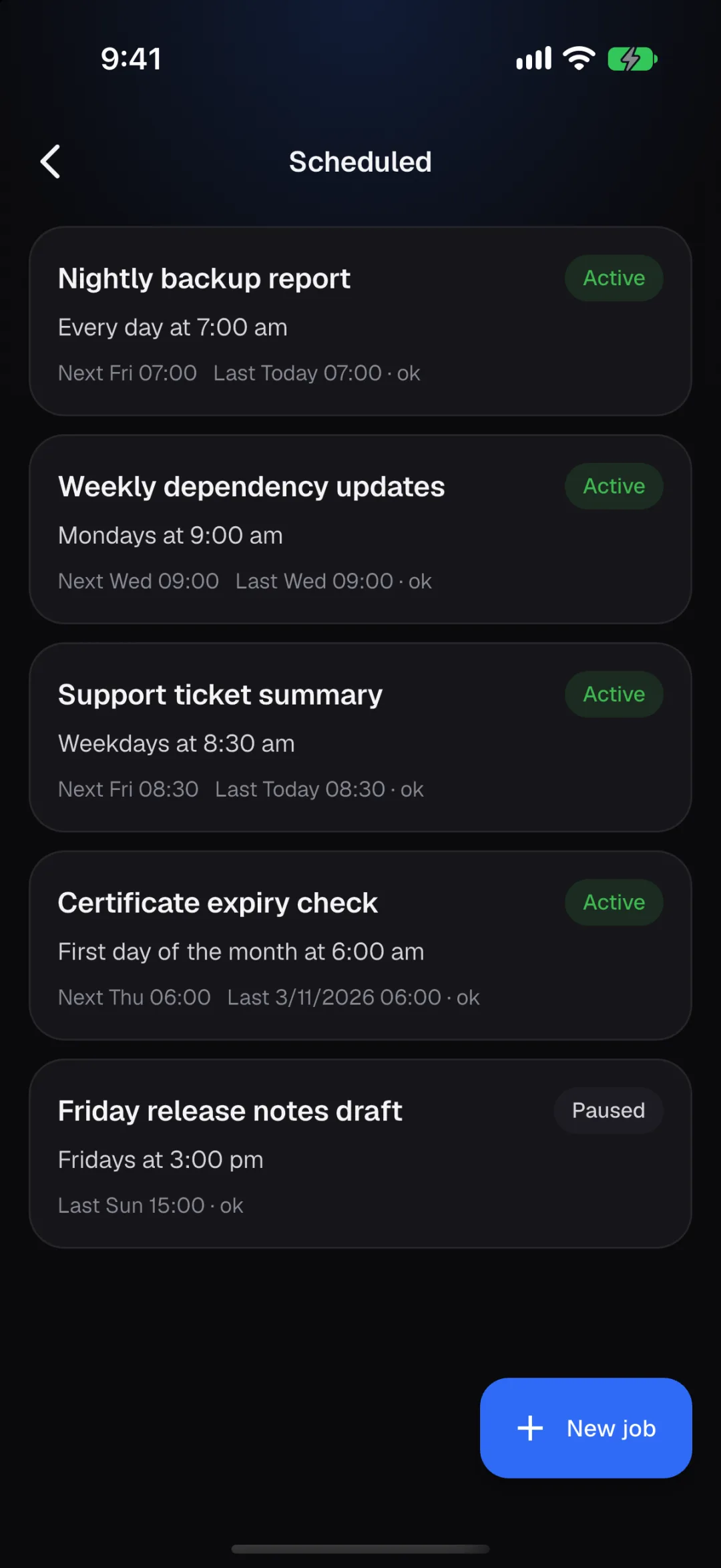
See what runs when, whether the last run finished, and which jobs are paused.
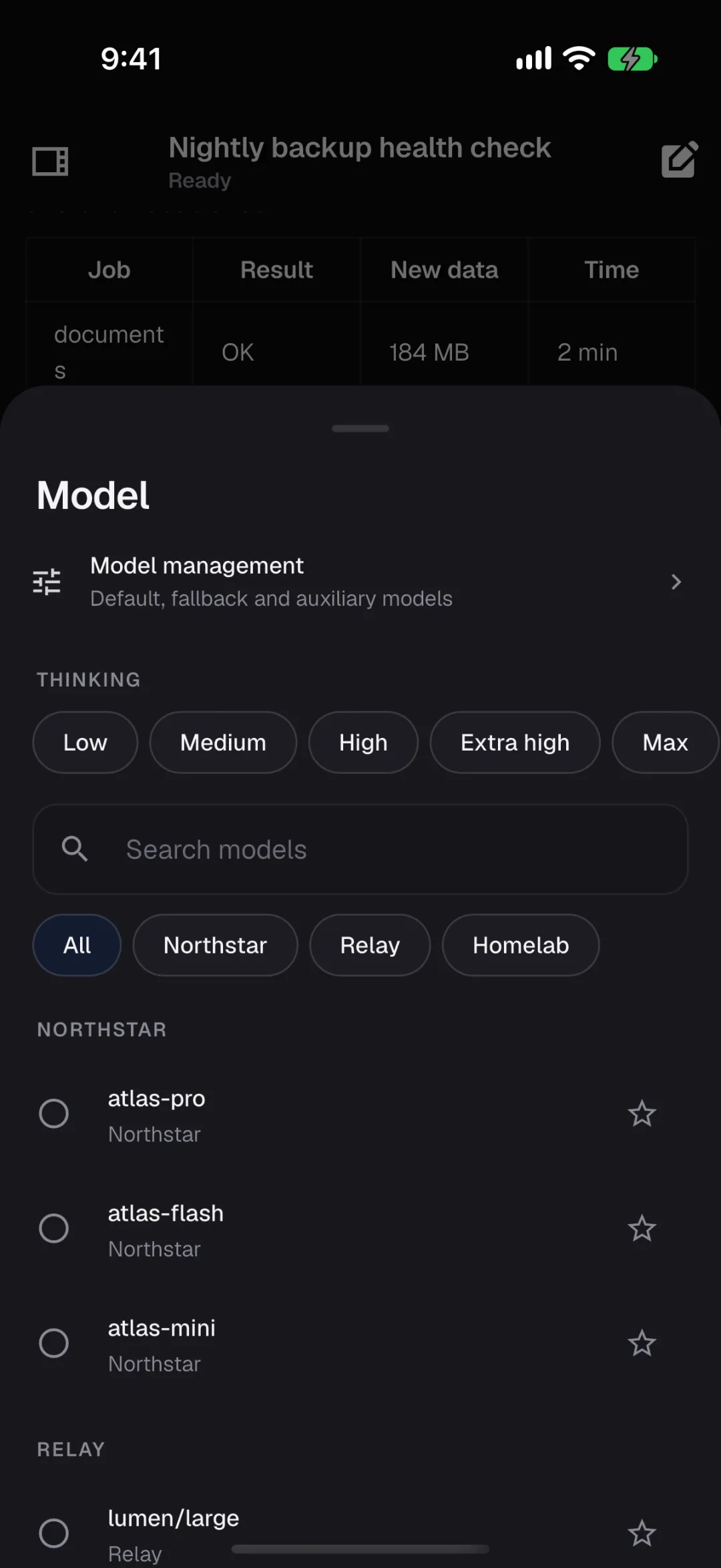
Pick a model and a thinking level from the composer, or open Model management from the same sheet.
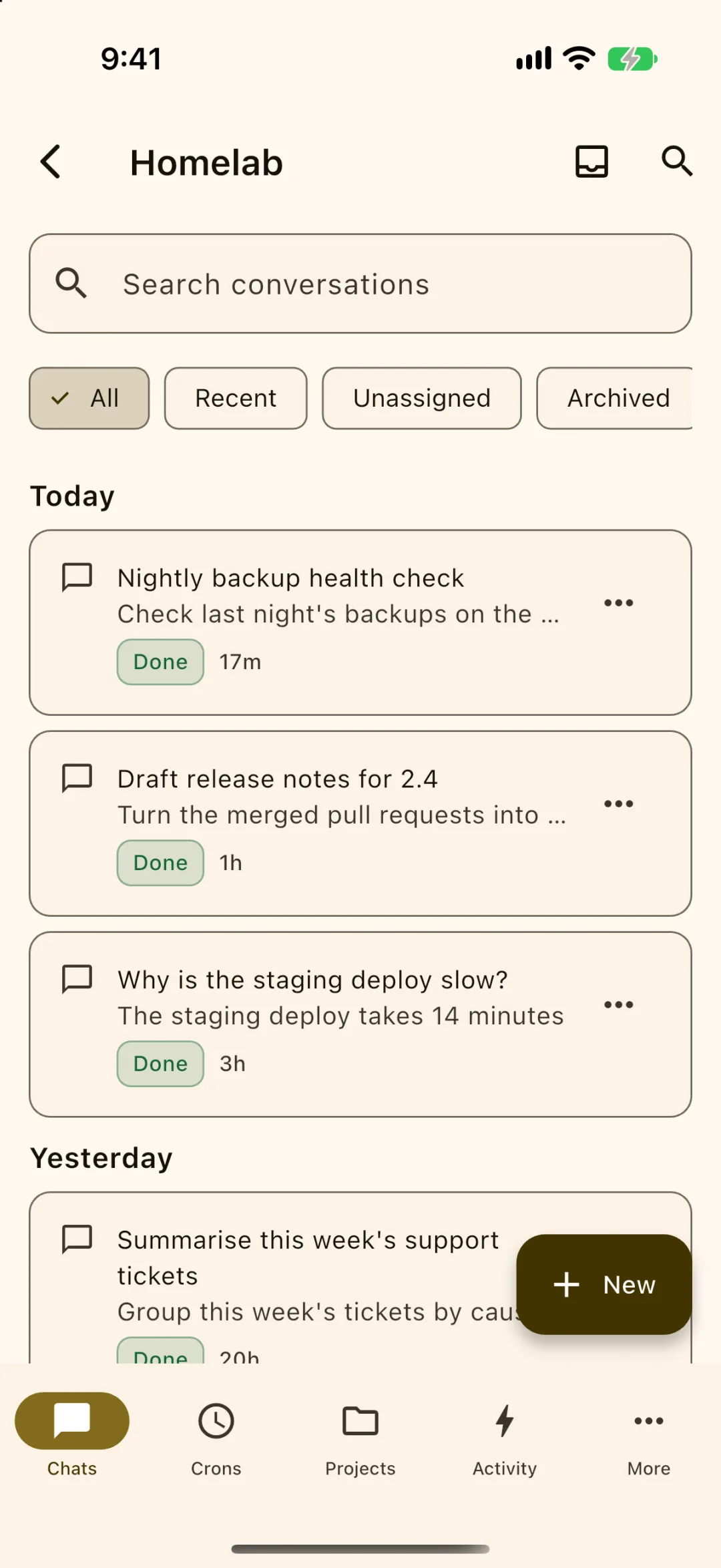
The original Ares layout with its bottom tabs for Chats, Crons, Projects and Activity.
On iPad
On iPad, NextGen keeps your chats beside the conversation you are reading. Classic shows its chat list next to the open chat.
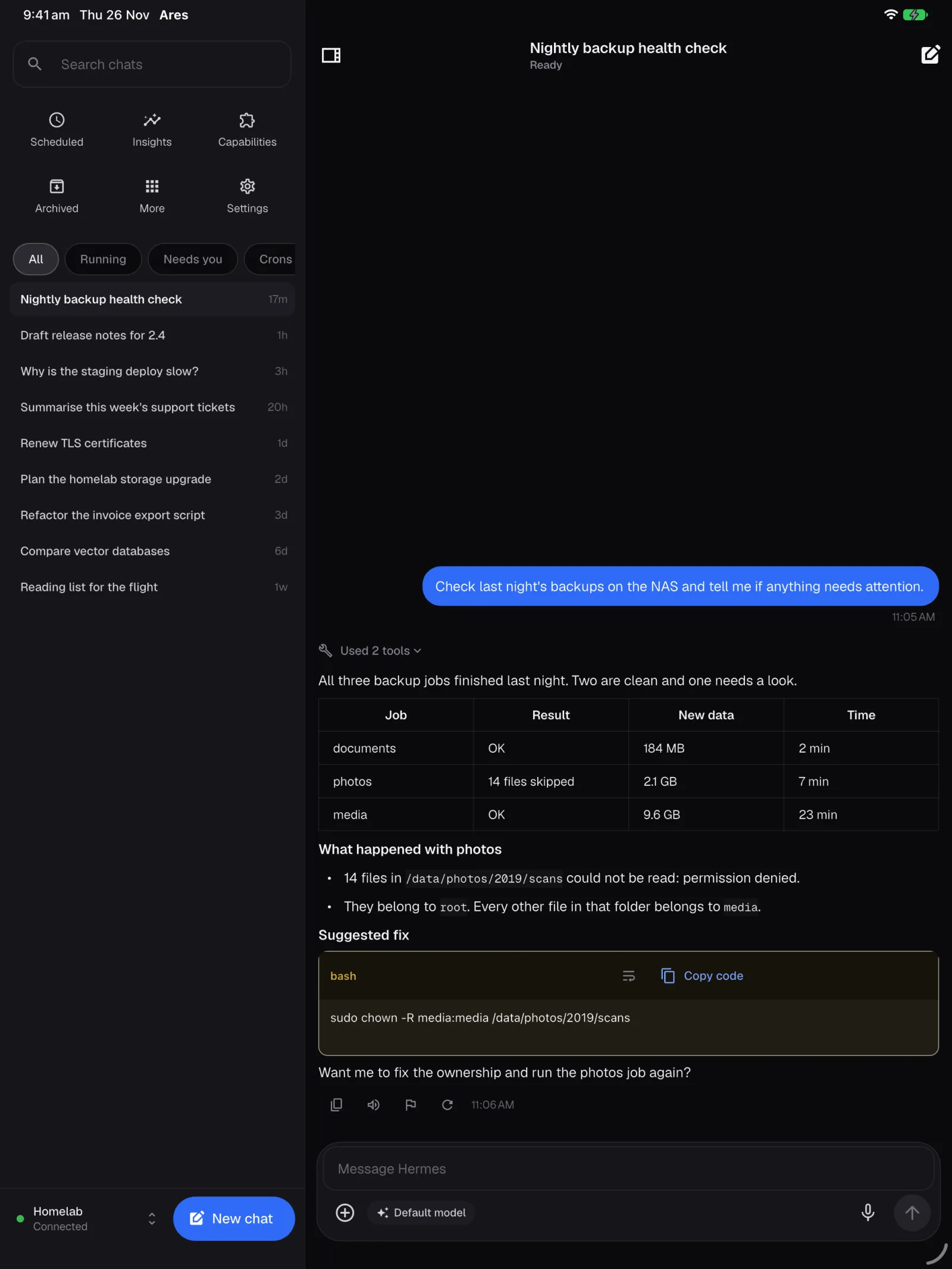
The chat list, filters and shortcuts stay on screen while you read and reply.
iPhone Duo · the folding iPhone
On an unfolded iPhone Duo, NextGen docks your chats beside the conversation, the way it does on iPad.
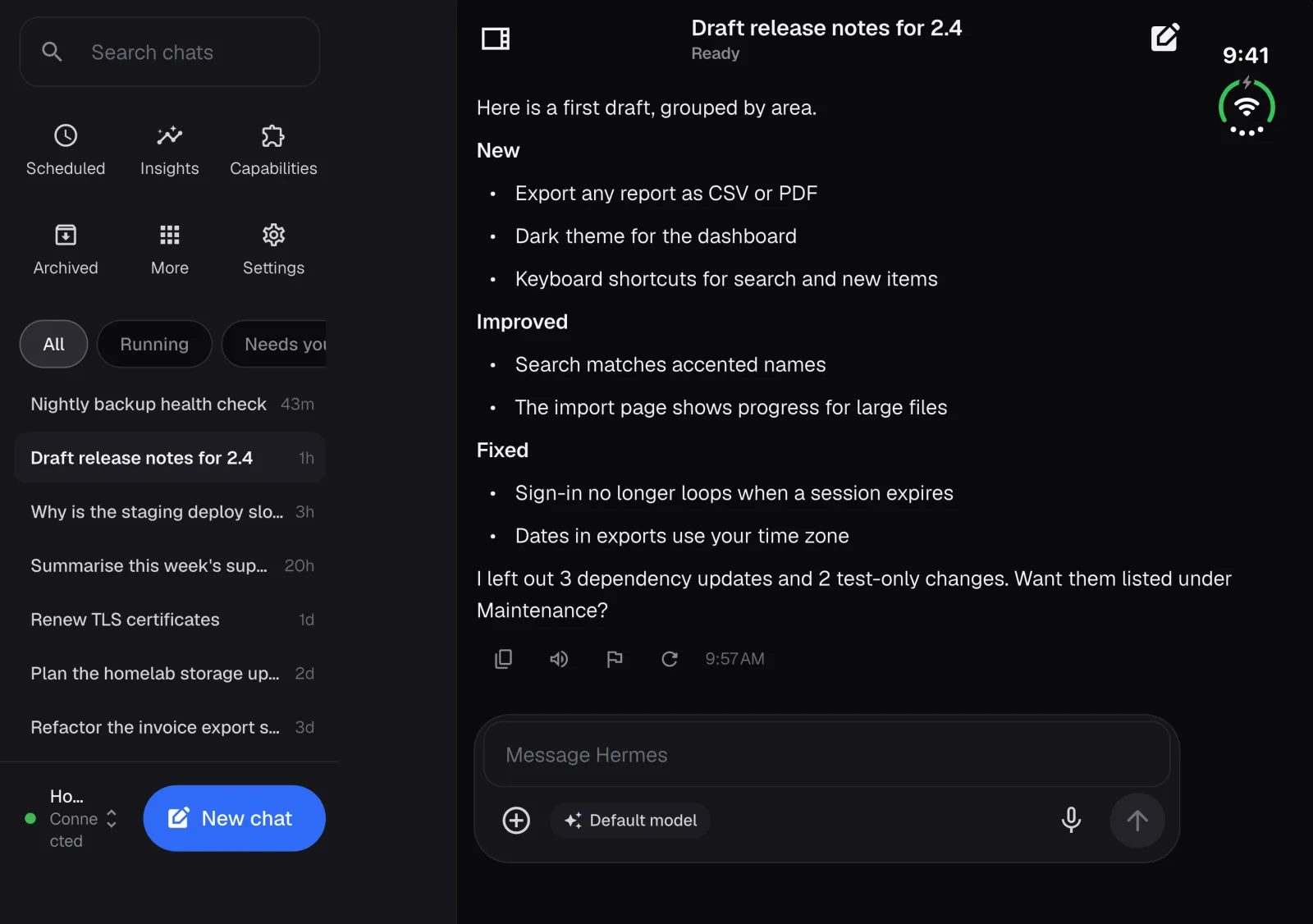
Pick a chat on the left and read it on the right, without going back and forth.
Before you download
No. Ares is the app for a Hermes Agent you already run on your home network, over Tailscale, or at a web address you trust.
It has the same chat features and both the Classic and NextGen layouts. Notifications on iPhone and iPad are local, and background work follows iOS and iPadOS rules.
iPhone, iPad and iPhone Duo with iOS or iPadOS 15.0 or later. Ares is free, with no ads, subscriptions or in-app purchases.
Download Ares Hermes Client on the App Store. It is on the App Store in most countries. It is not available in the European Union yet.
Built by Sam Russell for people who run Hermes Agent and want it on an iPhone or iPad.
Apple, iPhone, iPad and Mac are trademarks of Apple Inc. App Store is a service mark of Apple Inc. Hermes Agent is a project of Nous Research. Ares is an independent client. NextGen adapts design work from Kyllene by Giton22 (MIT).
Ares / macOS · Coming soon
Ares for Mac
Run Classic or NextGen in a resizable Mac window with list+detail or a docked sessions sidebar, streaming Hermes chat over REST/SSE or Desktop Gateway, local notifications, and file/PDF preview and export.
Coming soon for macOS 13.0+ (Apple silicon) · Not on the App Store yet.
Built for Mac
The Mac build gives both Classic list+detail and the NextGen docked sessions sidebar room to breathe, with desktop shortcuts and local notification actions.
Use Cmd+N/K/F/,/1-4 for Mac shortcuts, Enter to send and Shift+Enter for a newline. Classic shows list+detail; NextGen keeps docked sessions beside streaming chat.
Import from the gallery or files, preview files and PDFs, and export generated content. macOS camera capture through image_picker is unavailable; gallery and file import still work.
Local notifications can include Approve and Deny actions. Background execution follows macOS rules, without an Android-style foreground service or embedded FCM/UnifiedPush.
Ares / Windows · On the Microsoft Store
Ares for Windows
Ares is on the Microsoft Store as Ares - Hermes Agent client. Work with a Hermes Agent you run yourself from a desktop window: streaming chats, approvals, a Models page and scheduled jobs, in Classic or NextGen.
Free on the Microsoft Store · Windows 10 version 1809 or later and Windows 11 · 64-bit (x64).
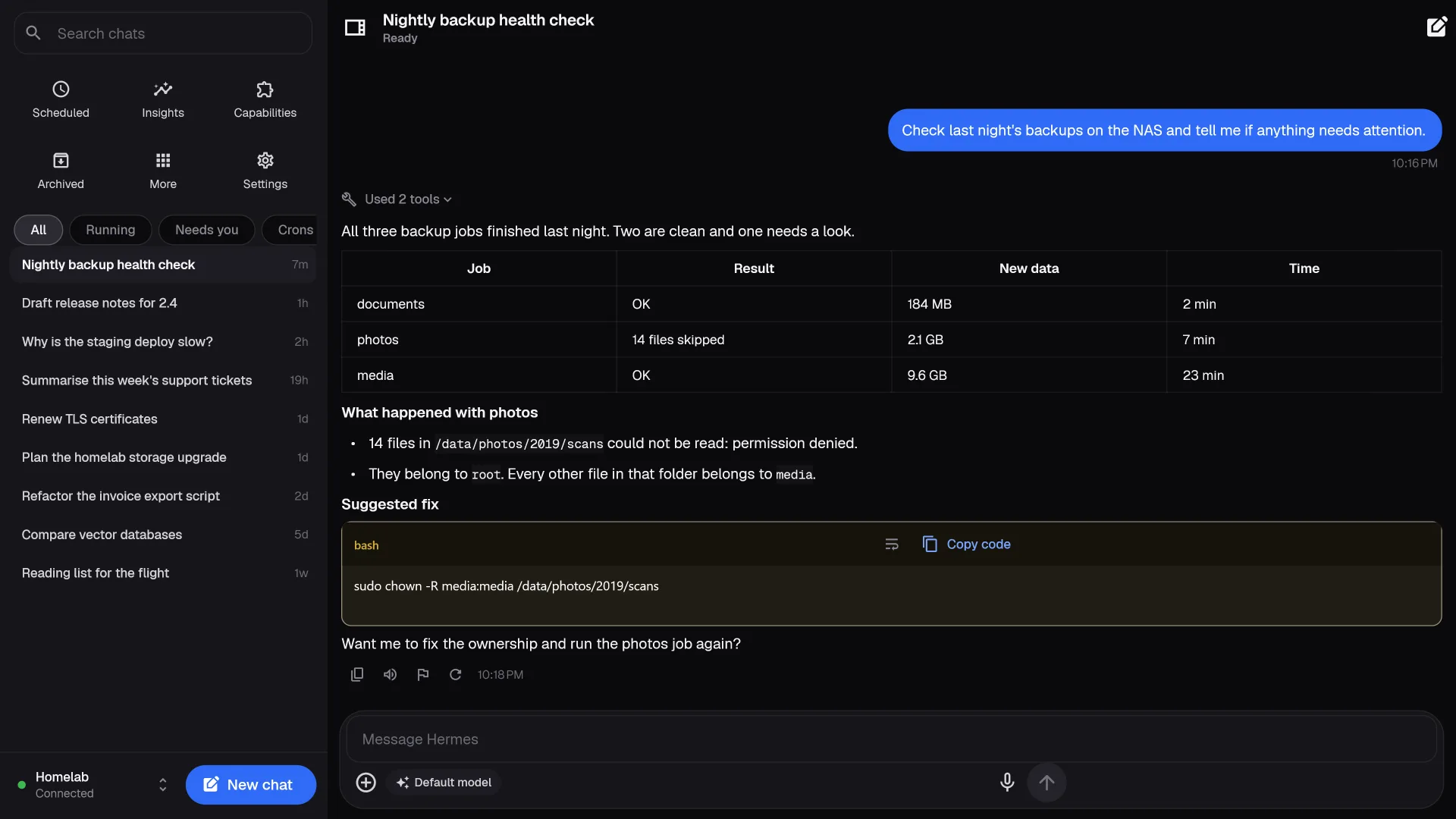
Built for the desktop
Connect over your local network, a private Tailscale network or an HTTPS address, and work with your agent beside your editor or browser.
Choose Classic or NextGen in Settings and switch at any time. Both use the same saved gateways and chats.
Replies stream as they are written, with reasoning and tool activity shown while the agent works. Send follow-up guidance while a turn is still running.
Answer approvals and questions inside the conversation. Search, pin, archive and reopen chats, with unread and running states.
Manage the default model, the fallback list and helper-task models on one page, with context windows and prices. See each provider's allowance and rate limits.
Create, edit, pause and run scheduled jobs, and see when each one last ran.
Ares sends your chats only to the Hermes Agent gateway you set up. This first Windows version does not post notifications.
Up close on Windows
Every chat, job, model and provider name shown is invented sample data.
The chat sidebar stays on the left while tables and code blocks use the width of the window.
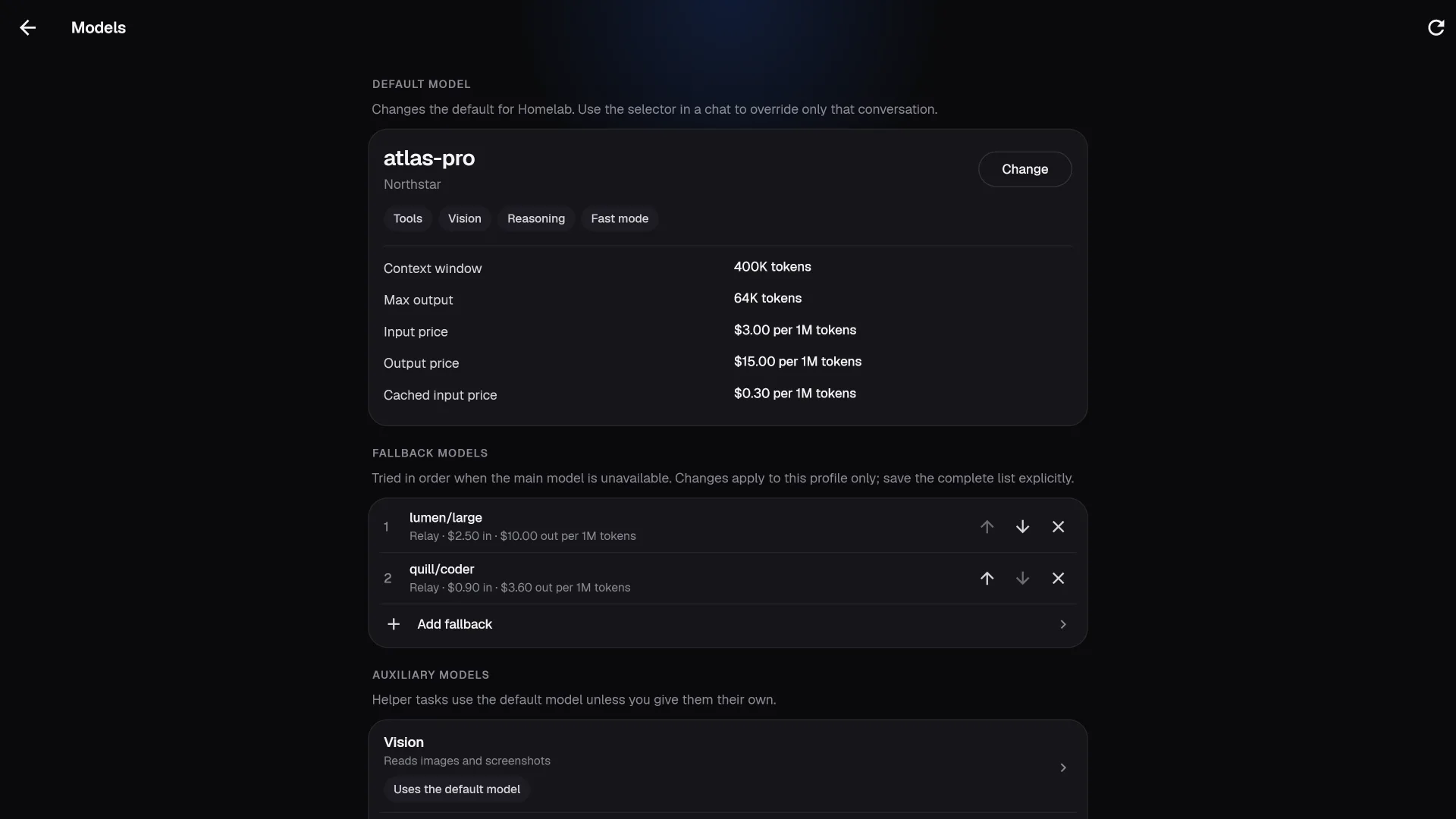
Context window, output limit and prices for the default model, with the fallback list below.
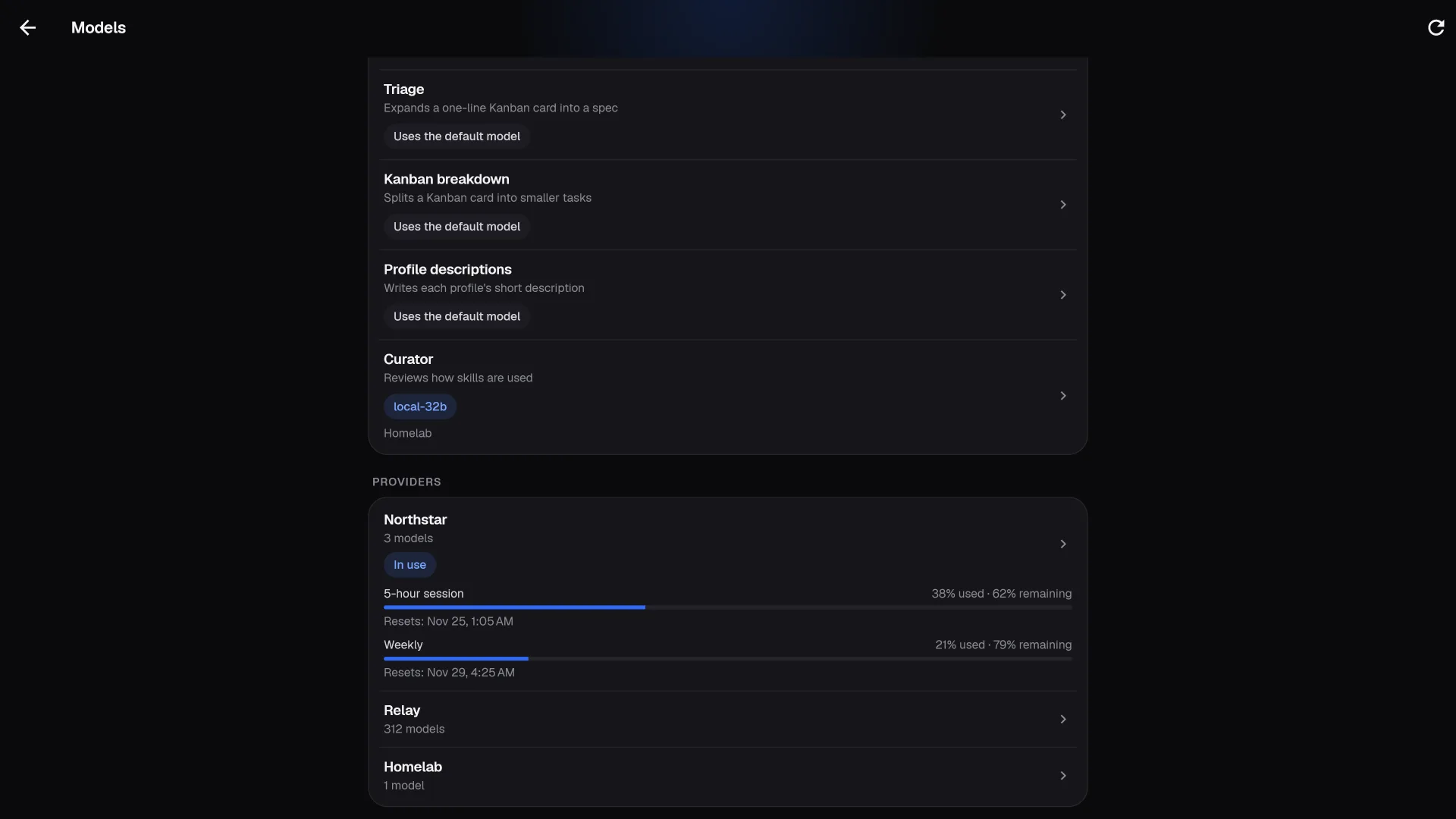
Helper-task models and each provider, with session and weekly allowances where your gateway reports them.
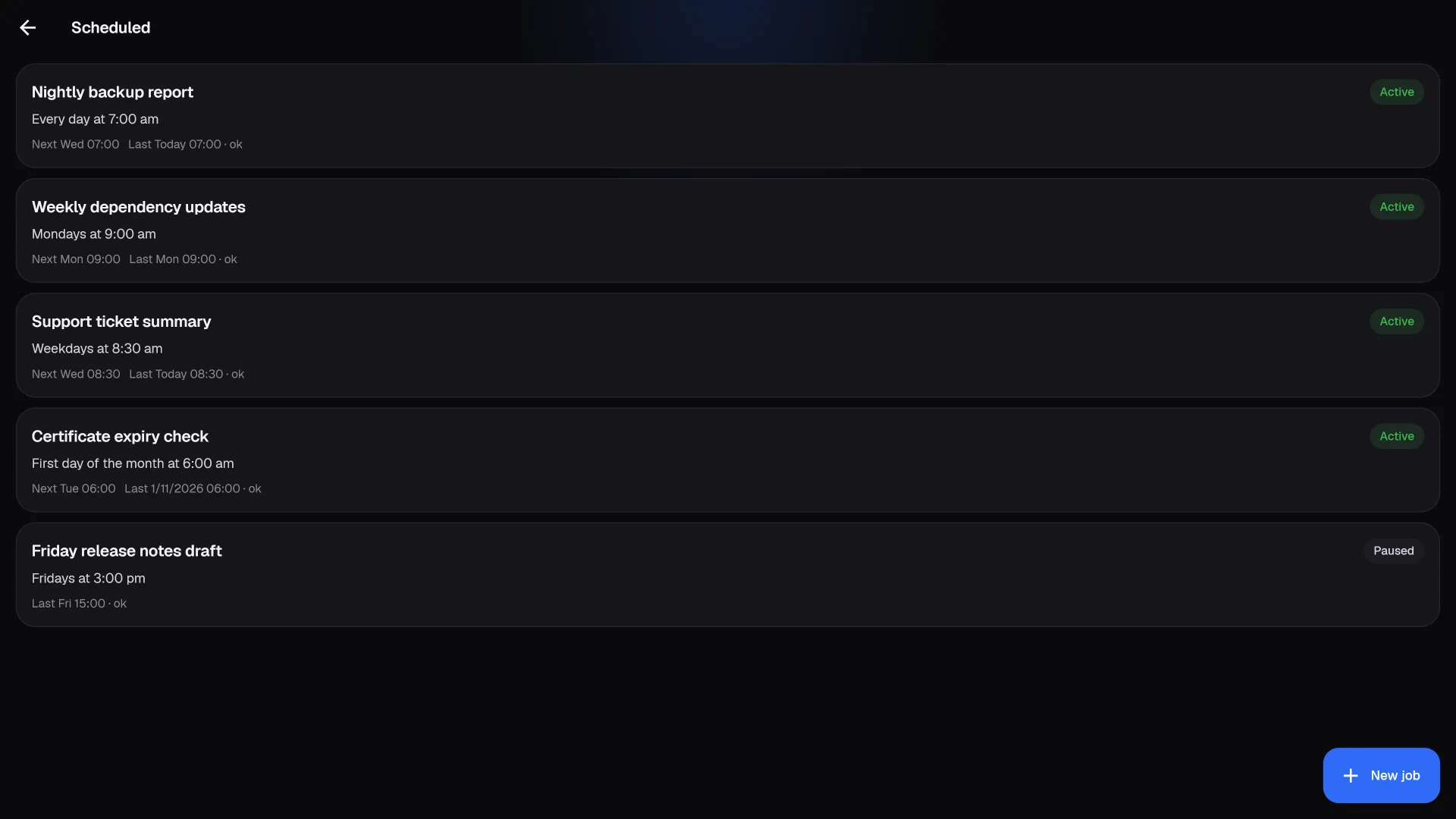
Each job with its schedule, its next and last run, and whether it is active or paused.
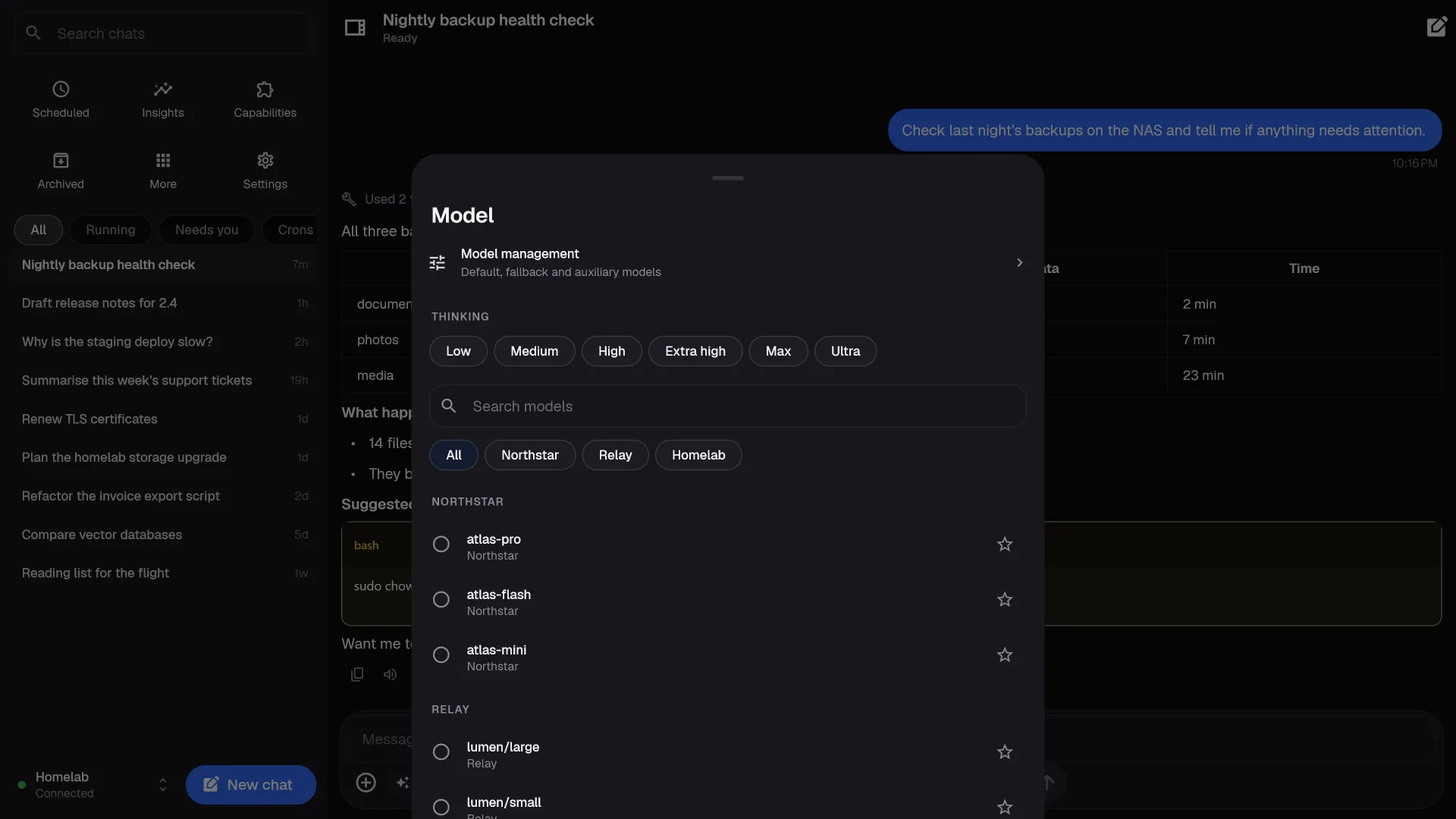
Pick a model and a thinking level from the composer, filtered by provider.
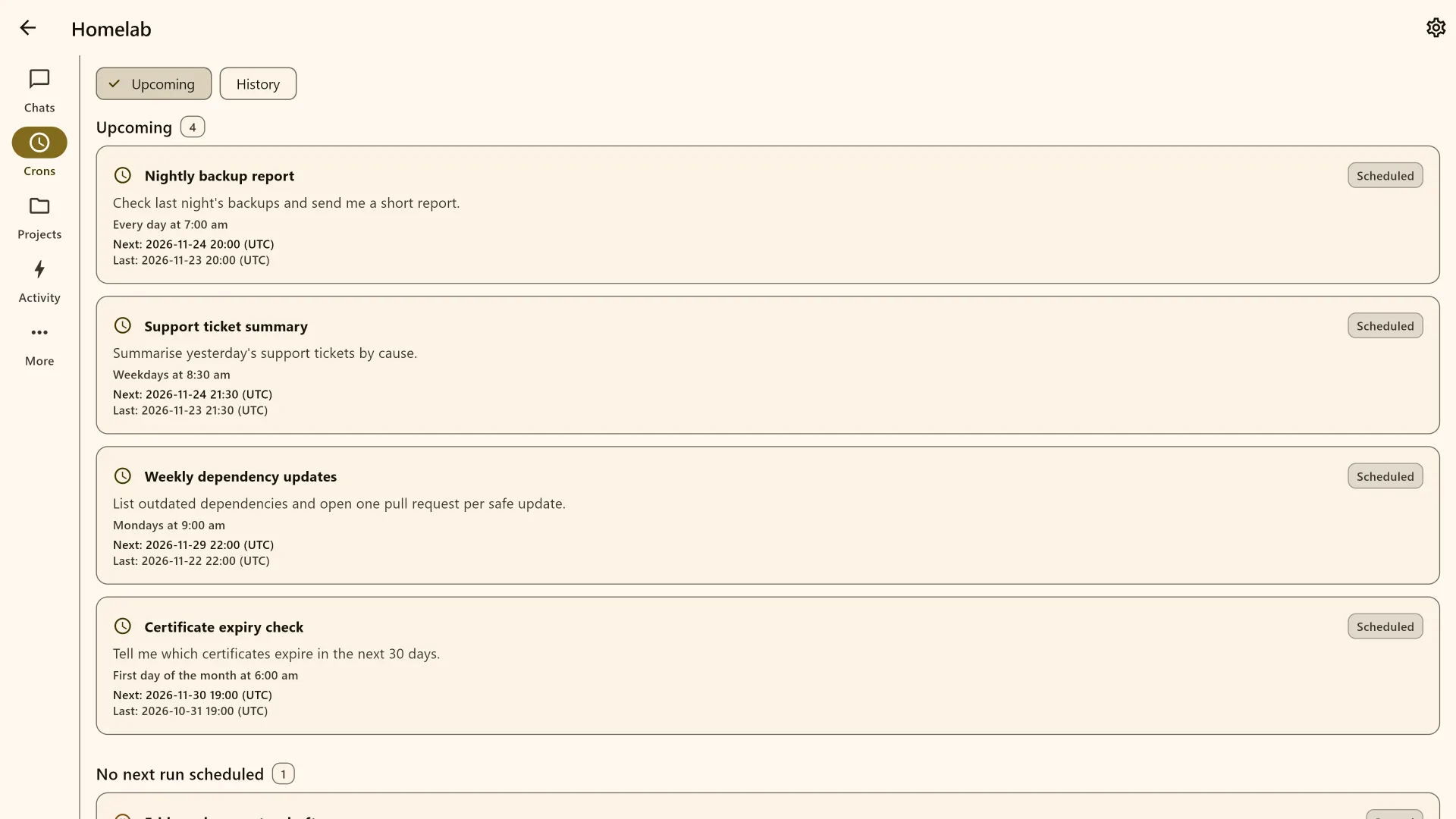
The Classic layout with its side rail for Chats, Crons, Projects, Activity and More.
Before you install
No. Ares needs a running Hermes Agent server that your PC can reach. It does not include a hosted account, a model subscription or the server itself.
Not yet. This first Windows version does not post notifications.
Through the Microsoft Store, like any other Store app.
PCs with 64-bit (x64) Windows 10 version 1809 or later, or Windows 11. Ares is free and open source, with no ads.
Built by Sam Russell for people who run Hermes Agent and want it on their PC.
Microsoft, Windows and Microsoft Store are trademarks of the Microsoft group of companies. Hermes Agent is a project of Nous Research. Ares is an independent client. NextGen adapts design work from Kyllene by Giton22 (MIT).