Gantry is a clean, fast client for GitHub, Gitea and Forgejo. Keep repositories, issues and pull requests close at hand, add as many accounts as you like and switch between them in a tap, with encrypted tokens and a thoughtful interface that stays out of your way.
For Android 8.0 and later on phones, foldables and tablets · US$1.99 one-time purchase.
No ads
No analytics
Encrypted tokens
Your instance, your data
Works with
GitHub, Gitea & Forgejo
Accounts
Multiple
Minimum Android
8.0
One-time price
US$1.99
Built for everyday Git
A complete Gitea, Forgejo & GitHub client.
Repositories and code, issues and pull requests, wiki and Actions, notifications and notes. Every feature ships in the one purchase.
Repos and code
Browse and search repositories, read and edit files, and follow commits, branches, tags and releases. Commit several files at once, upload binaries, download Git LFS media, and migrate or mirror repositories. Create repos, star and watch them, and manage topics, settings and tag protection.
File editing commits straight to a branch.
Issues that keep up
Open, comment, react, label and close issues, with repository templates and forms, blocked-by dependencies and sub-issues. Track time, set milestones and assignees. Pull requests get reviews with suggested changes you can commit, team reviewers, a checks and mergeability card, merges and branch cleanup.
Templates, dependencies and reviews included.
Wiki and Actions
Read and edit the repository wiki, and follow Gitea Actions: workflows, runs and live logs. Everything you need to keep a project moving on the go.
Run logs stream in the app.
Multiple accounts
Add as many accounts as you like, across GitHub, Gitea and Forgejo, and switch between them in a tap. A cross-account My work queue gathers your assigned issues and review requests in one list. Tokens live in Android's encrypted storage. Sign in with a token, your Gitea/Forgejo password, or GitHub's browser sign-in.
Cloudflare Access instances supported.
Notifications and notes
Stay on top of mentions and reviews with a merged inbox, optional real-time push through a relay you host, and a home-screen work summary widget. Bookmark what matters and keep personal notes alongside your work.
Bookmarks and notes stay on your device.
Make it yours
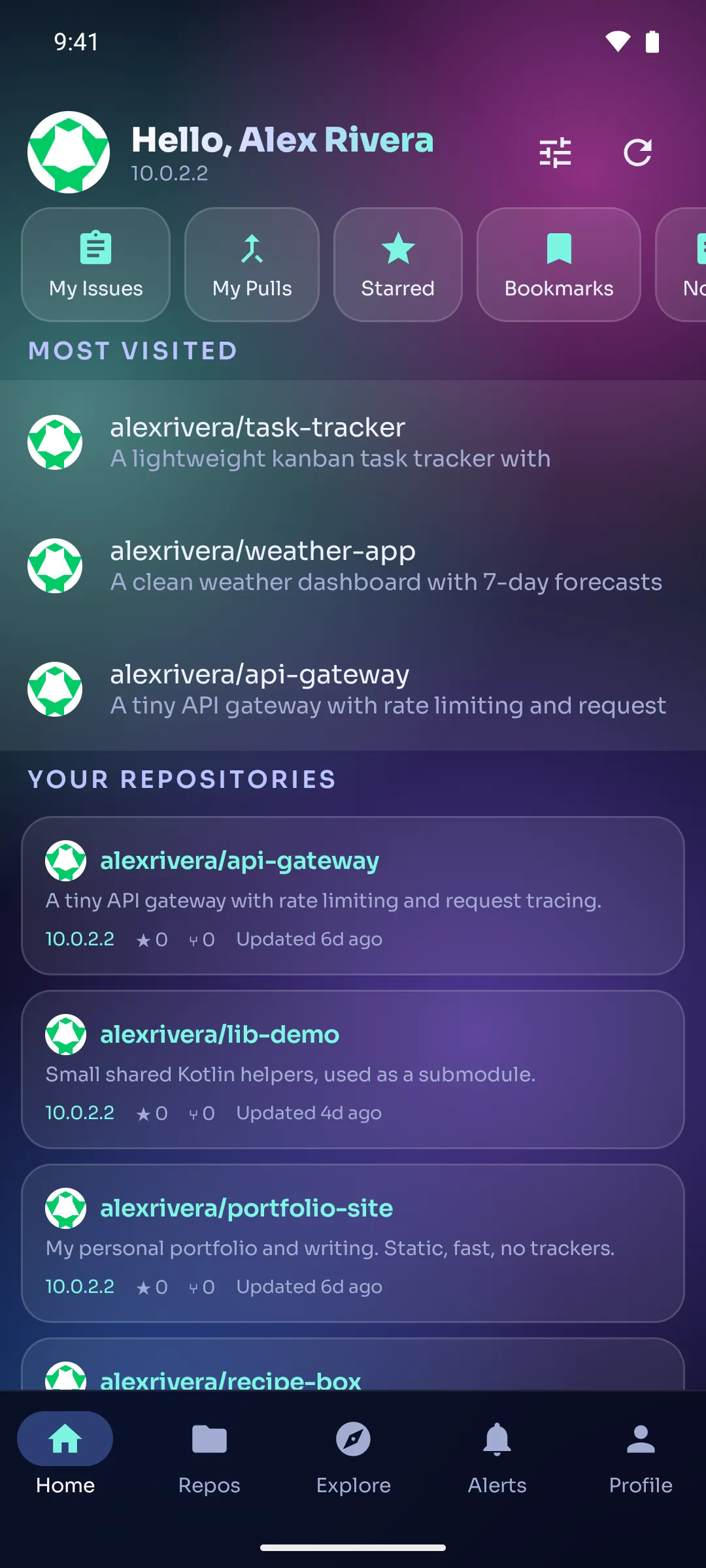
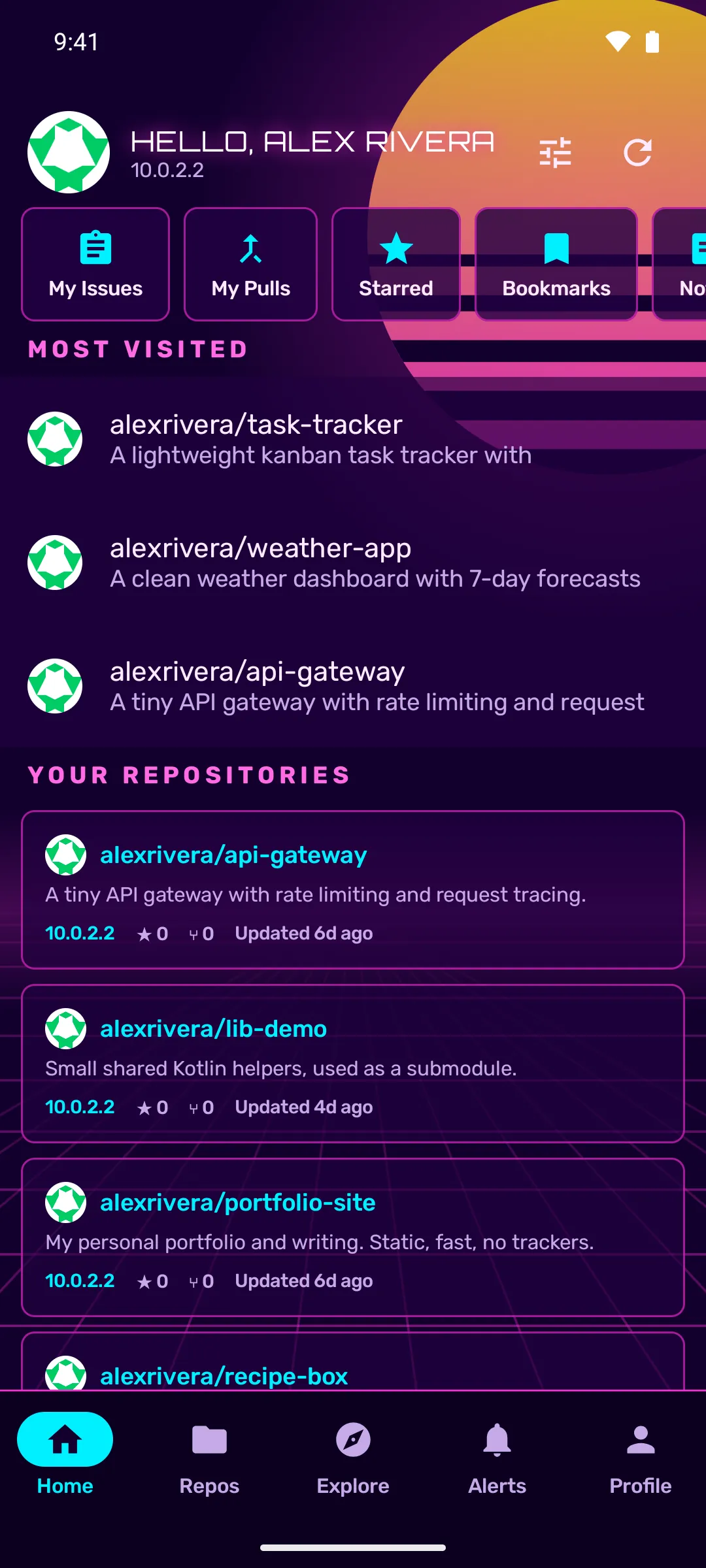
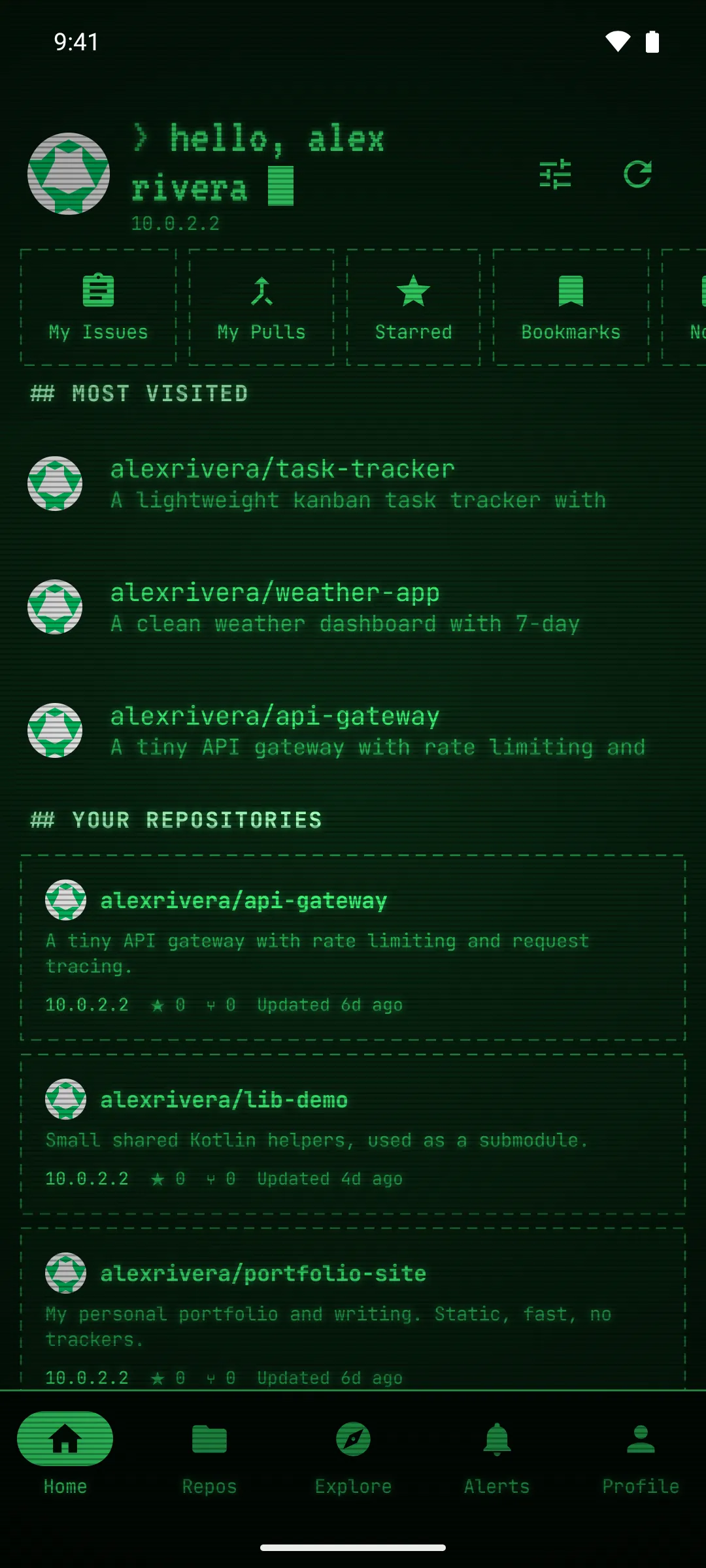
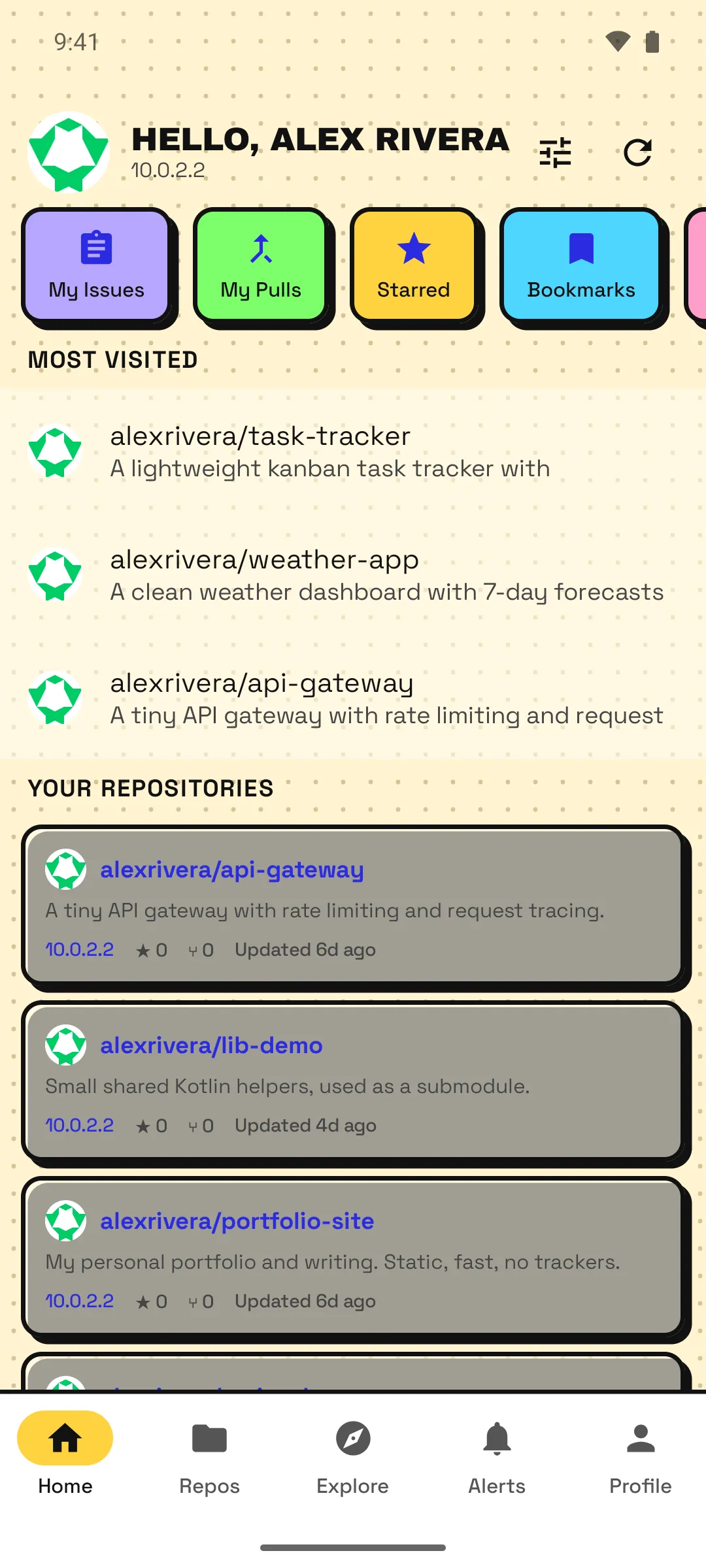
Twelve app styles, from the original Classic look to The Boss in black and grey and bolder looks like Synthwave Neon and Terminal CRT, plus a choice of 14 interface languages. Lock the app with your fingerprint or face, and open repository links straight from your browser.
The Git essentials are only the start. Gantry adds multi-provider switching, adaptive tablet and foldable layouts, and the touches that make a self-hosted workflow feel at home on Android.
GitHub, Gitea and Forgejo in one app
Most clients pick a side. Gantry works with GitHub and with self-hosted Gitea or Forgejo, so you can keep a GitHub account and a Gitea account side by side and switch between them in a tap. One app for all your Git hosting.
Mix providers and accounts freely.
Behind Cloudflare Access? No problem
If your instance sits behind a Cloudflare Zero Trust gateway, add a service token once and Gantry handles the rest. Most clients simply cannot reach these instances.
Service tokens are stored encrypted too.
Built for Android
Gantry is an independent Android app designed from the ground up for GitHub, Gitea and Forgejo, so each host's features feel natural on phones, foldables and tablets instead of squeezed into a mobile web page.
Fast, native interface across all three hosts.
Private by design
No ads, no analytics and no Gantry server in the middle. Gantry talks straight to the host you choose, and your credentials stay encrypted on your device. Optional push uses a relay you run yourself, and it only ever sees a content-free wake signal.
Your instance, your data.
One purchase, everything
US$1.99 once. No subscription, no in-app purchases, no feature timer. Every feature ships in that one purchase, and updates are included.
No account required to buy.
Made for tablets and foldables
From 600 dp wide, a navigation rail replaces the bottom bar. On landscape tablets, unfolded foldables and wide windows from 840 dp, repositories, Alerts, issues and pull requests open beside the list while keeping your filters and scroll position across folds and rotations.
Adapts to split-screen and desktop windows too.
Up close
The Gantry look.
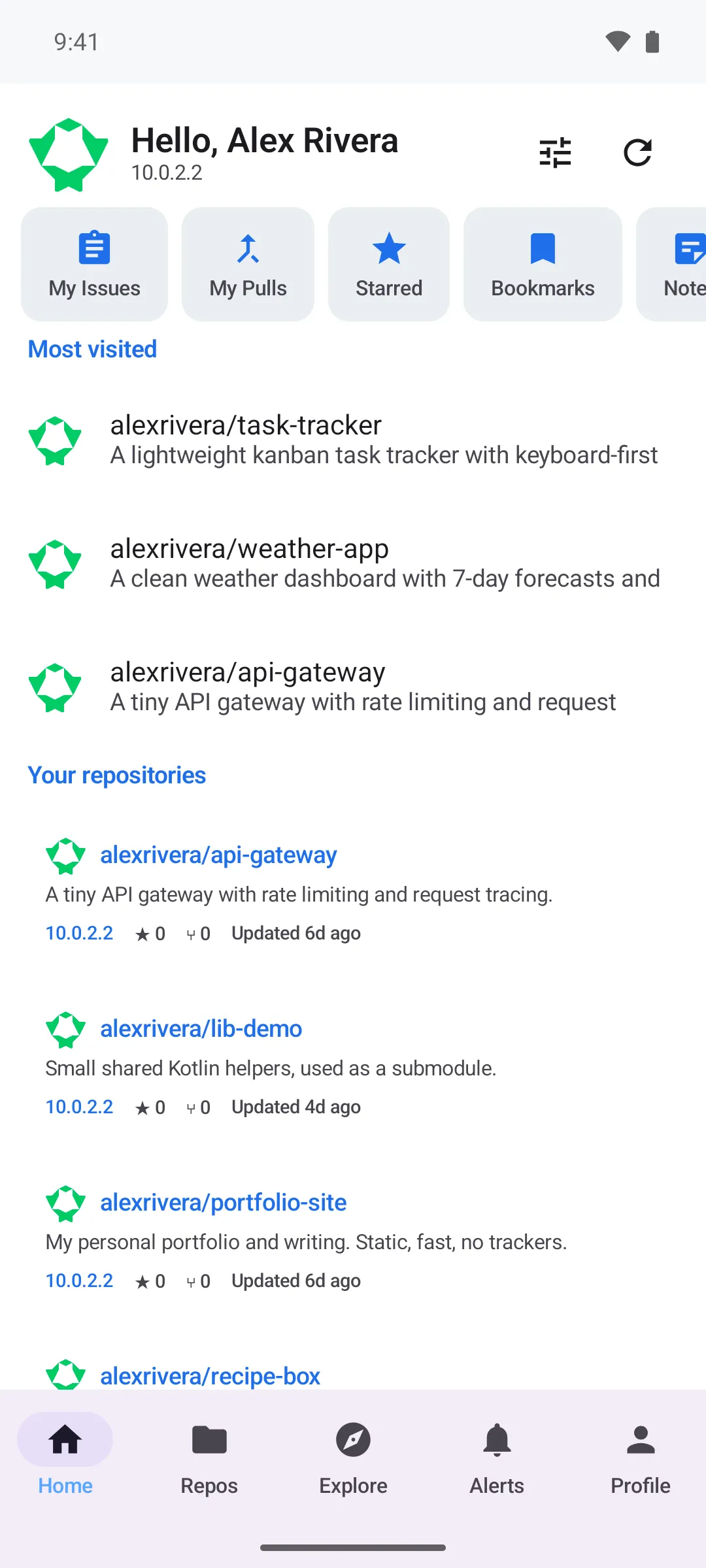
The Classic style: a calm blue palette with Gitea green and Forgejo orange accents across phone, foldable and tablet layouts.
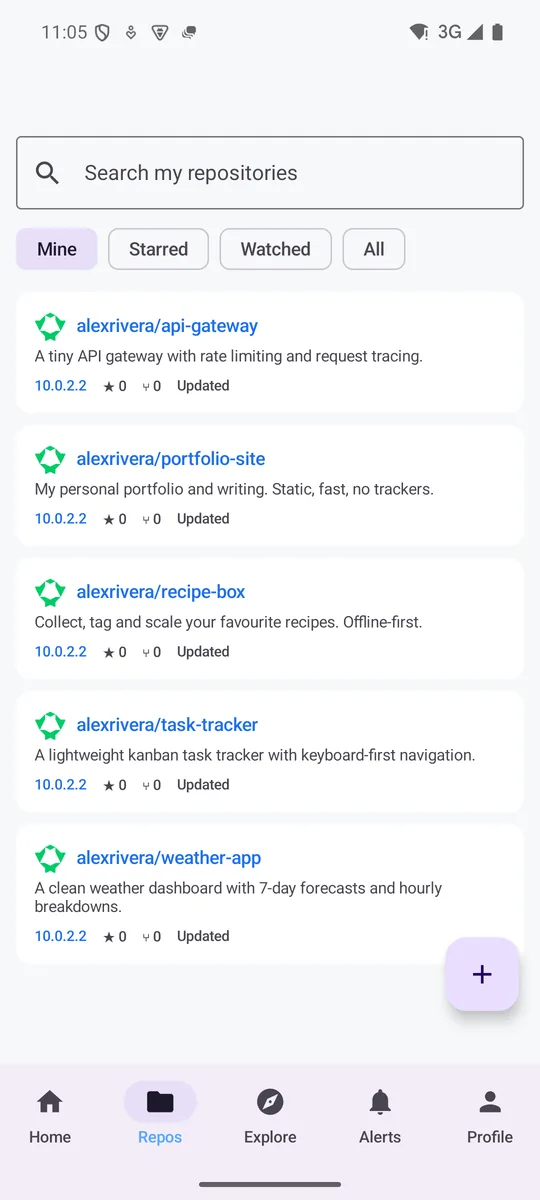
Your repos, in order
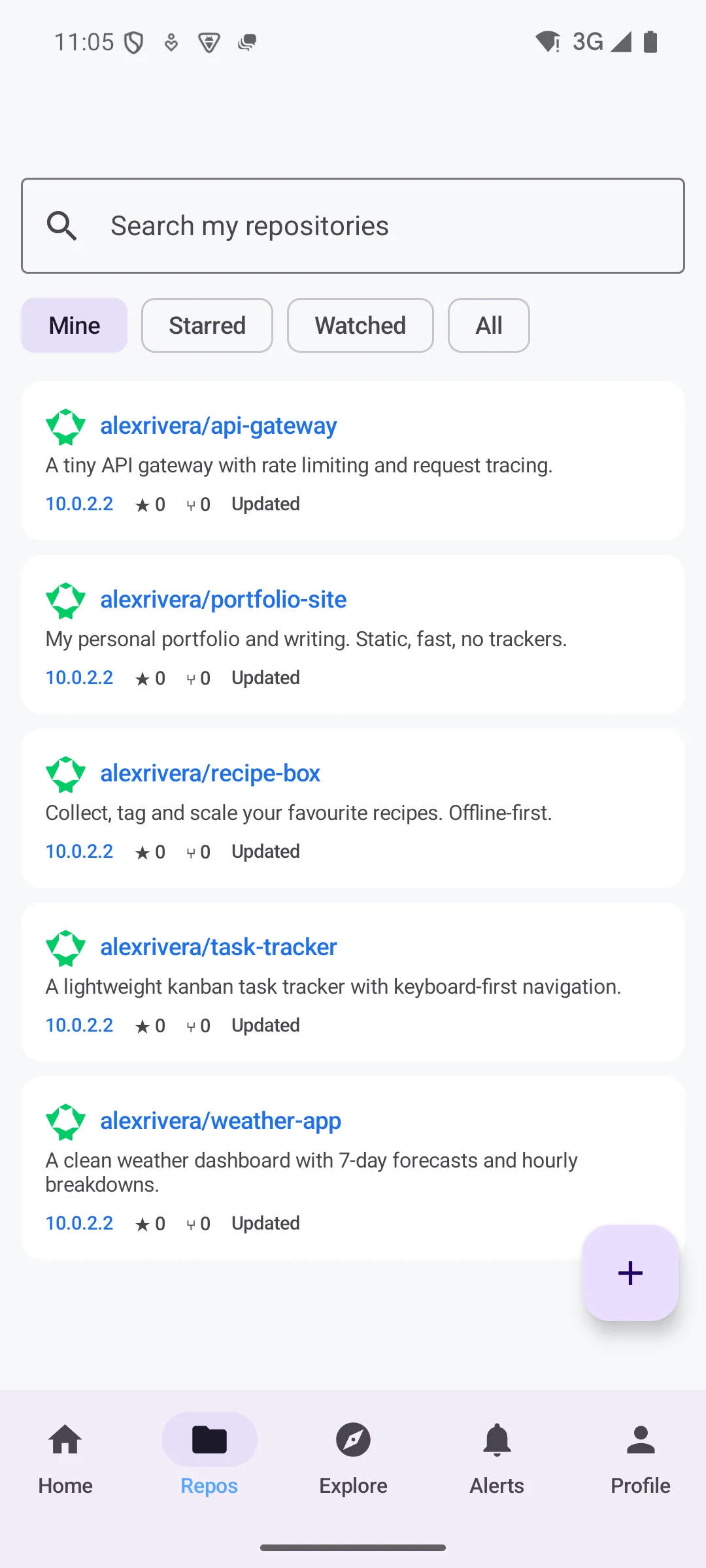
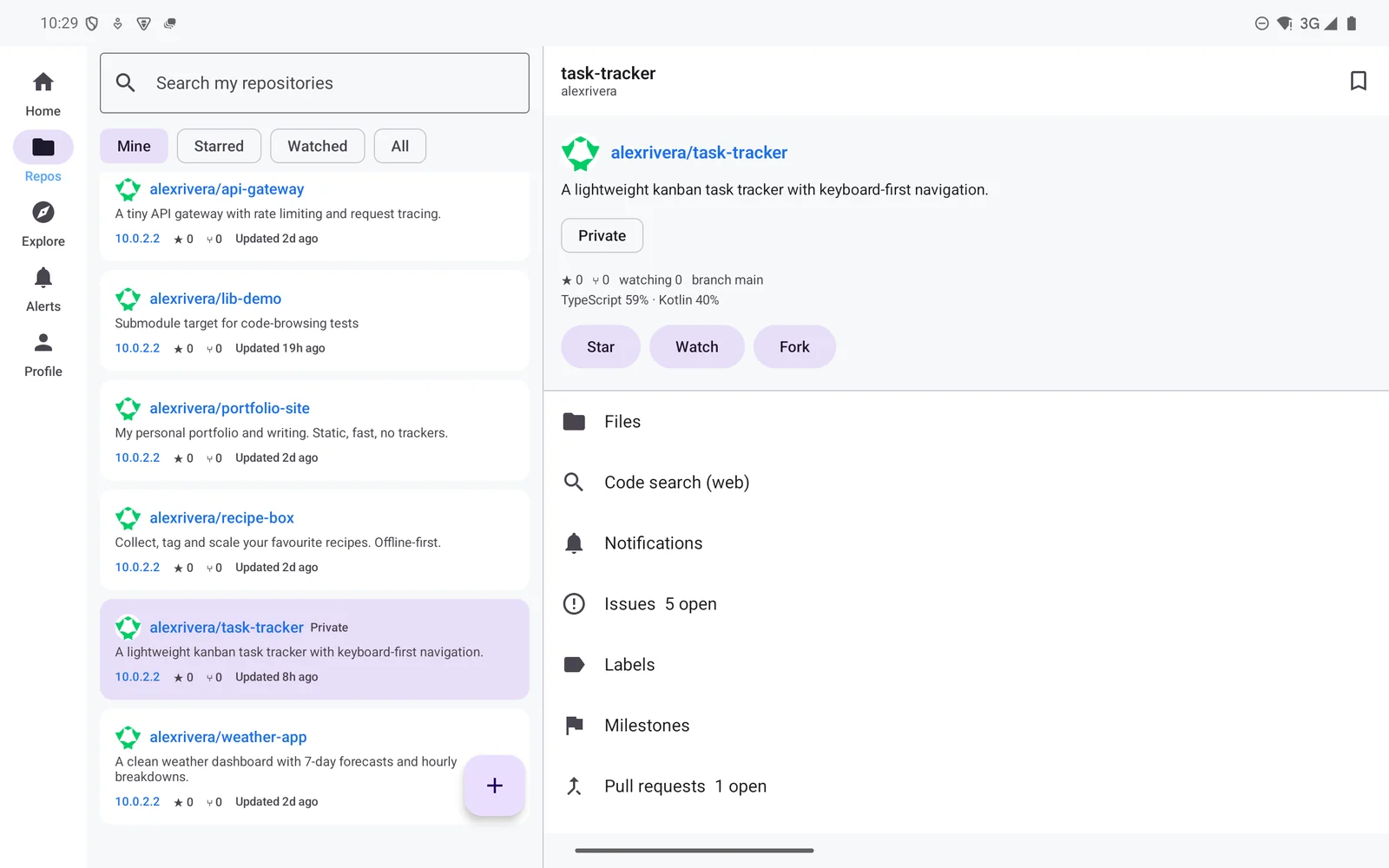
Search, star and watch across every account you add. Switch instances without signing out.
Code at a glance
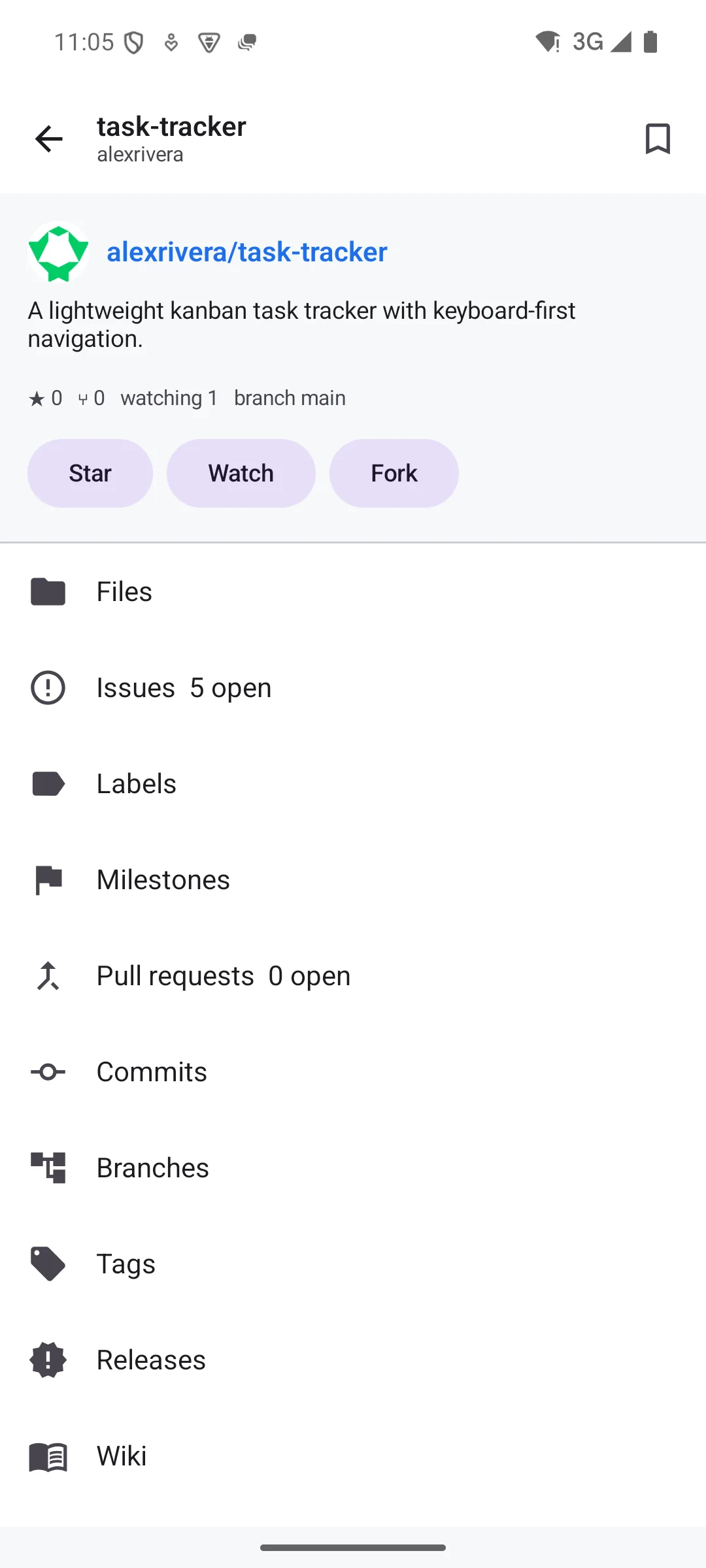
Read and edit files, follow commits and branches, and browse tags and releases.
Issues that keep up
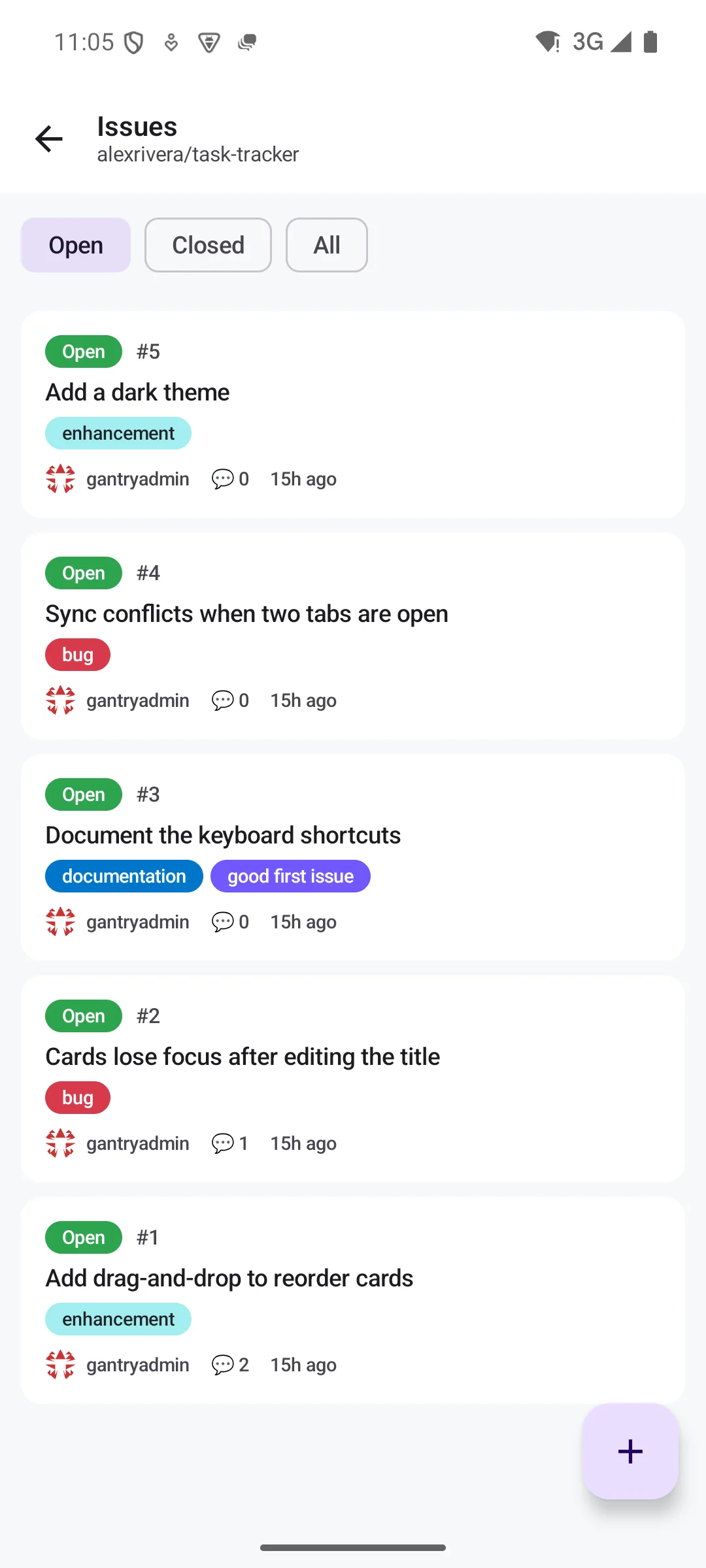
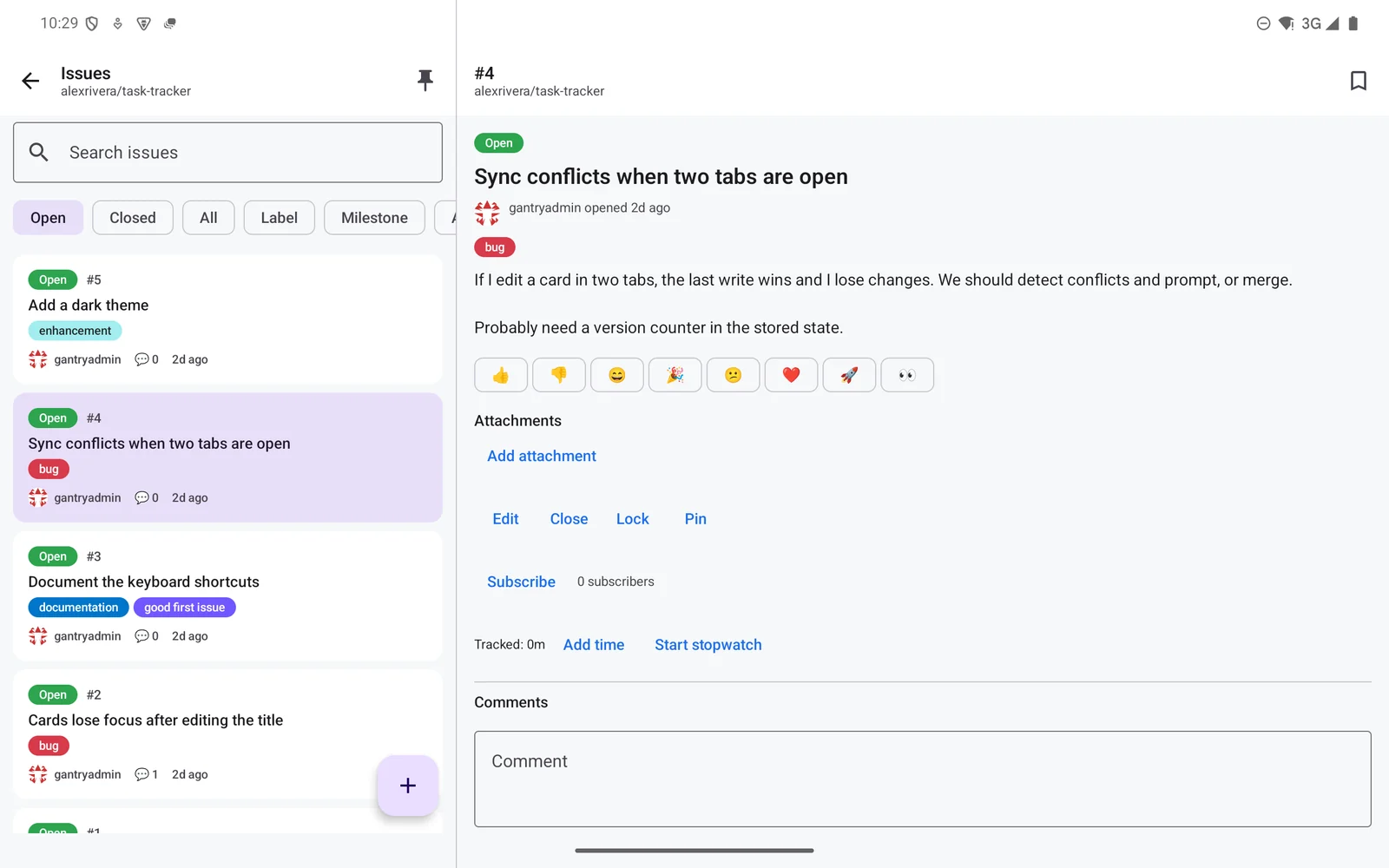
Filter by state, comment, react and label. Track time and manage milestones.
On tablets and foldables
Rail and two-pane repos
A side navigation rail and two-pane repository view keep your repo list within reach while you check files, issues and releases.
Side-by-side issues and reviews
Open issues, pull requests and Alerts in a detail pane beside the list, while keeping code, diffs and logs full width.
Make it yours
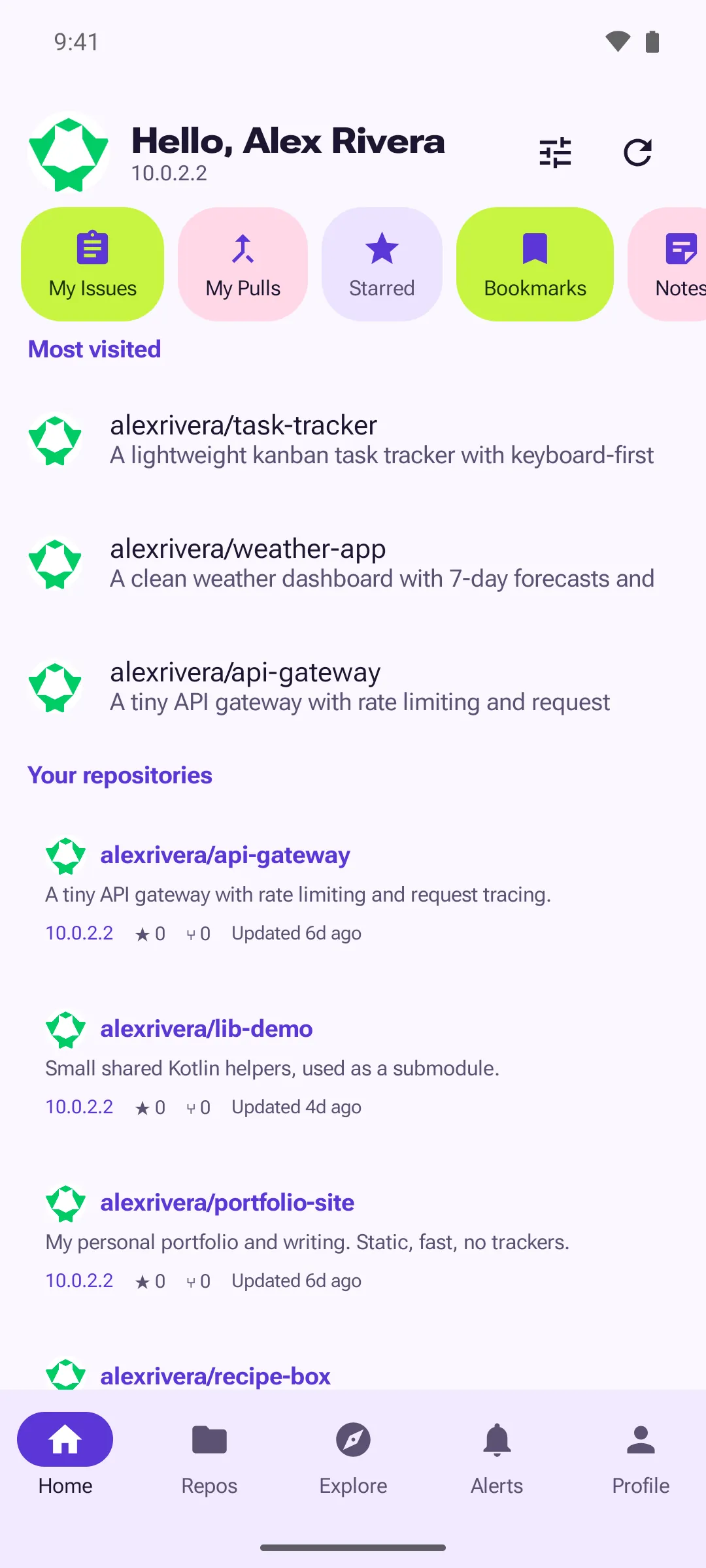
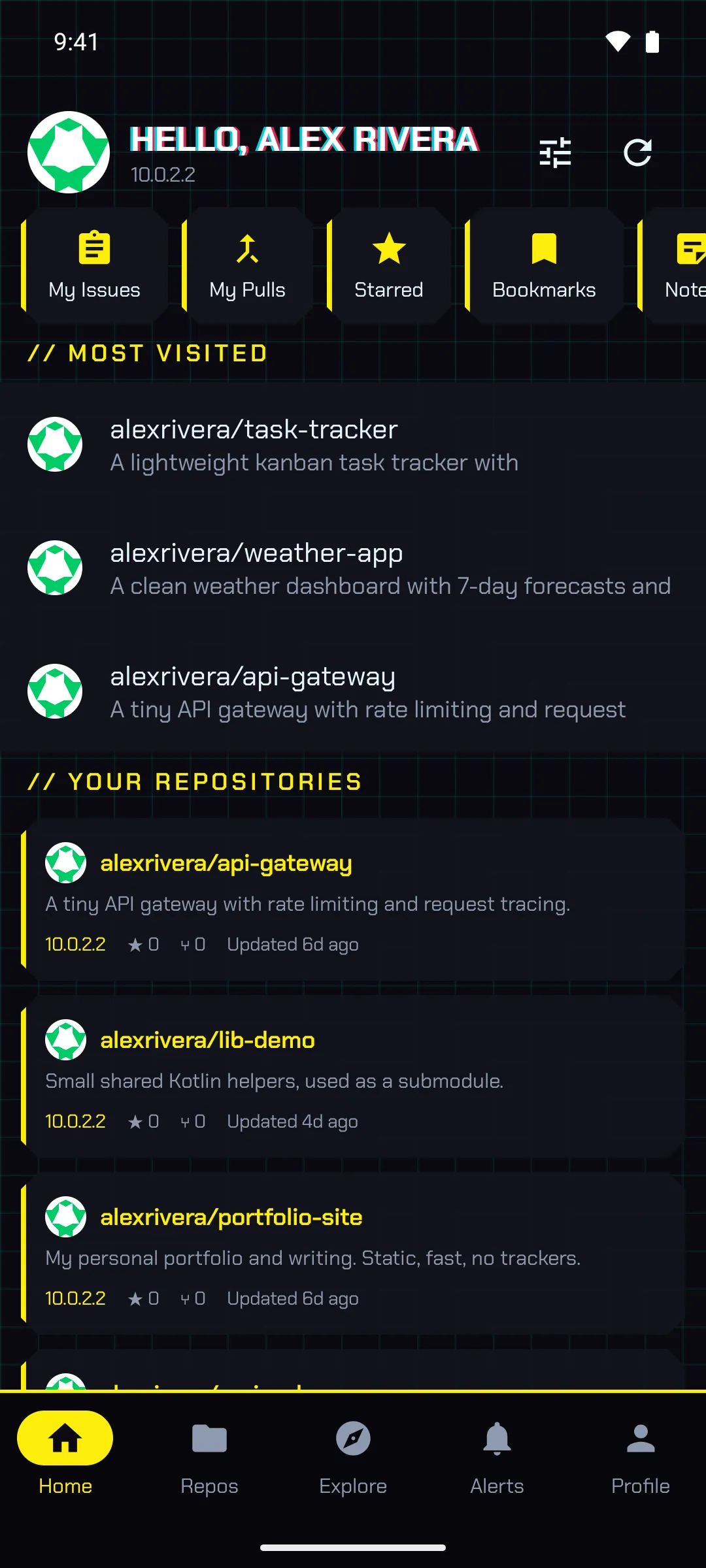
Twelve styles, one tap apart.
Pick a style in Settings and the whole app changes with it: colours, typefaces, corners, cards, the tab bar and the Home greeting. Classic is the original look and still follows light, dark and your accent colour. The other eleven each bring their own palette and fonts.
Classic
The original look. Light, dark or system, with Gitea green, Forgejo orange and more accents.
The Boss
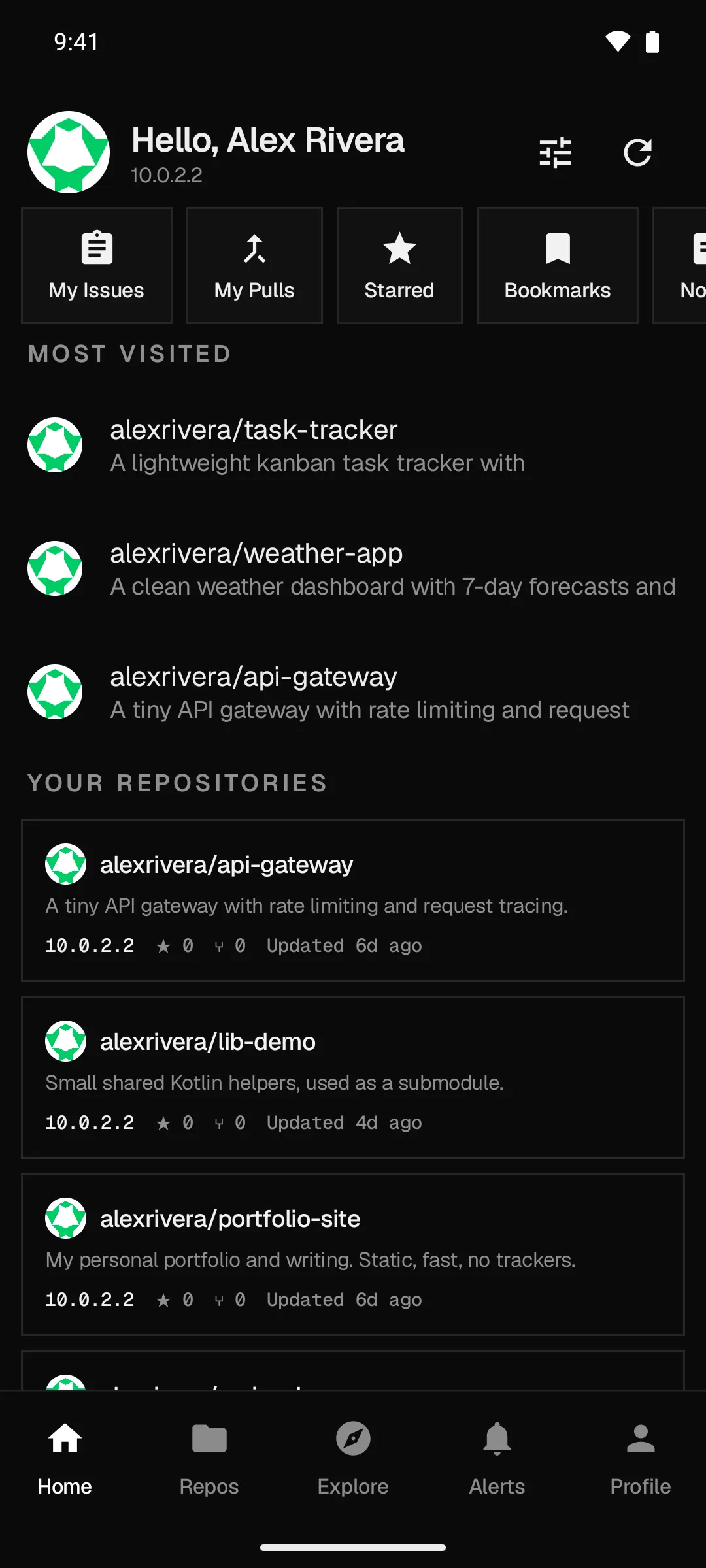
Black and grey, square corners and Geist type. All business.
Aurora Glass
Frosted panels over a slowly drifting aurora.
Synthwave Neon
An outrun sunset, a scrolling grid and neon edges.
Terminal CRT
Phosphor green with scanlines and a blinking cursor.
Neo-Brutalist Pop
Thick outlines, hard shadows and loud colour blocks.
Bubblegum
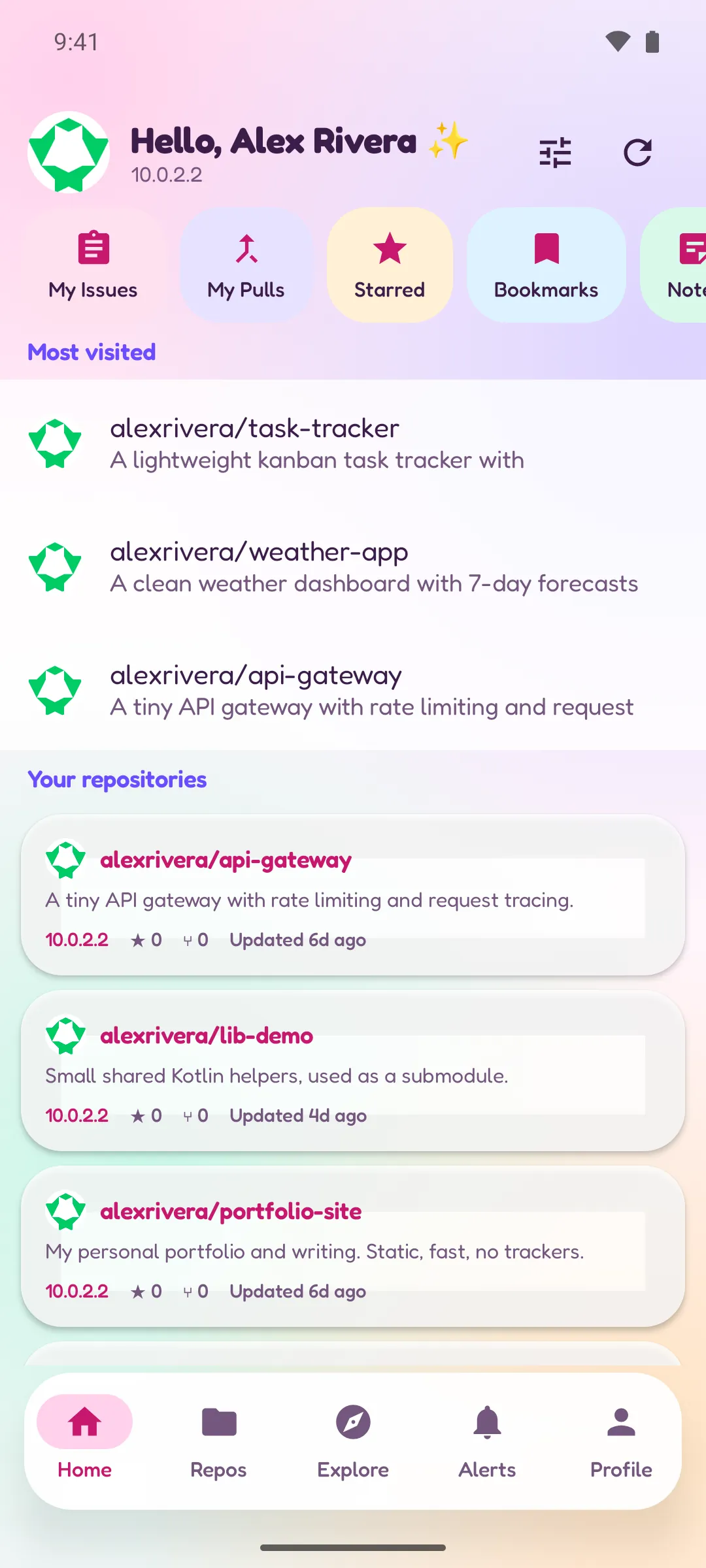
Soft pastels, chunky rounded shapes and a floating tab bar.
Midnight Luxe
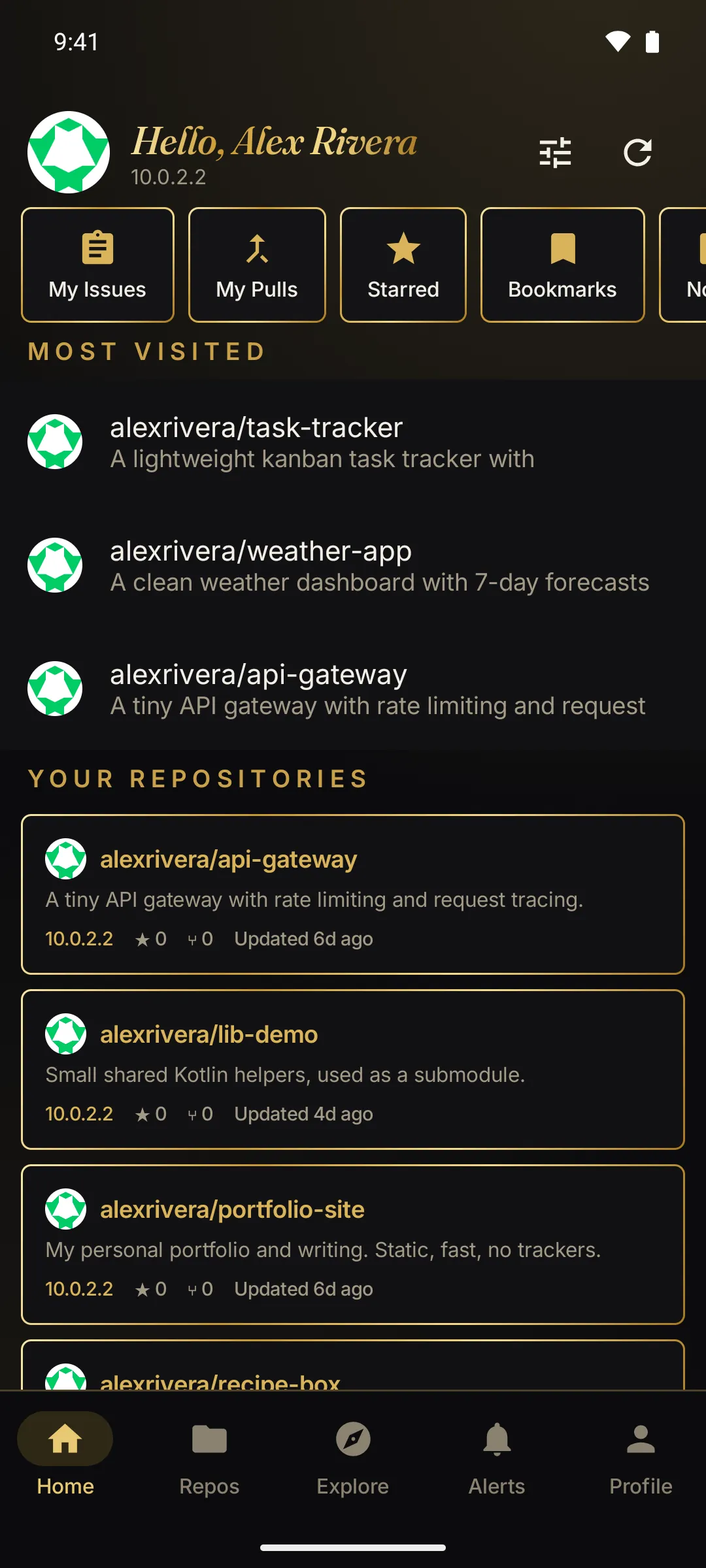
Black and gold foil with an italic serif.
Holo Chrome
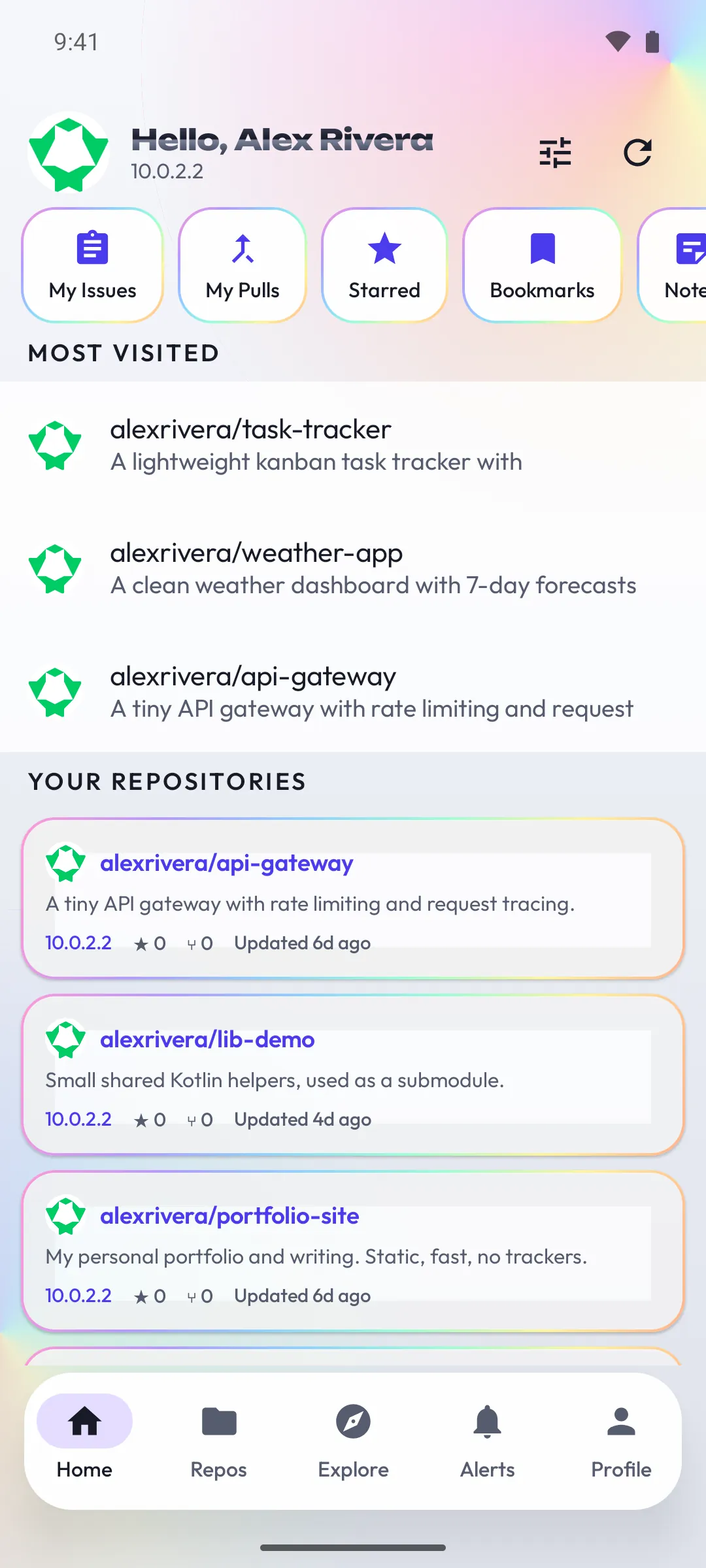
Holographic foil on brushed silver.
Ember Forge
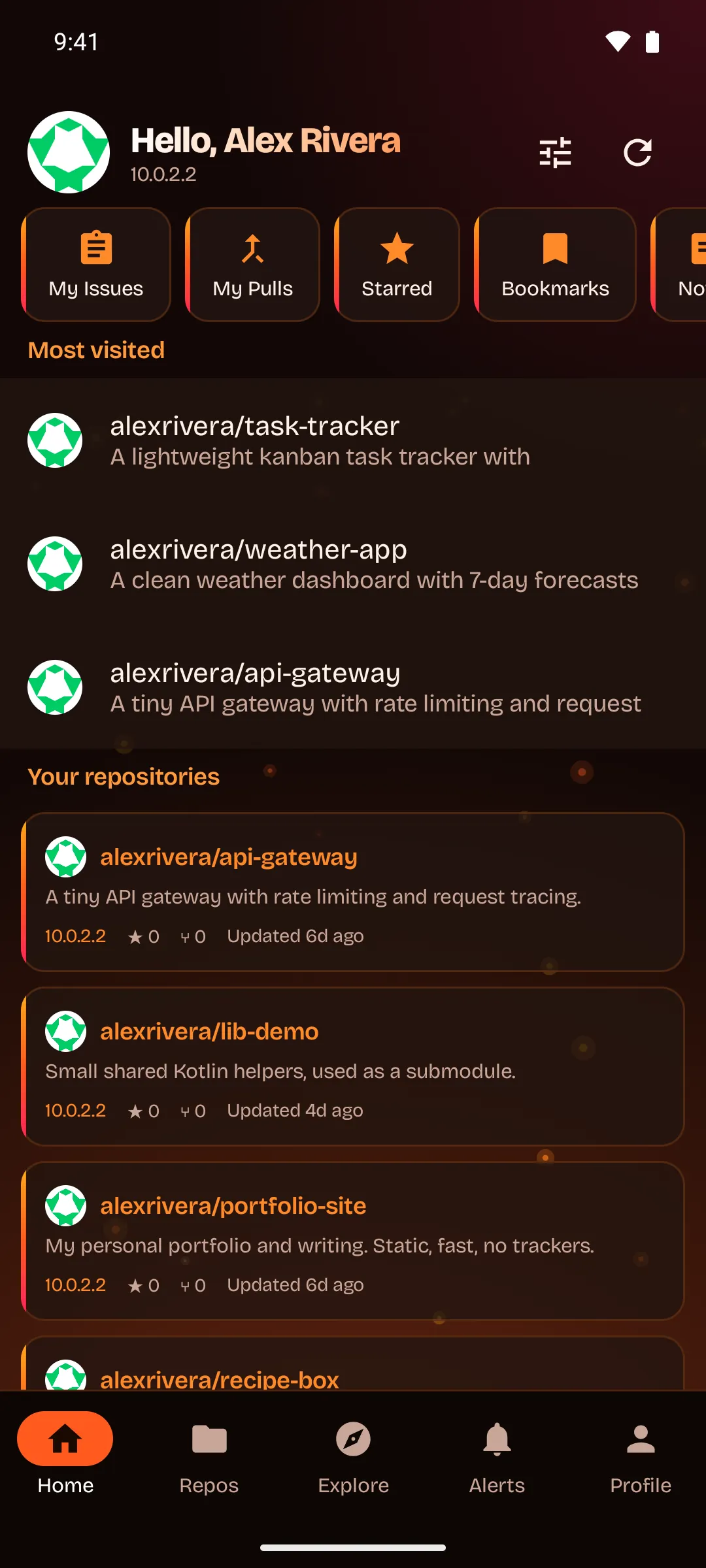
Fire gradients and embers rising from a glowing floor.
Material Expressive
Bold shapes and big tonal colour in the newest Material style.
Cyber Edge
Hazard yellow, cut corners and a glitching headline.
Try it in your browser
Four screens, one client.
Flip through the repository list, code view, issue tracker and an open issue right in your browser.
Four screens, one client.
Gantry keeps your repositories, code, issues and pull requests in one calm interface.
Turn on JavaScript to try the interactive preview.
Take a look around.
Choose a view below to switch between repositories, files and issues.
Repositories screen.
Use the controls to switch between Gantry’s main screens.
Privacy in plain English
Your instance, your data.
Gantry has no ads, no analytics and no server of its own. It connects straight to GitHub or the Gitea or Forgejo instance you choose, and your credentials stay on your device.
Account tokens and Cloudflare Access service tokens stay in Android's encrypted storage on your device and are never included in cloud backups.
No middleman
There is no Gantry server. Requests go straight from your device to your instance, over HTTPS. Optional real-time push uses a relay you host yourself; it never sees your tokens or notification content. What your instance logs is up to its operator.
Optional biometric lock
Lock the app with your fingerprint or face. The lock is local to your device and can be turned off at any time.
Support is a conversation
Suggestions and requests open your email app with an editable draft. App and device details are included for context, and nothing is sent until you send it.
Good to know
A few quick answers.
Which devices can run Gantry?
Gantry supports Android 8.0 and later across phones, foldables and tablets. Narrow screens use a bottom bar, windows from 600 dp switch to a navigation rail, and wide screens from 840 dp open repositories, Alerts, issues and pull requests side by side.
Do I need an account?
Yes. Gantry is a client for GitHub, Gitea and Forgejo, so you sign in to an account on one of them: GitHub, an instance you run yourself, one your organisation runs, or a hosted provider. Sign in with a personal access token, or to Gitea/Forgejo with your username and password.
Can I use GitHub and Gitea together?
Yes, and that is the point. Add a GitHub account and a Gitea or Forgejo account (or several of each) and switch between them in a tap. Each account keeps its own token, and Gantry shows the right features for each provider.
What does it cost?
US$1.99 once on Google Play. There is no free tier, no subscription, no in-app purchases and no feature timer. Every feature ships in that one purchase.
Does it work with my self-hosted instance?
Yes, as long as your device can reach it. Gantry also supports instances behind Cloudflare Access: add a service token once and it handles the gateway. Gitea, Forgejo and GitHub Enterprise are supported, alongside github.com.
Where is my data?
On your device and on the host you sign in to. There is no Gantry server and no analytics. Your tokens stay in Android's encrypted storage and are sent only to the host you connect to. If you turn on optional real-time push, the relay you host receives only a content-free wake signal, never your tokens or issue content.
Built by Sam Russell for people who run their own Git hosting, and everyone else on GitHub, Gitea and Forgejo.
GitHub is a trademark of GitHub, Inc. Gitea is a trademark of Gitea GmbH. Forgejo is a trademark of its respective owners. Android and Google Play are trademarks of Google LLC. Apple, iPhone, iPad and Mac are trademarks of Apple Inc. Gantry is an independent client; compatibility does not imply endorsement. Other product names belong to their owners.
Gantry / iOS & iPadOS · Coming soon
Gantry for iPhone, iPad & iPhone Duo
GitHub, Gitea & Forgejo built for iPhone, iPad and unfolded Duo.
The focused initial Apple release brings Gantry's native SwiftUI Git client to iOS and iPadOS: secure multi-account token sign-in, repository browsing, issues and pull requests, and a filterable notification inbox, with adaptive compact, rail and list-detail layouts on iPhone, iPad and unfolded iPhone Duo.
Coming soon for iOS/iPadOS 15.0+ · iPhone, iPad and wide/unfolded iPhone Duo · Not on the App Store yet.
Keychain token storage
GitHub, GitHub Enterprise, Gitea & Forgejo
Two-pane on unfolded Duo & iPad
No middleman server
Status
Coming soon
Hosts
GitHub, GitHub Enterprise, Gitea & Forgejo
Wide layout
iPad & iPhone Duo
Target OS
iOS/iPadOS 15.0+
Initial Apple scope
Focused on your core Git loop.
Rather than holding back until every Android extra is ported, the first iOS and iPadOS milestone focuses on the four workflows you use most on a phone or tablet.
Secure multi-host accounts
Connect multiple GitHub, GitHub Enterprise, Gitea and Forgejo accounts with tokens stored in the iOS Keychain. On Gitea and Forgejo, optionally create a token with your username, password and OTP. Cloudflare Access service-token header fields are available for protected instances.
Direct HTTPS connections with no Gantry relay.
Repositories and code
Browse and search Mine, Starred, Watched and Explore. Open READMEs, files, commits, branches and releases; star or watch repositories and copy clone URLs without losing your place.
Keeps your current account and branch context.
Issues and pull requests
Browse issue and pull-request lists and detail, read and post comments with saved drafts, inspect PR reviews and diffs, merge, and close or reopen threads.
Built for triage on the move.
Notification inbox
Filter your notification inbox, mark items as read, then jump straight to the issue or pull request that needs your reply.
Fetched straight from your instances while active.
Unfolded iPhone Duo & iPad split view
On wide screens, including an unfolded iPhone Duo or iPad in landscape and Split View, Gantry keeps the repository or issue list open beside the active thread so you never lose your filter state.
Compact single-column flow on standard iPhone width.
Honest platform boundaries
Android-specific push relays, home-screen widgets and its wider theme catalogue are not part of the initial Apple release. The build focuses on foreground account, repository, issue/PR and notification workflows rather than full Android parity.
Focused initial Apple scope, with Keychain-backed authentication.
iPhone Duo · the folding iPhone
Unfold for the list and the issue together.
On an unfolded iPhone Duo, Gantry keeps your list open beside the issue, pull request or repository you are reading.
Preview of the iPhone version · sample data
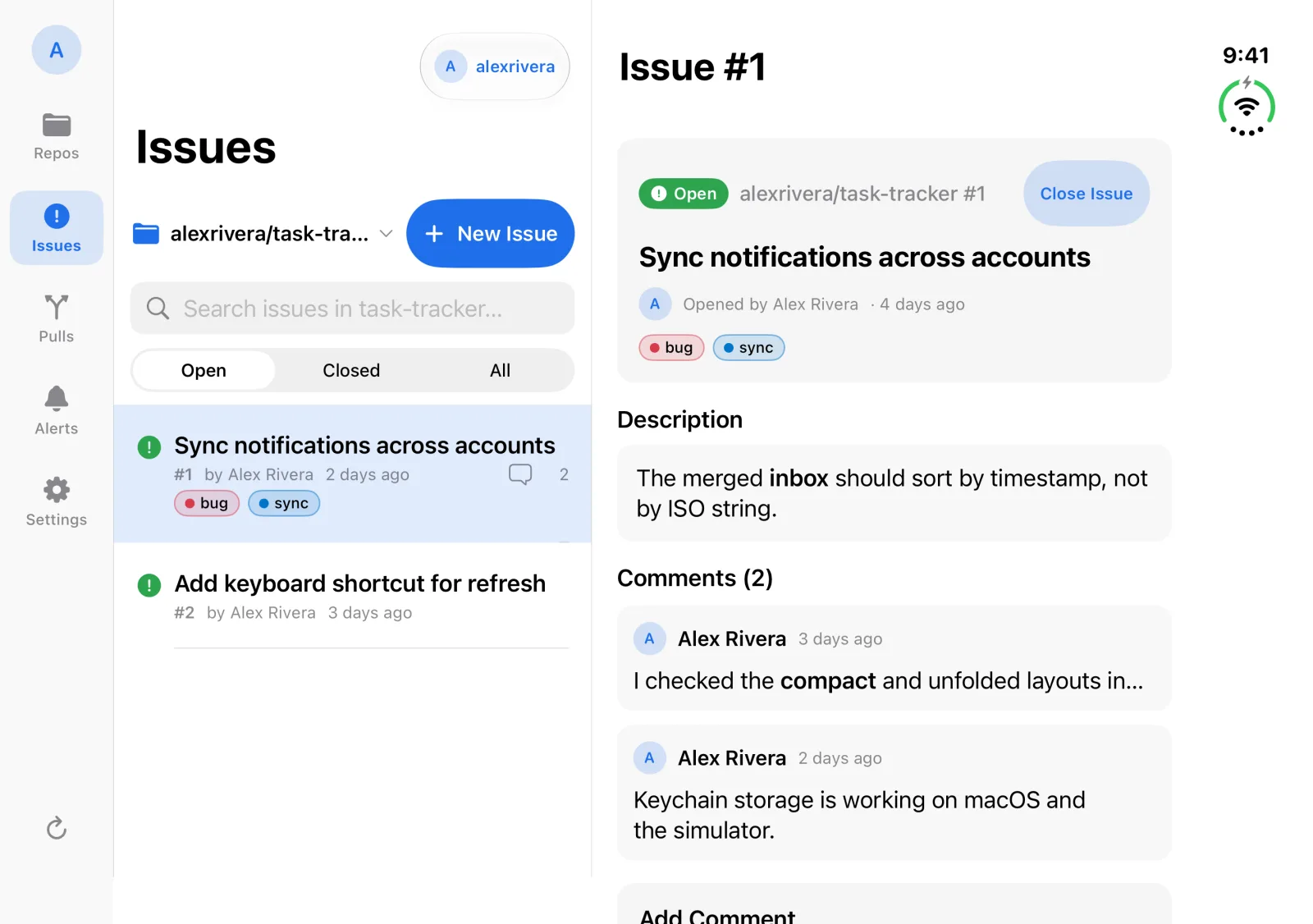
Issues beside the one you opened
The side rail, the issues list and the open issue with its comments share the screen.
Unfolded: rail, list and detailRepos, Issues, Pulls, Alerts and Settings sit on a side rail, with the list and the open item beside it.
Filters stay putYour repository and Open, Closed or All filter stay on screen while you read.
Coming with the iPhone versioniPhone Duo support arrives with Gantry on the App Store.
Gantry / macOS · Coming soon
Gantry for Mac
A dedicated desktop window for every forge you run.
Gantry for Mac uses native SwiftUI and NavigationSplitView for repository, issue, pull request and notification list-detail views, with macOS menus and shortcuts across GitHub, GitHub Enterprise, Gitea and Forgejo accounts.
Coming soon for macOS 13.0+ (Apple silicon) · Not on the App Store yet.
macOS Keychain & App Sandbox
Side-by-side list and detail panes
Cloudflare Access support
No telemetry
Status
Coming soon
Layout
NavigationSplitView
Storage
macOS Keychain
Target OS
macOS 13.0+ (Apple silicon)
Built for desktop Git
Wide-screen triage across every account.
The macOS build shares the focused initial Apple scope while adding NavigationSplitView, native menus, keyboard shortcuts and pointer-friendly list-detail navigation.
Two-pane repositories and issues
Keep your filtered repository list or issue queue pinned on the left while reading files, comments and pull request reviews on the right in a resizable Mac window.
Built for side-by-side desktop review.
All your forges in one dock icon
Switch between github.com, GitHub Enterprise, Gitea and Forgejo accounts using token sign-in, with optional Gitea/Forgejo token creation using a password and OTP, plus Cloudflare Access service-token header fields for protected instances.
Credentials stay in your Mac Keychain.
Notifications while running
Filter the notification inbox, mark items as read and open the related issue or pull request. The inbox refreshes while Gantry is open; there is no background push service in the initial Apple release.