Encrypted by default
End-to-end encryption for private chats, emoji device verification, a recovery key, and warnings when a contact’s identity changes. Lock the app with a PIN or biometrics.
Recovery setup is guided after sign-in.
Parallax / Choose your platform
Parallax is available on Android. Versions for iPhone, iPad, iPhone Duo, Mac and Windows are coming soon. Choose a platform to explore the app.

Parallax / Android
Parallax
Parallax brings end-to-end encrypted Matrix chat to Android with Spaces, threads, polls and voice messages. Sign in to matrix.org or your own homeserver, pick one of five themes, and keep notifications running without Google services.
For Android 7.0 and later · US$0.99 one-time purchase.
Built for everyday chat
Encrypted conversations, Spaces and moderation, a fast timeline, media tools, Google-free notifications and five themes. Every feature ships in the one purchase.
End-to-end encryption for private chats, emoji device verification, a recovery key, and warnings when a contact’s identity changes. Lock the app with a PIN or biometrics.
Recovery setup is guided after sign-in.Filter by unread, people, rooms, favourites and low priority. Decline and block invites in one step, administer Spaces, and manage roles and permissions.
Space admin includes room ordering.Formatted messages, mention pills, reactions in encrypted rooms, replies, edits, threads, pins, polls and forwarding, with read receipts and typing indicators.
Threads and polls included.Voice messages with waveforms, inline audio and video, stickers and animated images, and a room gallery. Large videos compress on your phone and send with a poster frame.
Uploads are optimised per file.Receive alerts through Parallax’s own connection or a UnifiedPush app such as ntfy. See message text and media previews, reply from a notification, and check your setup or send a test alert in Settings. In the car, Android Auto reads new messages aloud and lets you reply by voice.
Your phone fetches and decrypts each alert.Parallax dark and Parallax Day light lead the range, with Ultraviolet, Afterglow and Daybreak alongside. Follow the system, pick an app font for every screen from 16 bundled fonts or your device’s own, set text size and compact layout, and give each chat its own picture. Settings → Appearance → Language switches the settings menus among 10 languages.
Per-chat pictures and app logos too.Beyond the basics
The Matrix essentials are only the start. Parallax adds quicker reactions, per-room personalisation, settings that follow you to every device, built-in document previews and notification choices that do not depend on Google.
Double-tap a message to send your chosen quick reaction. The emoji pops immediately, while a long press still opens the full action menu. Pick a different reaction in Settings → Chats.
Your quick reaction is configurable.Set bubble and text colours separately for your messages and everyone else’s, with a live preview, and add a background image for that room. Colours and backgrounds sync to your other devices.
Per-room colours and backgrounds.Give a chat its own local picture, or show the logo of the app it bridges to instead of a letter. Parallax supports logos for WhatsApp, Messenger, Instagram, Discord and more, with per-room overrides.
No picture upload needed for local choices.Settings → Media → Sync thumbnails saves chat pictures and photo, sticker and video previews on your phone. They load faster and remain available without a connection. Previews from encrypted rooms stay protected on your device.
Faster browsing, even offline.PDF, Word, Excel and PowerPoint (.docx, .xlsx, .pptx), Markdown, CSV and text files open inside Parallax, with no other app needed. PDFs scroll page by page with pinch zoom, and spreadsheets open as a grid with a tab for each sheet. Files up to 4 MB also show their first lines, or the top of the first page, under the file in the chat.
Previews are made on your phone.Use built-in background sync or UnifiedPush, with no Google services required. Notifications include the message text and media previews, including video. Your phone fetches and decrypts them.
Your homeserver, your notification path.Your theme, font, chat colours and backgrounds follow your Matrix account to every device, and so do your chat, media, privacy and notification settings. Change one setting on your phone and another on your computer, and both changes reach every device.
Text size, app lock and how notifications arrive stay on each device.Share your bubble colours and background with everyone in a chat. Other Parallax users in the chat see it, and the chat shows who changed it. Your own colours for a chat still win, and Settings → Appearance turns other people’s themes off.
End-to-end encrypted in encrypted chats.Tap Transcribe beside a voice note and the text appears under the player, in the same message. On Android 13 or later it runs on your phone: nothing plays aloud, the microphone stays off and nothing is uploaded.
Saved on your phone for next time.In 1.5.0
Sign in to more than one account, lock a single chat, and keep reminders, export and catch-up on your phone.
Settings → Account → Switch or add account lets you add another Matrix account while keeping your existing chats and encryption separate.
The original account cannot be removed.Lock a chat with your app PIN or biometrics. Until you open it, the inbox and its notifications say Locked chat. Invitations from people you share no room with wait in Message requests.
Set up an app lock PIN in Settings → Security first.Set a status with a note, an emoji and an expiry. Post a story, text or a photo, to an encrypted room that keeps it for 24 hours.
Stories are opt-in from Settings → Chats.Export a chat as text, HTML or a ZIP, with a warning that the file is plain text. A busy room can summarise what you missed, on the device. On Android, translate a message or transcribe a voice note without uploading it.
Round video notes play in a circle.Join a call from the chat, move the audio, and shrink it to picture-in-picture. A voice room has a Drop in button. Add a web widget that asks before it can access your room.
Picture-in-picture is on Android. Android asks before an incoming call can fill the screen.Removed messages group into one line. A broadcast channel lets only admins post. Messages can be set to disappear, and you can remind yourself about one.
Bubble colours and backgrounds sync to your other devices.Up close
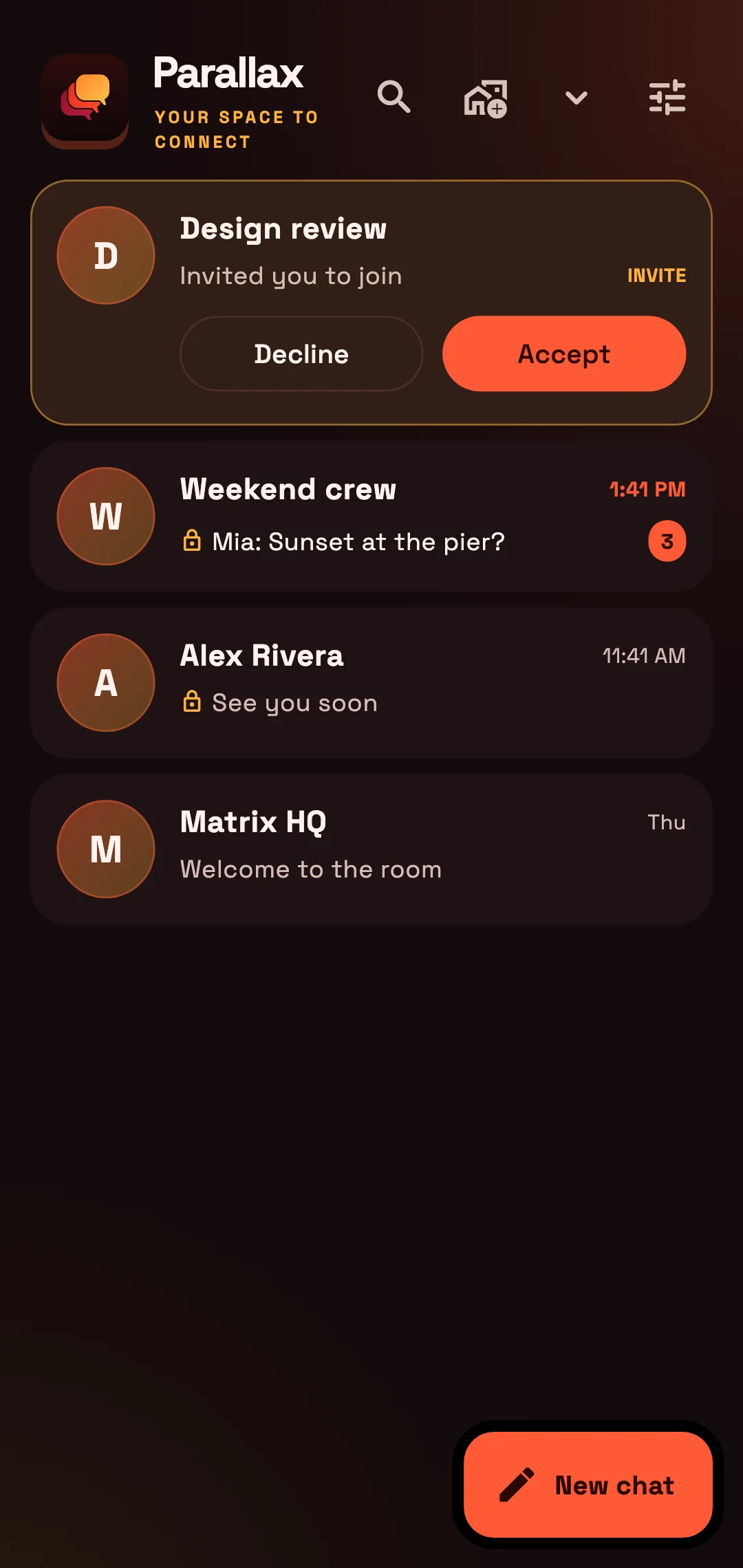
Ember ink, vermilion accents and amber highlights that keep busy chats, filters and threads easy to read.
Unread, people, rooms, favourites and low-priority filters sit above the chat list. Invites, mentions and muted rooms each get their own badge.
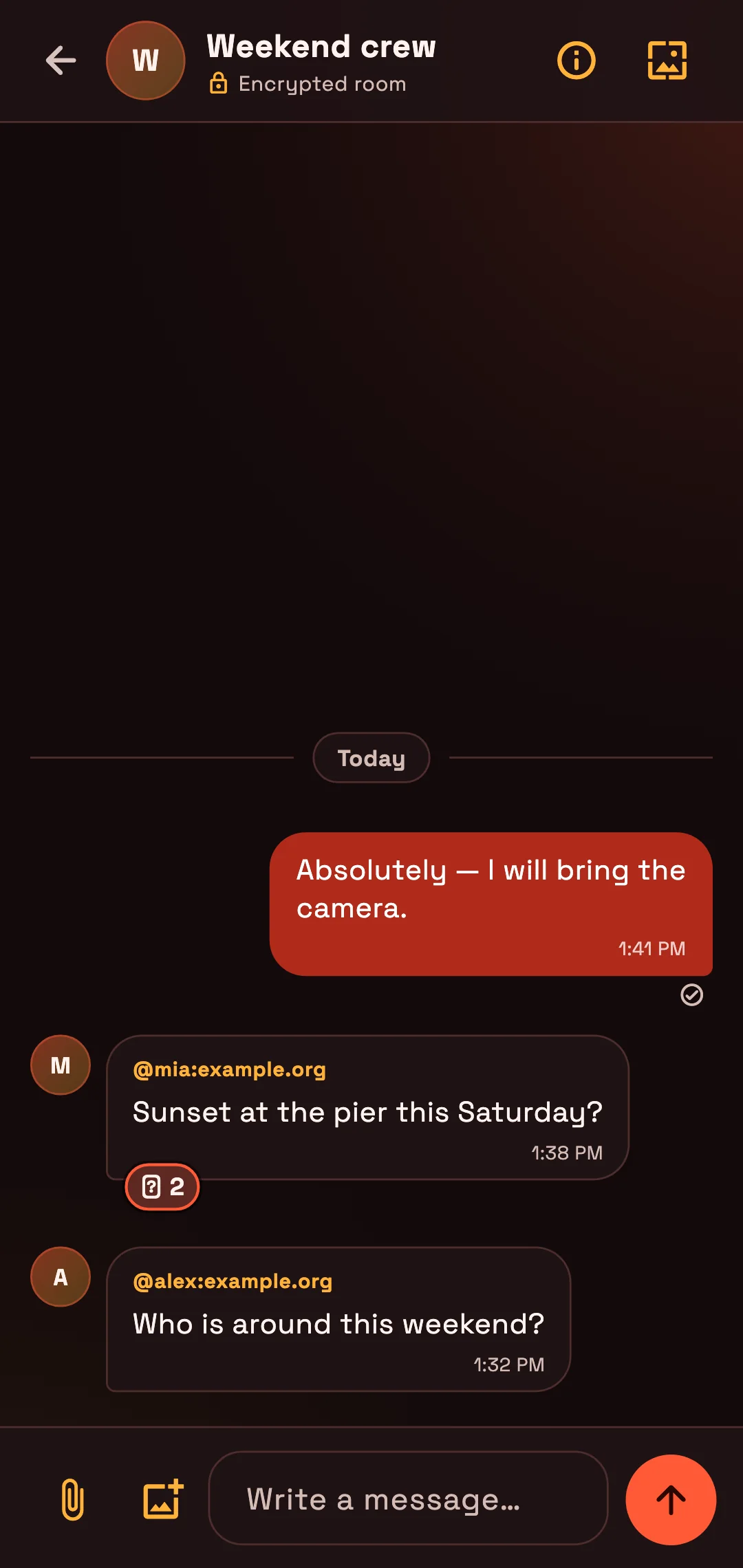
Formatted messages, mention pills and reactions render in encrypted rooms. Replies, edits, threads and pins stay one tap away.

Choose matrix.org or any homeserver, then use a password, single sign-on in your browser, or a QR code from another device.
Light theme
The same screens on warm paper with rust accents. Parallax follows your system setting, or you can pin either look.
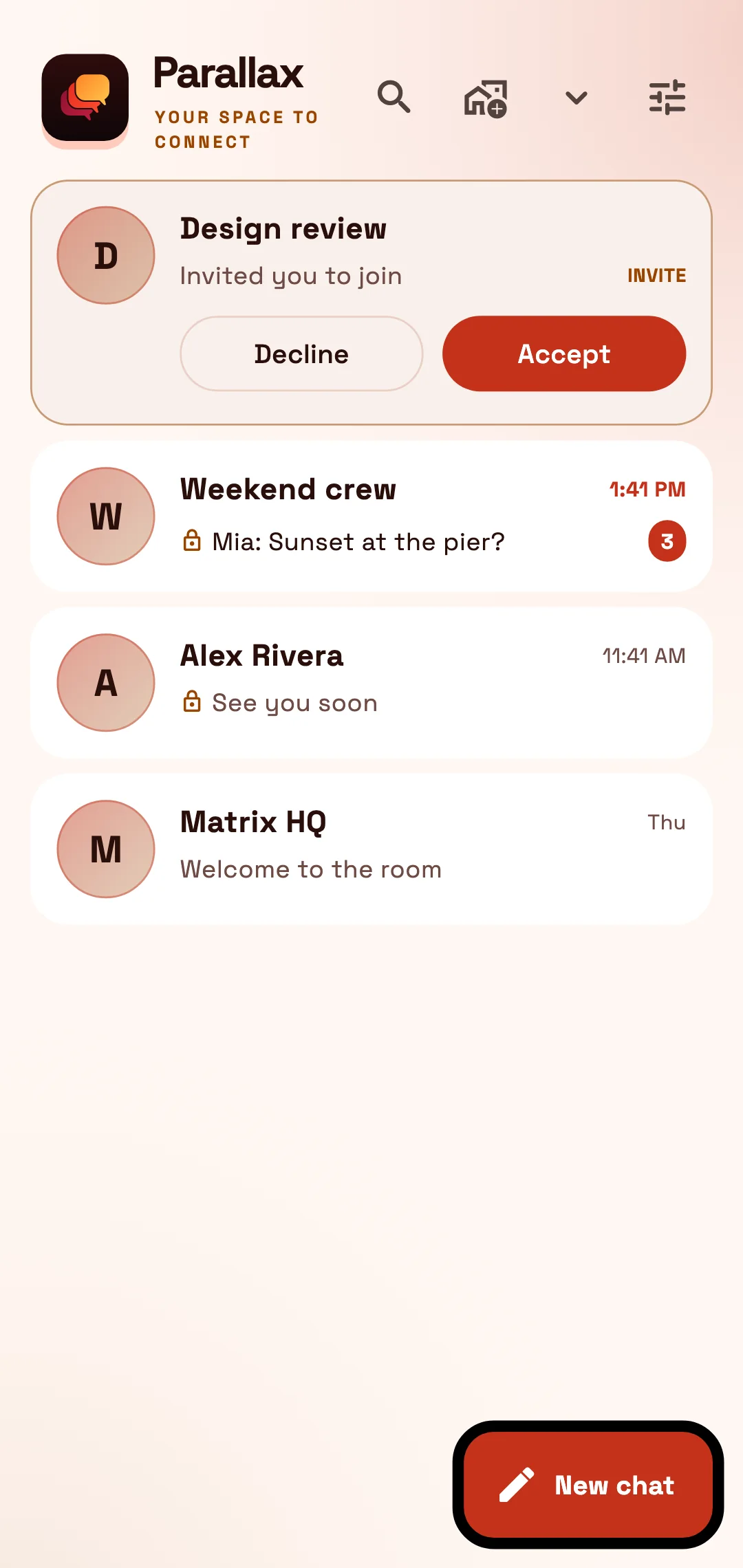
Warm paper, white cards and rust accents keep the chat list readable in bright light.
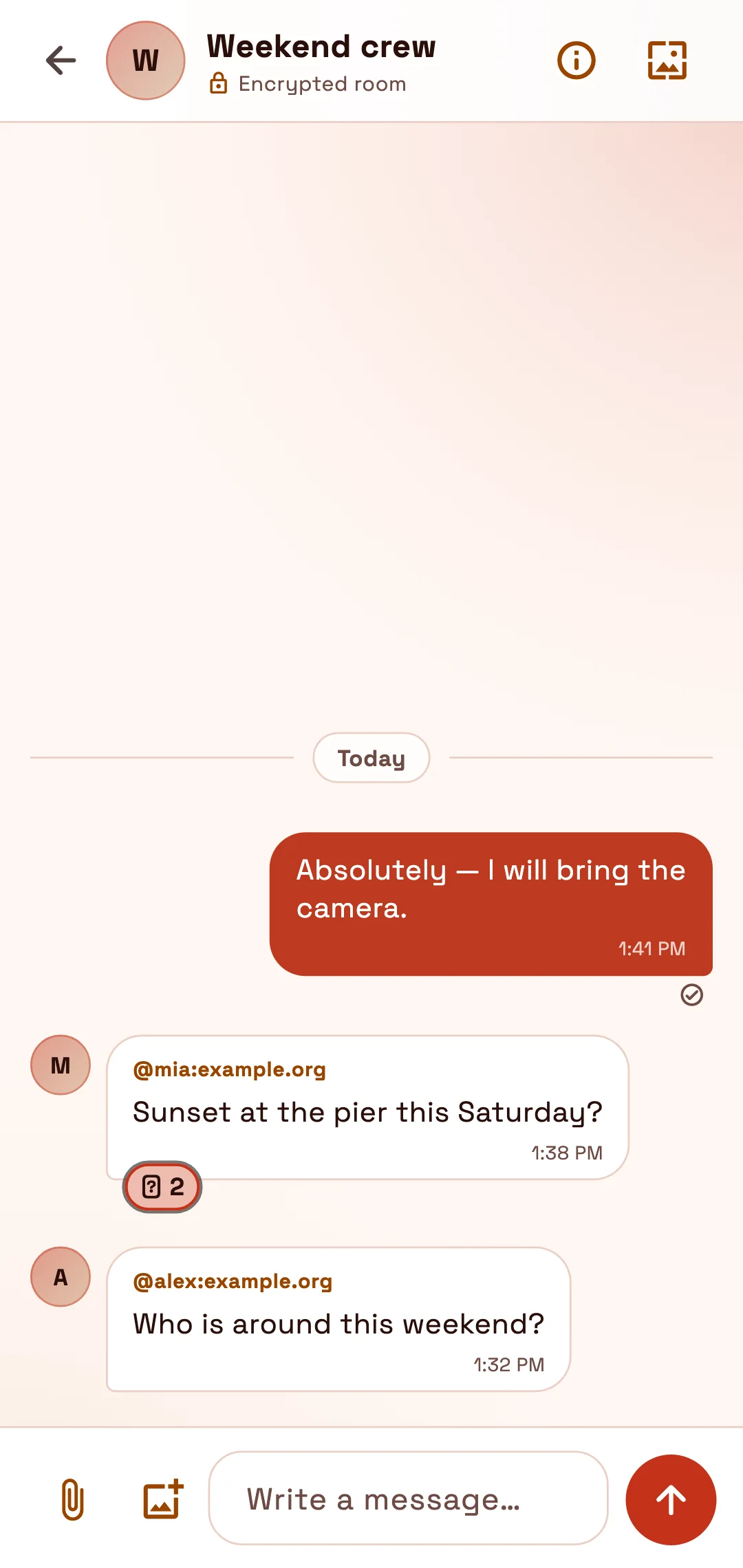
Outgoing bubbles keep a deep rust tone so your messages stay distinct from replies.

The light theme carries through sign-in, verification and settings, not just the chat screens.
Try it in your browser
Switch between the dark Parallax look and Parallax Day, then step through the inbox, a chat and sign-in.
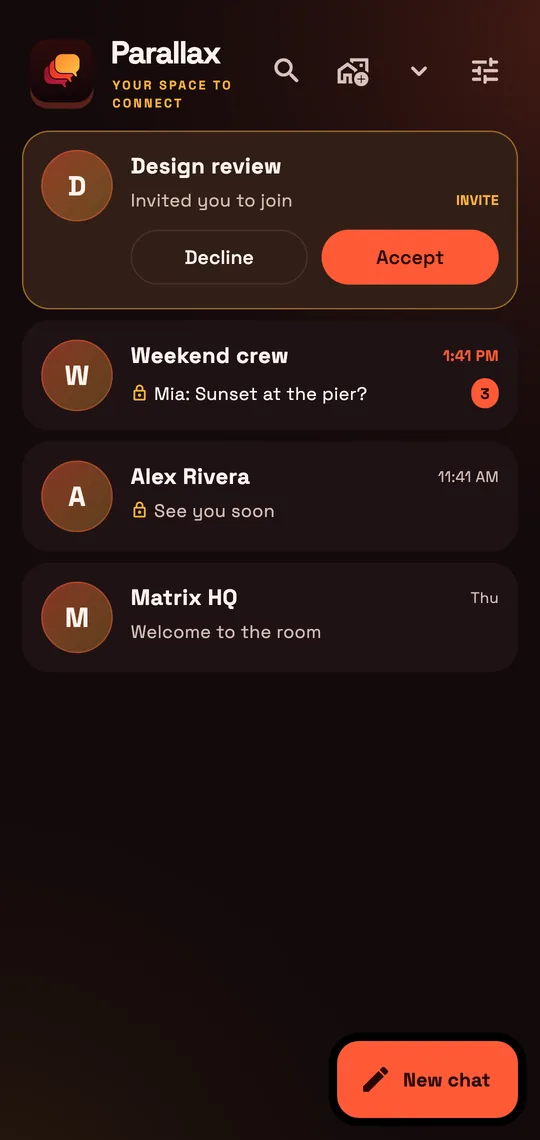
Parallax ships with a dark ember look and a warm paper light theme across your inbox, chats and sign-in.
Browse the screenshots above to compare both themes.
Pick a theme, then switch between the inbox, a chat and sign-in.
Parallax theme, inbox screen.
Switch themes and screens to compare dark and light modes.
Privacy in plain English
Parallax has no ads, no analytics and no Parallax server in the middle. Your messages live on your device and on the homeserver you choose, and encrypted chats are locked on your phone before anything is uploaded.
Read the complete privacy policyYour sign-in, chat history and encryption keys stay in private storage on your phone. Drafts are stored encrypted, and cloud app backup is turned off.
End-to-end encryption protects message content. Your homeserver still sees metadata such as memberships, sizes and timing, as with every Matrix client.
Use a built-in background connection or a UnifiedPush app such as ntfy. Notifications include the message text and media previews, including video. Your phone fetches and decrypts them.
The Suggestions and requests link on this page opens your email app with an editable draft. Nothing is sent until you send it.
Good to know
Parallax supports Android 7.0 and later. Notification delivery can depend on your phone maker’s battery settings, so the built-in background connection asks once to stay unrestricted in the background.
Yes. Parallax is a Matrix client, so you sign in to a Matrix account: matrix.org, or a homeserver you or your organisation runs. Sign in with a password, single sign-on in your browser, or by scanning a QR code from another device.
US$0.99 once on Google Play. There is no free tier, no subscription, no in-app purchases and no feature timer. Every feature ships in that one purchase.
Yes. Direct messages and encrypted rooms use end-to-end encryption by default. Verify devices with emoji, save a recovery key, and get a warning when a contact’s identity changes. As with every Matrix app, your homeserver still sees connection metadata such as who is in a room, timing and message sizes.
No. Parallax can keep its own background connection or use a UnifiedPush app such as ntfy. Those alerts include your message text and media previews, including video. Your phone fetches and decrypts them.
On your device and on the homeserver you sign in to. There is no Parallax server and no analytics. Your homeserver provider’s privacy policy covers the server side, so pick one you trust.
Yes. Parallax is an independent Matrix app, so you can sign in to the same account you use in Element or on desktop, verify your phone with emoji or your recovery key, and keep your encrypted chats in sync across devices.
Built by Sam Russell for people who run their own homeserver, and everyone else on Matrix.
Matrix is a trademark of The Matrix.org Foundation C.I.C. Android and Google Play are trademarks of Google LLC. Apple, iPhone, iPad and Mac are trademarks of Apple Inc. Map tiles © OpenStreetMap contributors. Space Grotesk is used under the SIL Open Font License 1.1. Other product names belong to their owners; compatibility does not imply endorsement.
Parallax / iOS & iPadOS · Coming soon
Parallax for iPhone, iPad & iPhone Duo
The same Flutter Matrix client runs on iOS and iPadOS (net.samrussell.parallax) with vodozemac end-to-end encryption, five built-in themes, bundled Space Grotesk typography and an adaptive two-pane layout on wide/unfolded iPhone Duo and iPad screens.
Coming soon for iOS/iPadOS 15.0+ · Not on the App Store yet.
Built from the shared codebase
Parallax on iPhone, iPad and wide/unfolded iPhone Duo shares its Matrix engine and design system with Android while using native Apple media, web and security APIs.
Windows at least 600 pt wide and 480 pt tall place the room list beside the active conversation with a drag-resizable divider and hinge-aware splitting. The unfolded iPhone Duo at 669 × 951 pt uses the wide two-pane layout; its 466 × 678 pt outer screen stays compact, and folding or rotating preserves the open chat.
The build includes password, OIDC/MAS and SSO sign-in paths, and QR-code sign-in and Link new device are now implemented. vodozemac provides E2EE; live production-homeserver sign-in and cross-client E2EE as Element X sees it still require verification.
WKWebView handles inline media in the Apple build. Element Call remains unverified while MatrixRTC/LiveKit integration and cross-client behaviour are validated, so this is not a claim of working call support.
Parallax dark, Parallax Day, Ultraviolet, Afterglow and Daybreak ship with bundled Space Grotesk typography, per-room bubble colours and room backgrounds.
Push delivery remains unverified on Apple, including delivery after the app is closed. Android's persistent foreground connection and UnifiedPush/Firebase path are not presented as iOS capabilities.
Live production-homeserver sign-in, cross-client E2EE as Element X sees it, Element Call through MatrixRTC/LiveKit, push delivery and physical-device testing remain unverified. These are verification gaps in the in-development Apple build, not release claims.
iPhone Duo · the folding iPhone
On an unfolded iPhone Duo, Parallax uses the wider screen from the first step: sign-in sits beside the welcome panel, and your room list sits beside the open chat.
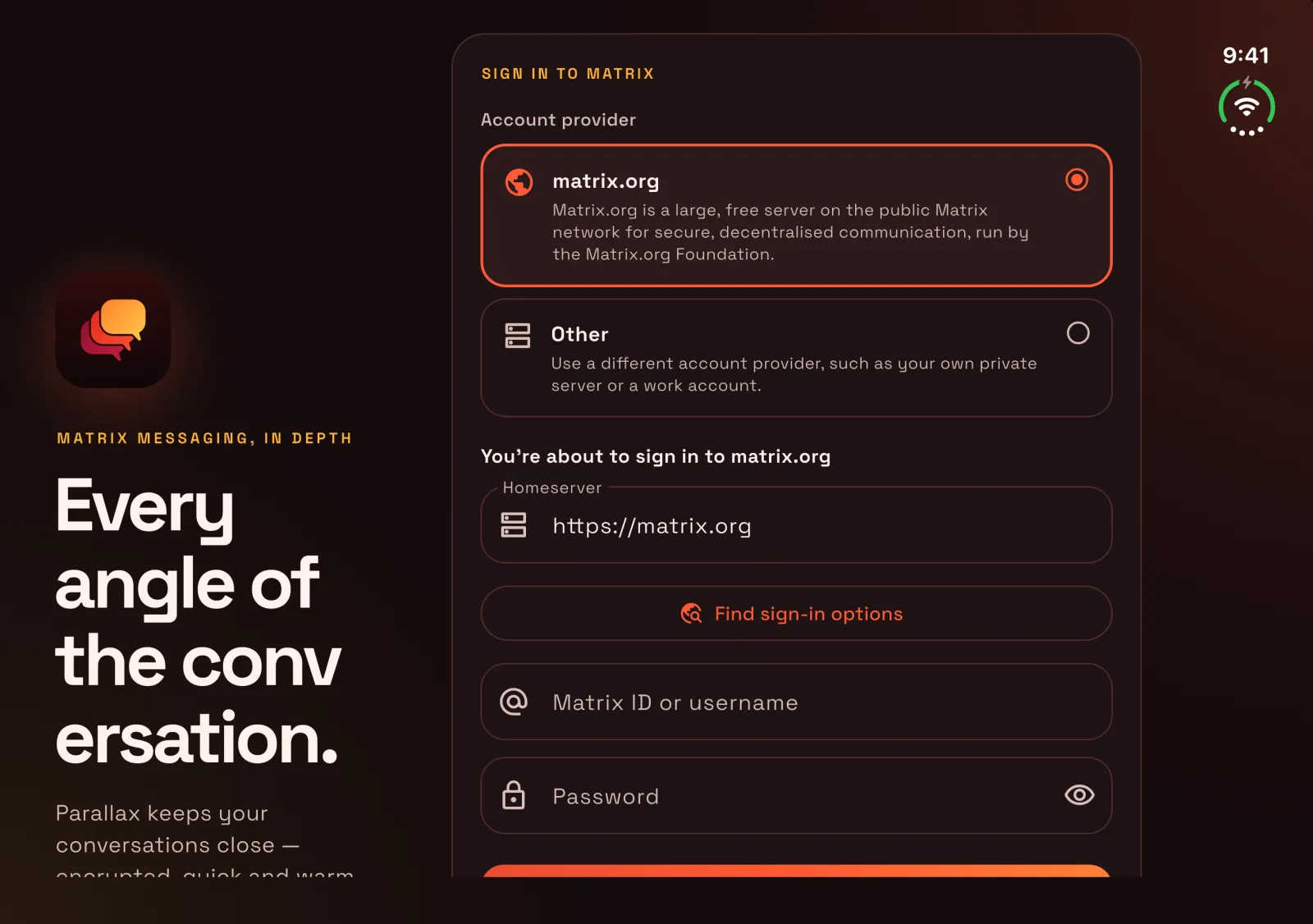
Preview of the iPhone version
Pick your account provider and sign in on the right, with the welcome panel on the left.
Parallax / macOS · Coming soon
Keep your room list and conversation side by side. Choose a theme, resize the window and make yourself at home with your keyboard and mouse.
Coming soon for Mac · macOS 13.0+ (Apple silicon) · Not on the App Store yet. There is no download or release date yet.
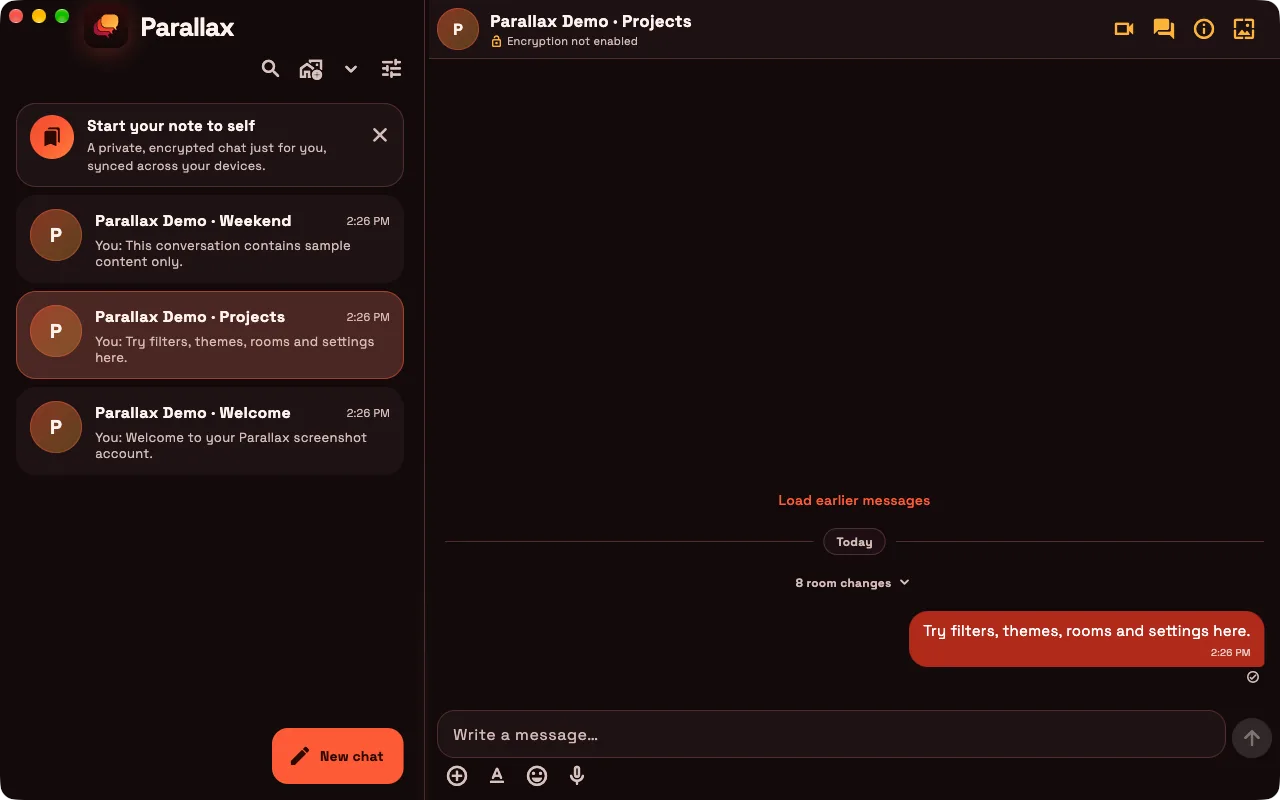
Desktop craft on Mac
Parallax for Mac shares the desktop interaction model of the Windows port while integrating with macOS windowing, Keychain, WKWebView inline media and App Sandbox.
The native title bar is hidden and blended into the theme gradient while keeping macOS traffic lights in place. Wide inbox and chat headers sit flush at the top, and narrow panes reflow cleanly below the window controls.
Right-click any message for the action menu, drag-select message text to copy with Cmd+C, press Enter to send (Shift+Enter for a newline) and press Cmd+V to paste images straight from the macOS clipboard.
WKWebView handles inline media on Mac. Element Call remains a verification gap pending MatrixRTC/LiveKit integration and cross-client validation, rather than a promised working call feature.
Session state uses sqflite_common_ffi (sqlite3_flutter_libs) inside the macOS App Sandbox, drafts use the Keychain, and macOS excludes the window from screen capture and sharing while a recovery key is shown.
Push delivery is still unverified on macOS, including behaviour when the app is fully quit. No working background notification delivery is claimed for this in-development build.
QR-code sign-in and Link new device are implemented. Live production-homeserver sign-in, cross-client E2EE against Element X, Element Call through MatrixRTC/LiveKit, push delivery and physical-device testing remain unverified.
See it on Mac
Move from the inbox to Settings, then try a different look. These screens show sample chats. The Projects room has encryption turned off; check a room's status before you send a private message.
Keep the room list next to the conversation you are reading.
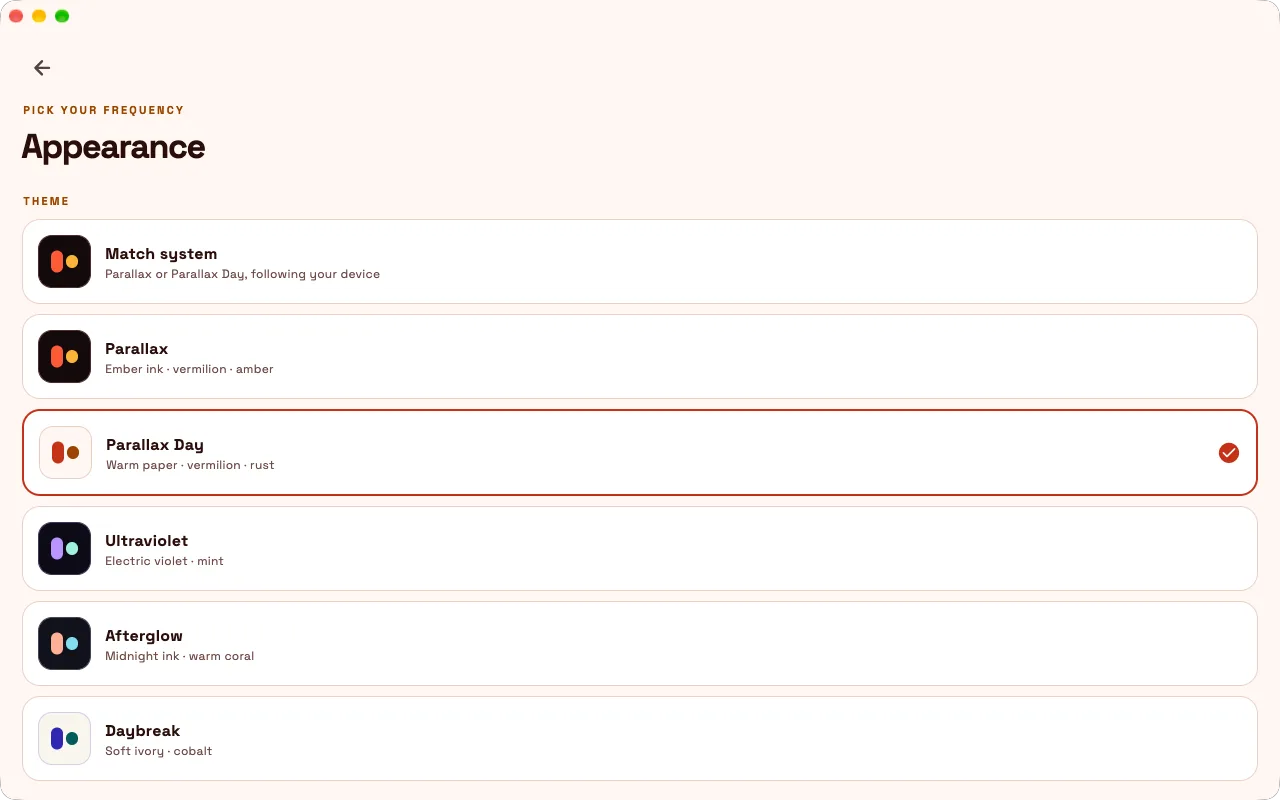
Appearance settings show the light palette and the available themes.
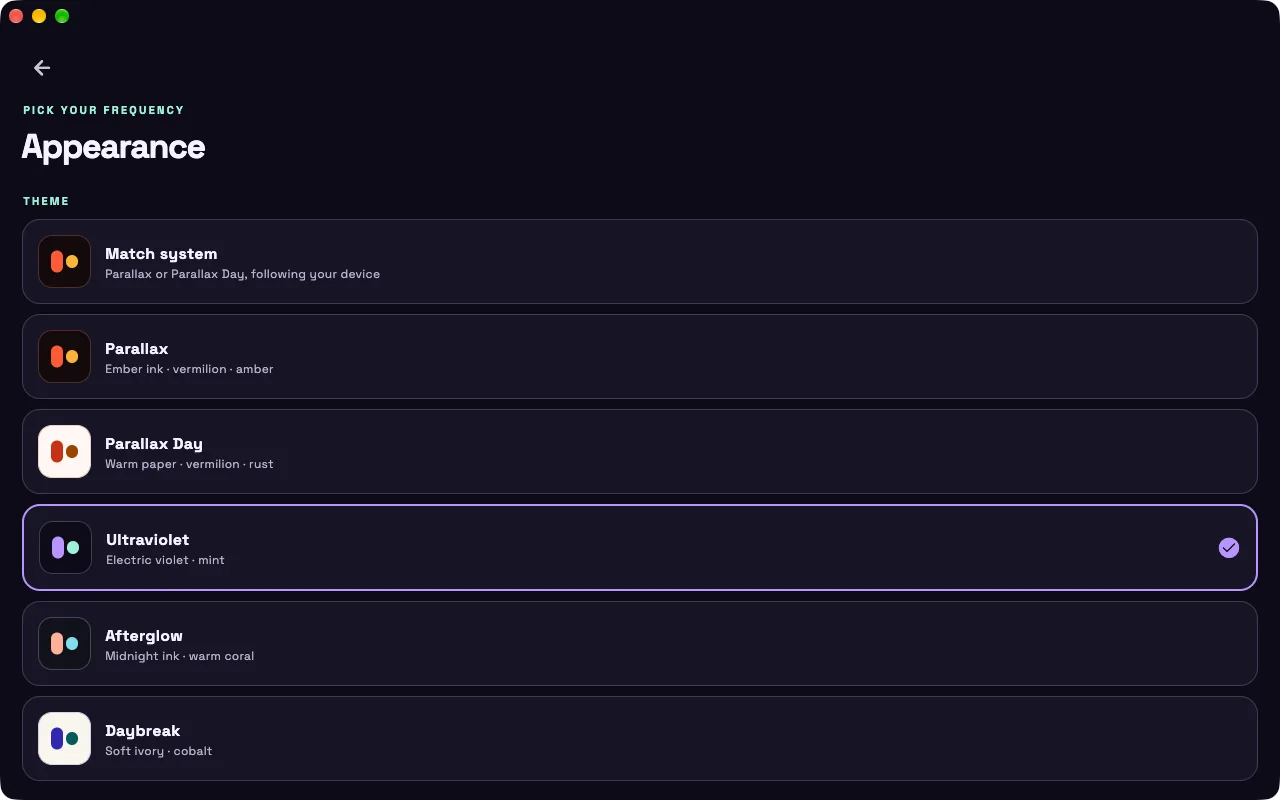
Choose another theme without leaving the desktop app.
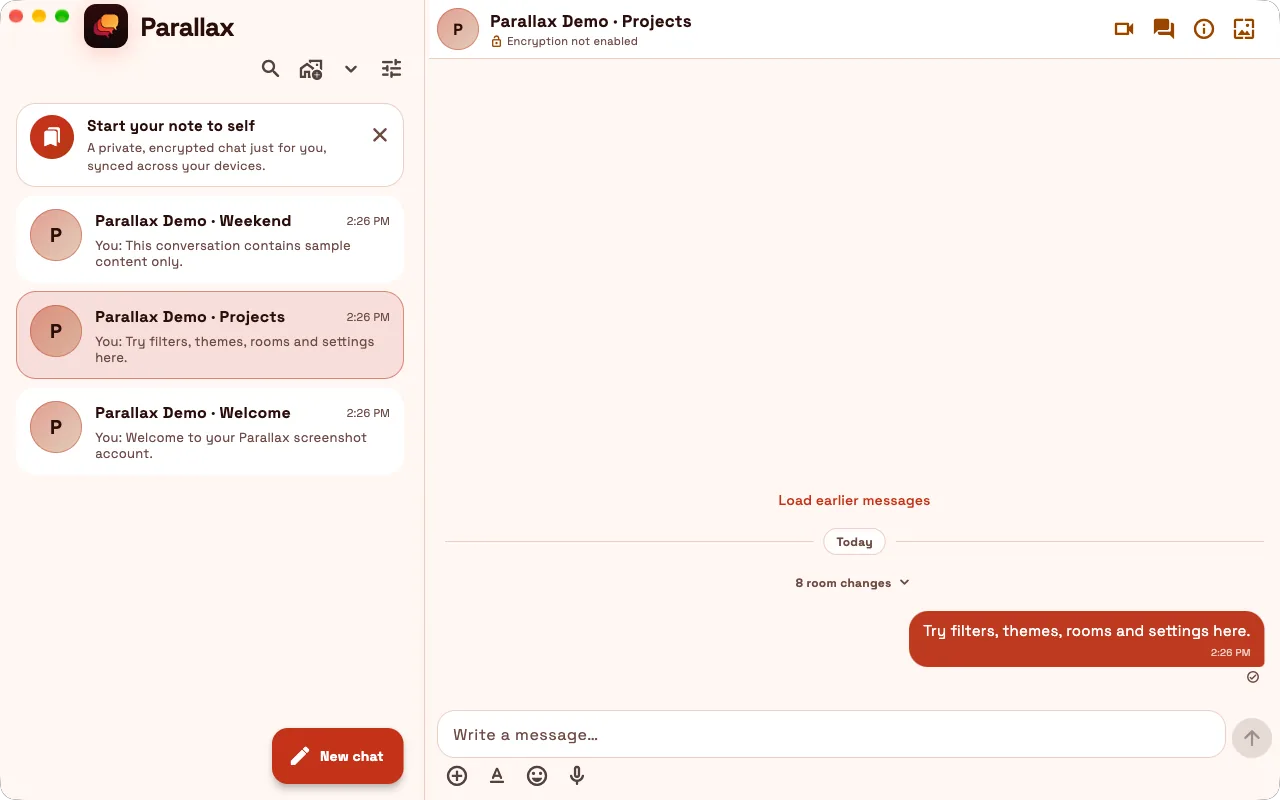
Warm paper and rust accents in the desktop inbox.
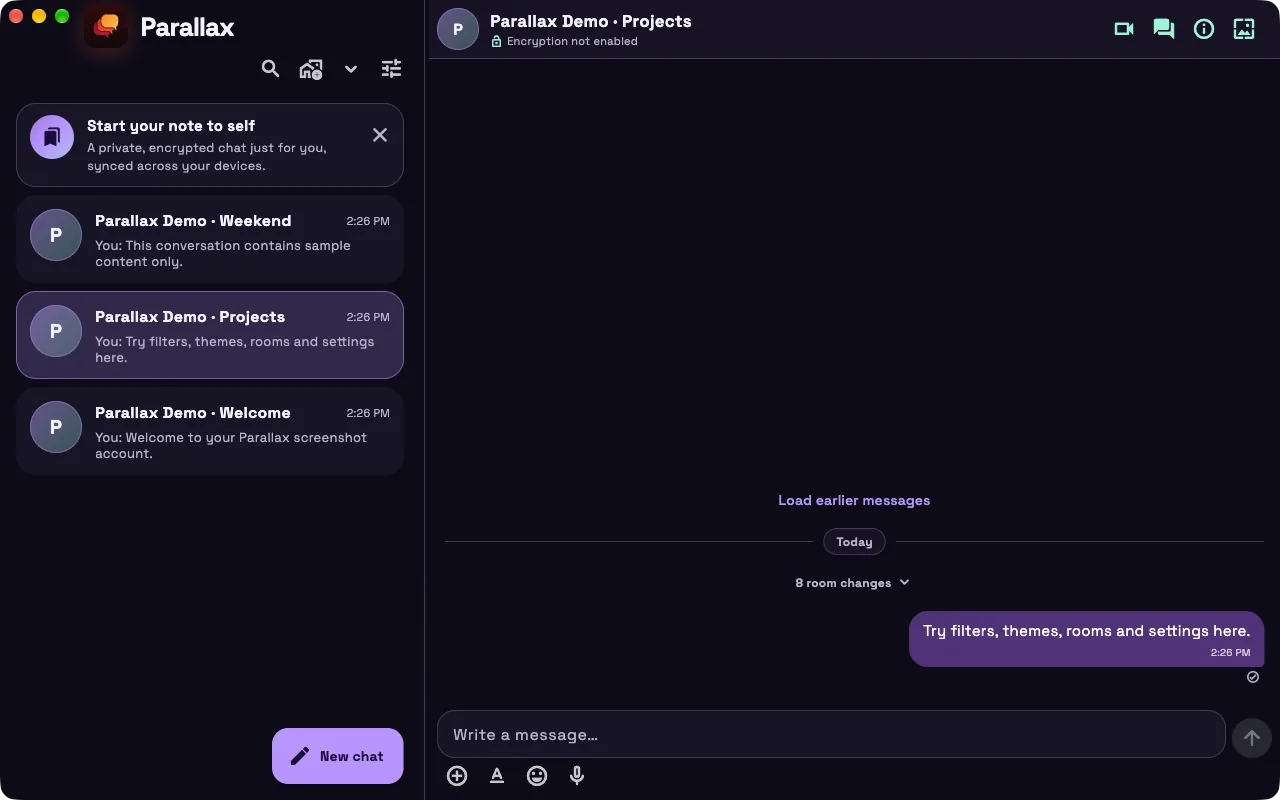
See the chat list and room pane in violet.
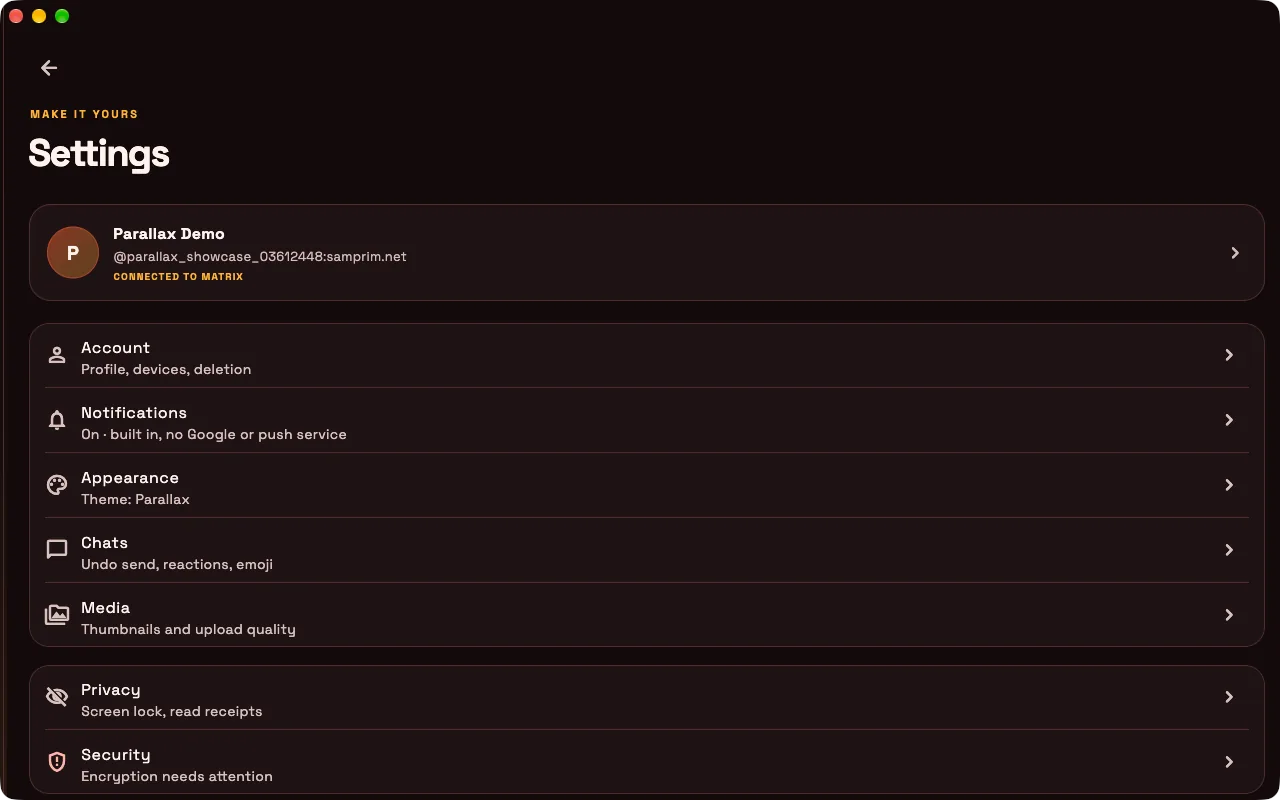
Account, notifications, appearance, chats and security.
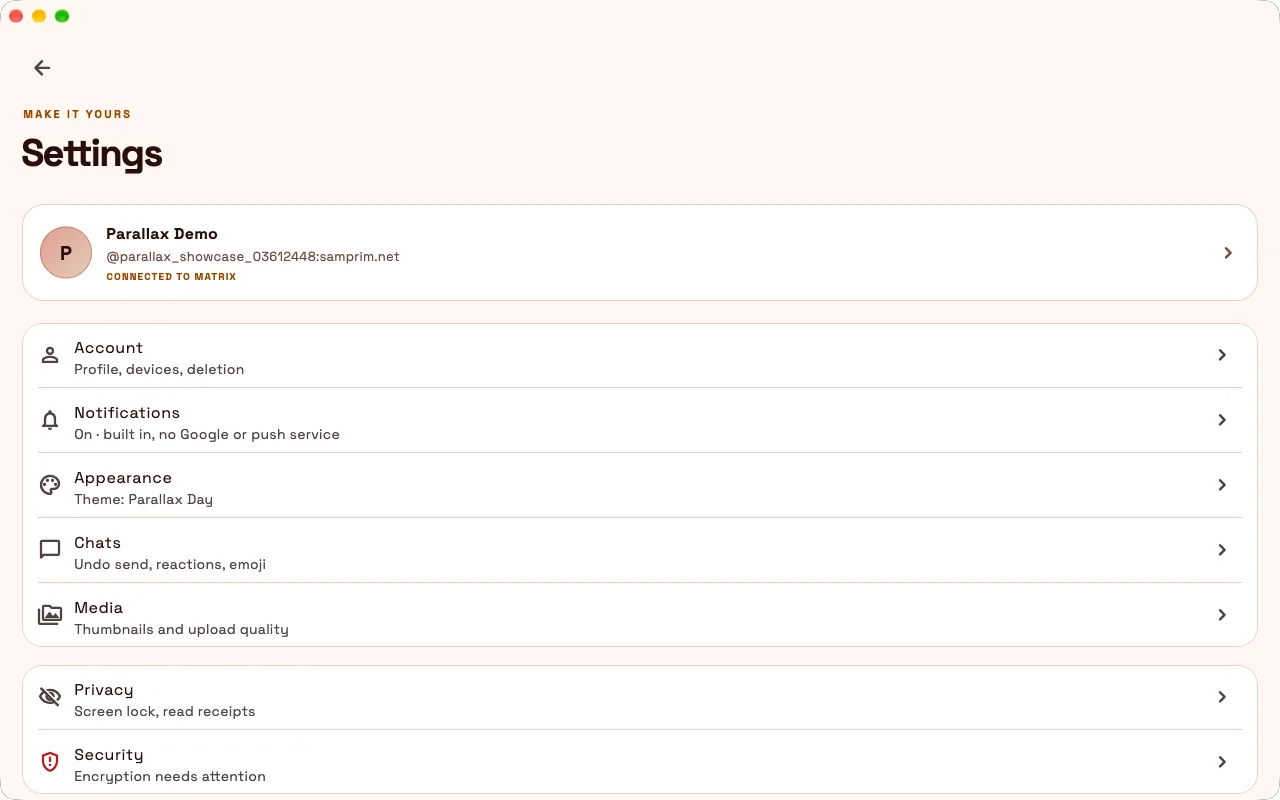
The same controls in Parallax Day.
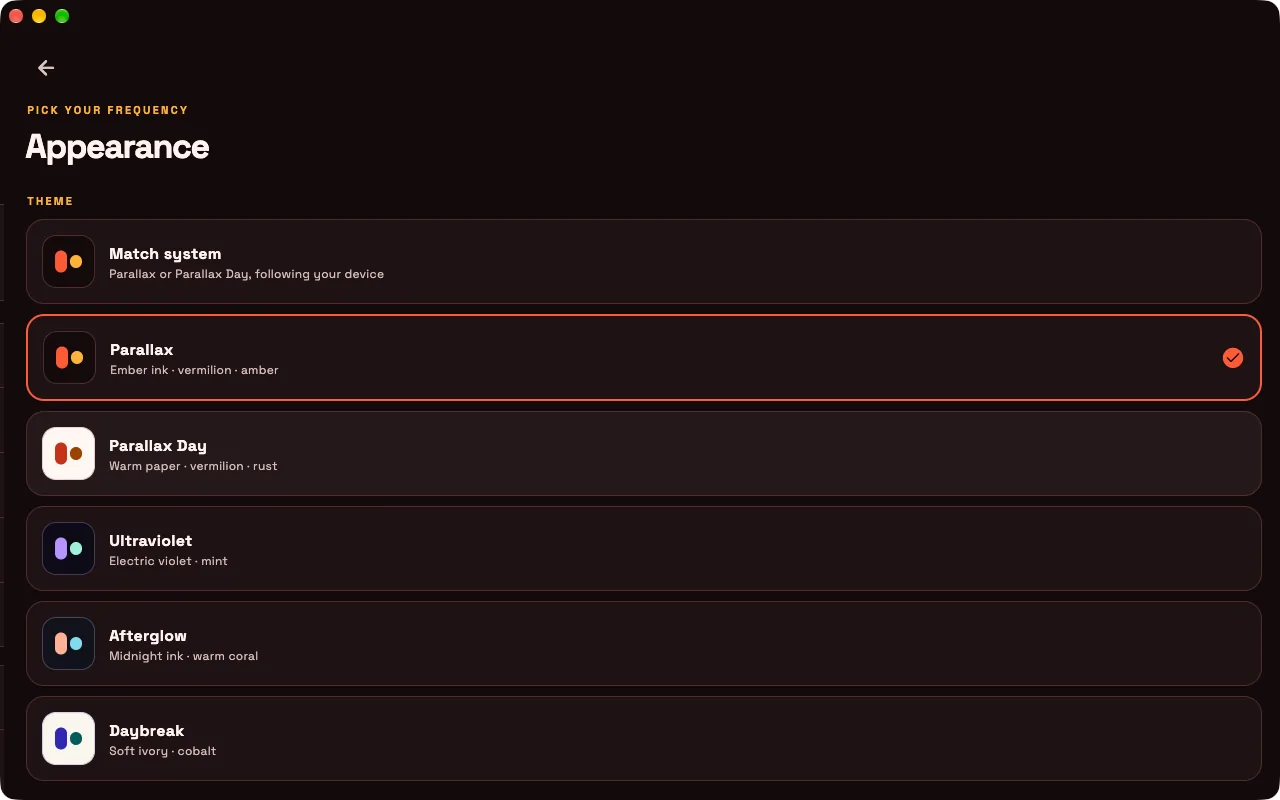
Pick Parallax, Parallax Day, Ultraviolet, Afterglow or Daybreak.
Privacy on Mac
Parallax is built to connect to the Matrix service you choose when you sign in; live production-homeserver sign-in remains unverified. Check a room's encryption status before you share a private message.
Read about privacy on MacParallax does not show ads or track how you use the app.
macOS keeps app data in its sandbox and protects sign-in details with the Keychain.
Encrypted rooms protect message content. The sample Projects room shown above has encryption turned off.
Push delivery on Mac remains unverified. This in-development build does not promise alerts after you quit.
Good to know
Coming soon. We have not announced a release date or price. You can ask about the Mac release.
No new account is needed by design. The build is designed for your existing matrix.org or self-hosted account, but live production-homeserver sign-in remains unverified.
Encryption depends on the room. Check its status before sending anything private. The sample Projects room in these screenshots has encryption turned off.
Yes. Choose from five themes in Settings → Appearance, including Parallax Day and Ultraviolet.
Not yet. Push delivery and physical-device testing remain verification gaps, so the Mac build does not promise background alerts.
Parallax for Mac is coming soon.
Parallax / Windows · Coming soon
See your rooms and messages together in a desktop window. Keep up with notifications, choose a theme and use your keyboard or mouse to get around.
Coming soon for Windows. There is no download or release date yet.
Made for Windows
Keep your conversations open beside the room list, pick a theme and stay signed in to your Matrix account.
Your room list stays beside the open chat. Make the window as wide as you need.
Sign in to matrix.org or your own homeserver and find the rooms you already use.
Pick Parallax, Parallax Day, Ultraviolet, Afterglow or Daybreak in Settings → Appearance.
Use a keyboard and mouse to move between rooms and open message actions.
Close the window and Parallax can stay in the notification area. Choose Quit when you want it to stop.
Windows settings let you choose where notifications appear and what your lock screen shows.
See it on Windows
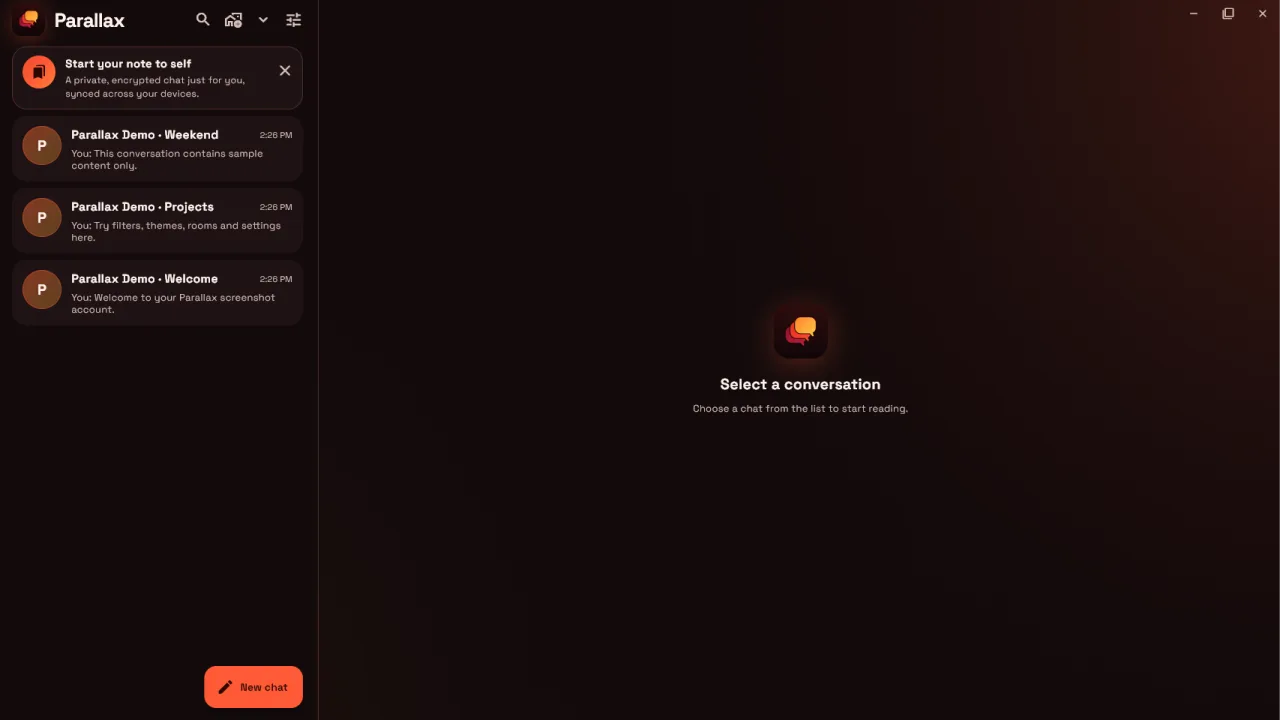
Find a look that suits you, from warm Parallax Day to violet Ultraviolet. The conversations in these screens are examples.
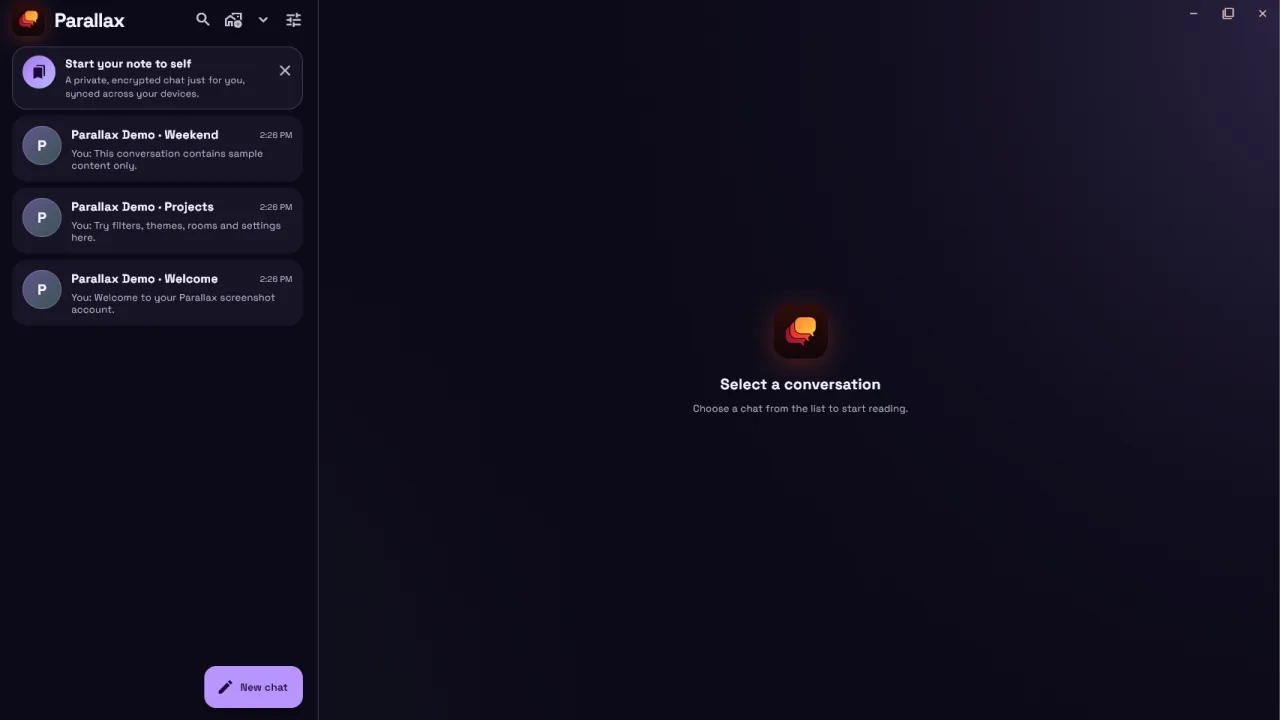
A two-pane desktop inbox with sample chats in the dark Parallax palette.
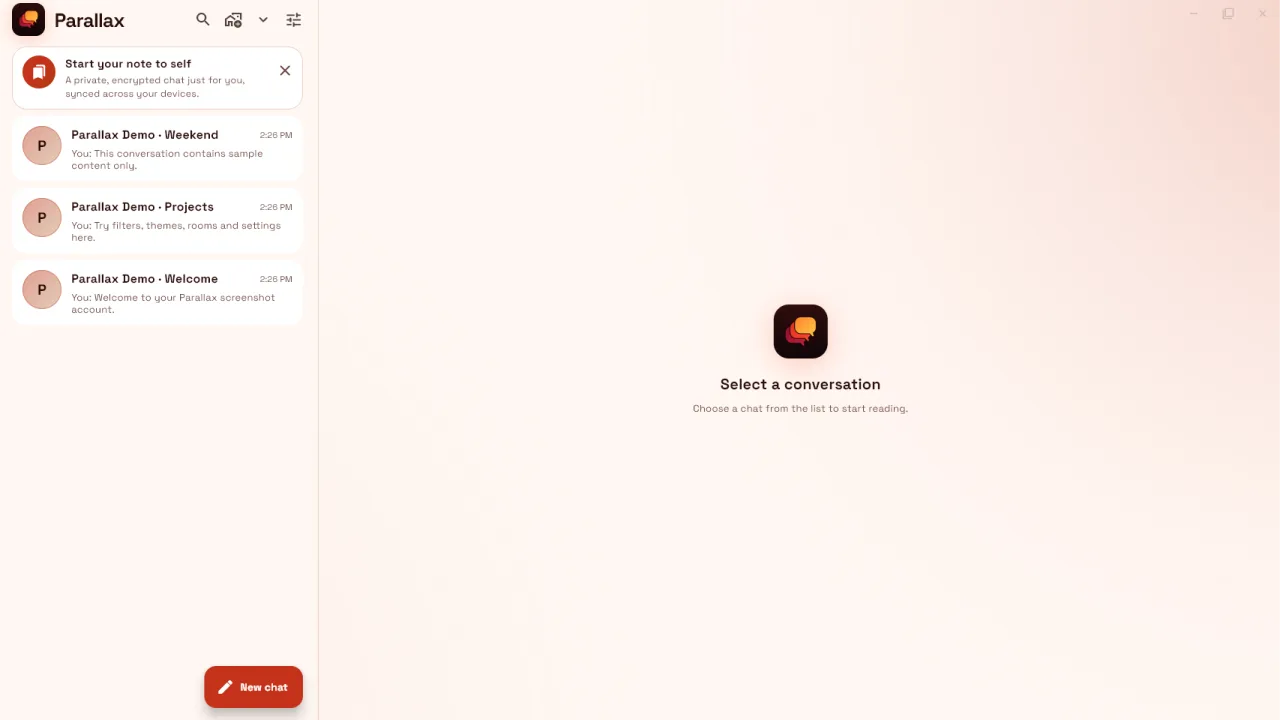
The same demo inbox in the warm light palette.
A violet and mint palette across the desktop conversation list.
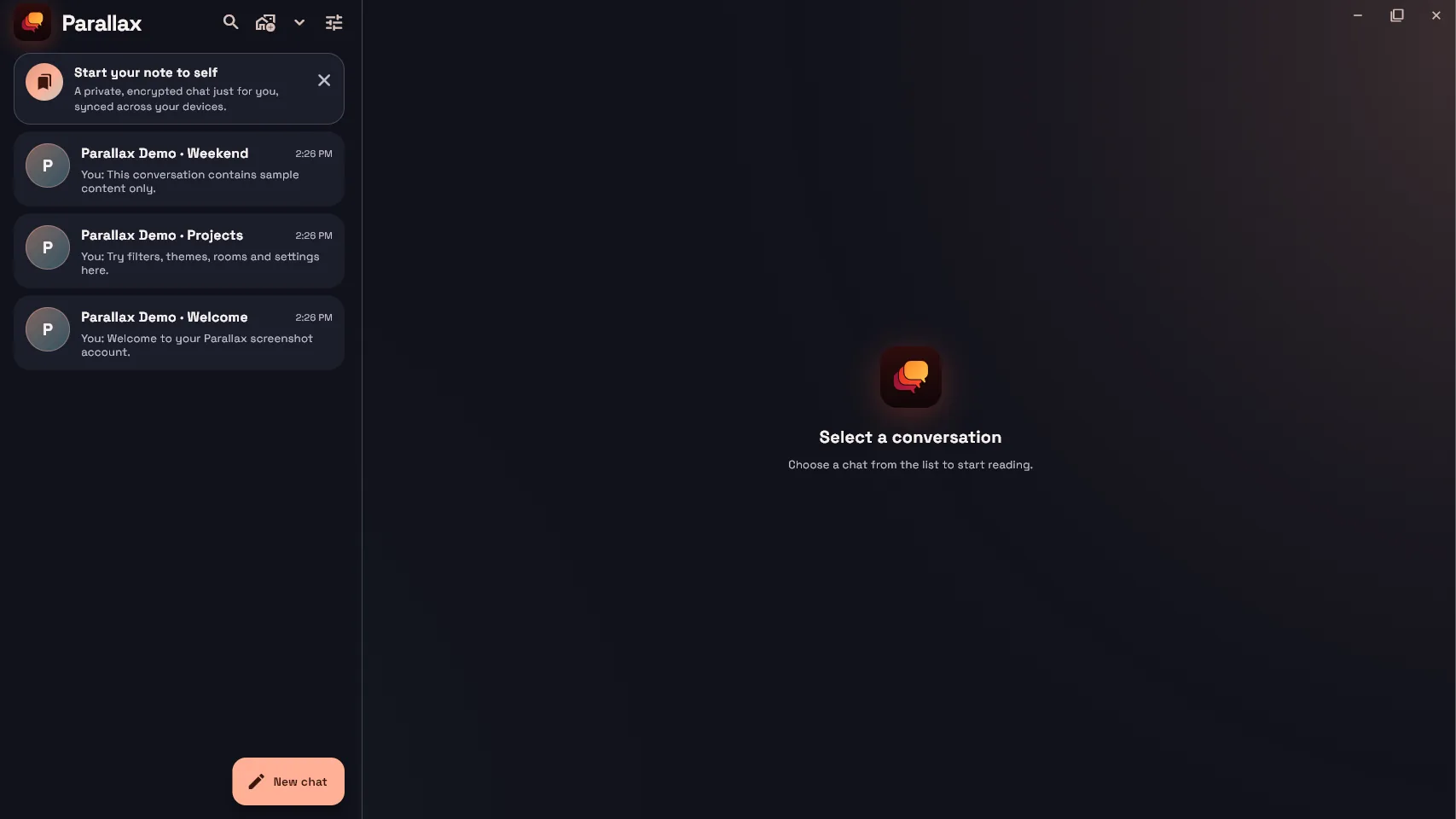
Midnight ink with warm coral accents.
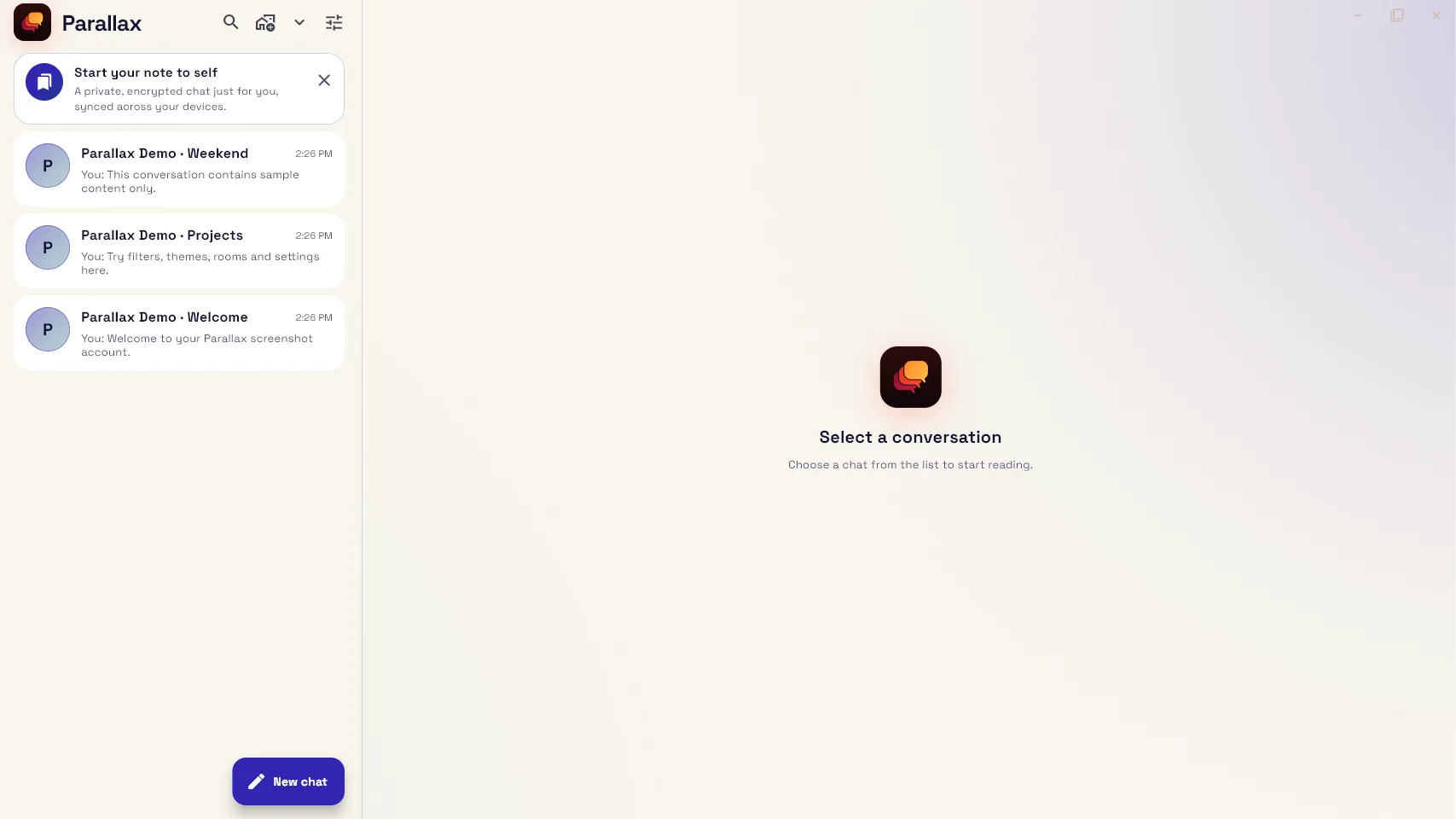
Ivory and cobalt in the desktop chat list.
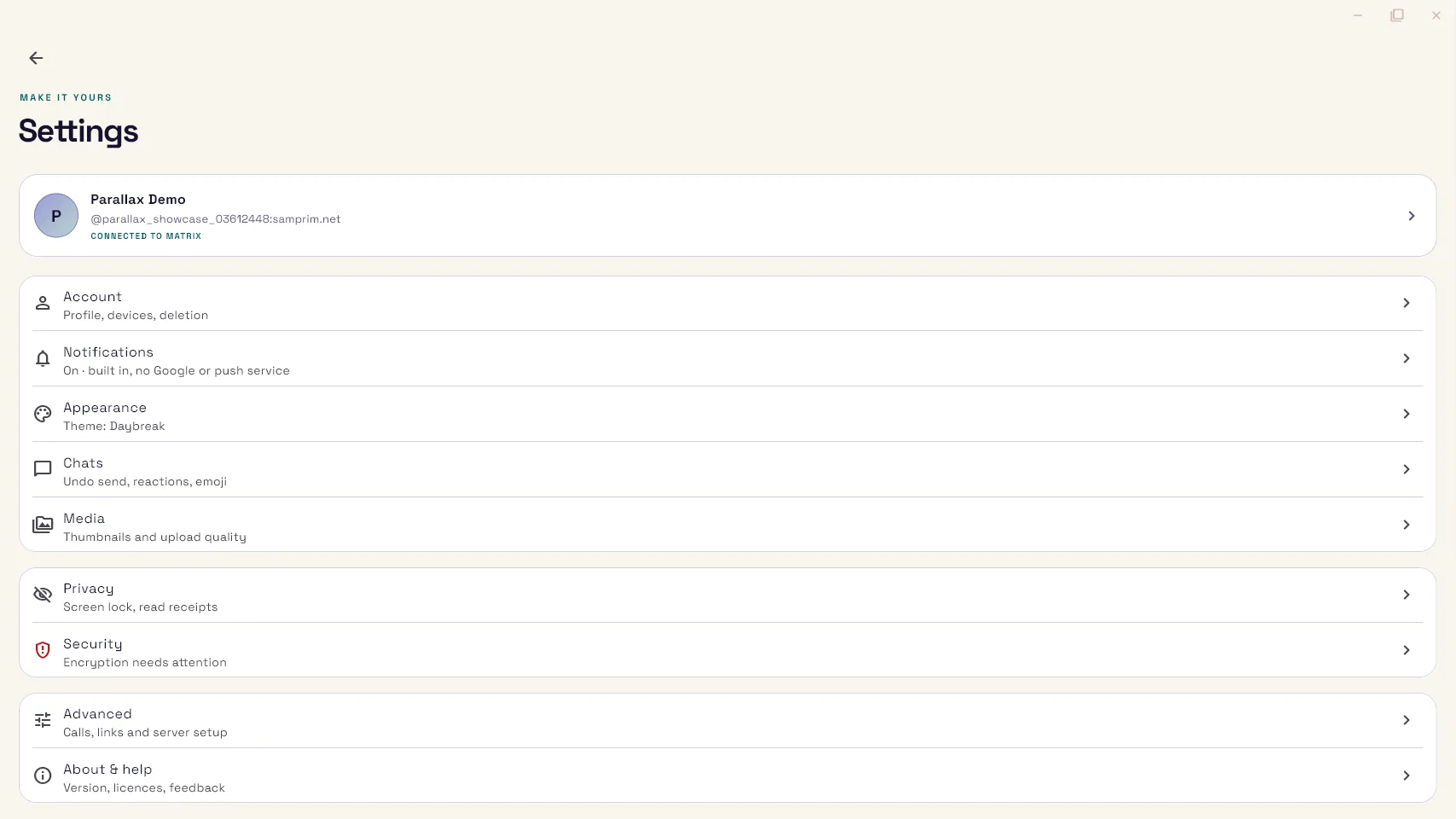
Account, notifications, appearance, chats and security.
Privacy on Windows
Parallax connects to the Matrix service you choose when you sign in. Check a room's encryption status before you share a private message.
Read about privacy on WindowsParallax does not show ads or track how you use the app.
Your sign-in and chat data stay in your Windows user profile. The homeserver you choose holds its server copy.
Encrypted rooms protect message content. Check the room status before you share anything private.
Windows controls what appears on your lock screen. Quit Parallax from the notification area to stop alerts.
Good to know
Coming soon. We have not announced a release date or price. You can ask about the Windows release.
No. You can use your existing Matrix account on matrix.org or your own homeserver.
Encryption depends on the room. Check its status before sending anything private.
Yes. Choose from five themes in Settings → Appearance, including Parallax Day and Ultraviolet.
Parallax can keep running in the notification area when you close its window. Choose Quit there to stop sync and notifications.
Parallax for Windows is coming soon.